General Operation
28 TVM Series Installation and Operation Handbook
Copyright © 2008, Harris Corporation
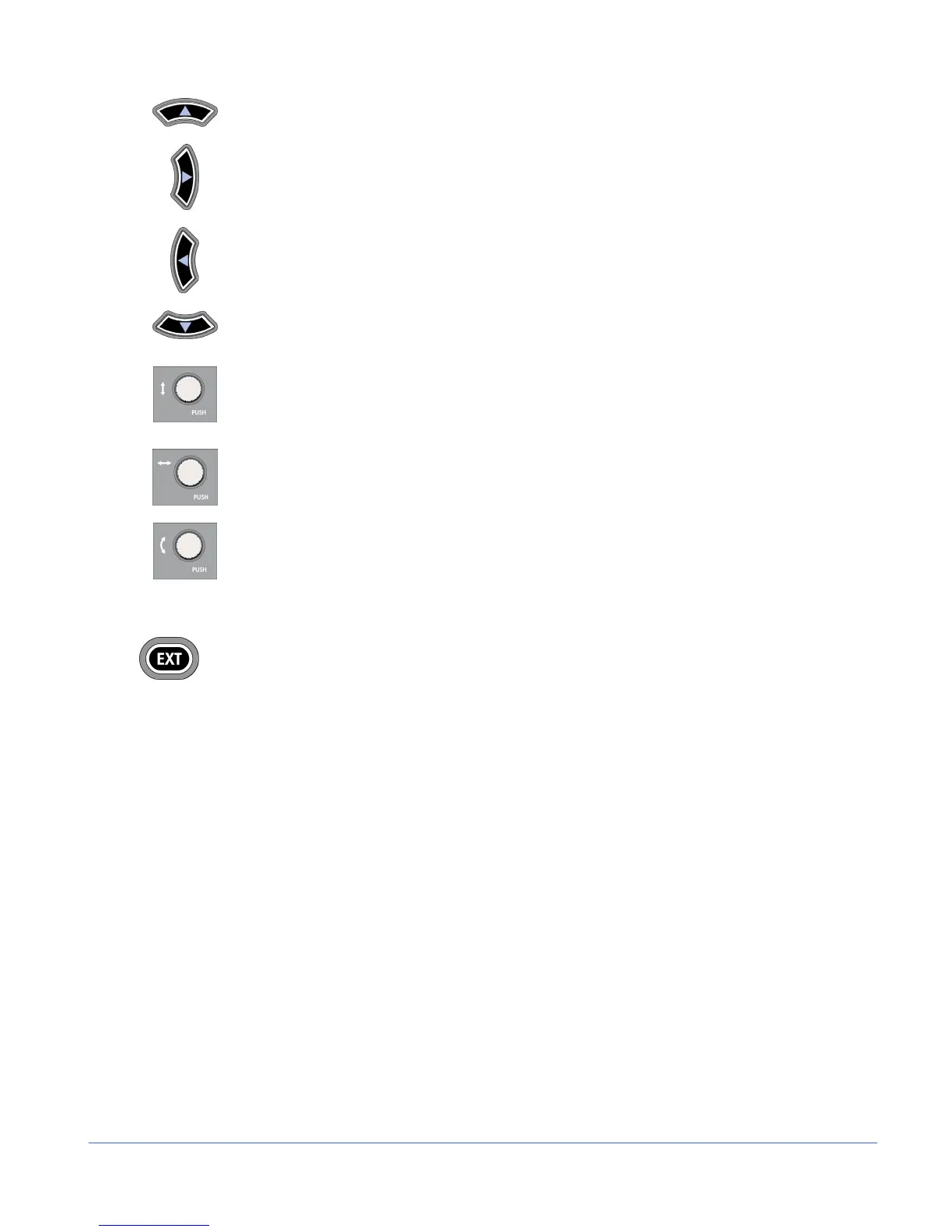
Press to move up in the menu or submenu.
Press to move right to the next submenu.
Press to move out of the submenu.
Press to move down in the menu or submenu.
- Rotate the knob to move the menu cursor up and down or to change a
value or condition in a menu.
- Press the knob to exit the menu.
- Rotate the knob to enter or exit the submenus.
- Press the knob to select a menu item or move to the submenu.
Rotate the knob to move the menu cursor up and down.
External Reference
- Press to select internal or external reference.
- Press and hold the EXT button to select the External Reference input configuration. The
external reference input configuration are: as follows:
• Input B or A = BB (Blackburst) or TRI (Tri-level sync) (when LOOP is selected in
the EXT menu). If used, terminate with a 75 Ω terminator.
• Input A = BB (when SPLIT BB is selected in the EXT menu)
• Input B = TRI (when SPLIT TRI is selected in the EXT menu)
The default reference selection is INT. To change the external reference selection:
1. Press and hold the EXT button to access the External Reference menu. Table 3-2
shows the EXT menu selections.
2. When EXTERNAL REFERENCE is highlighted, press the RIGHT NAVIGATION
button to open the menu selections.
3. Press the UP or DOWN NAVIGATION to highlight the reference, and press the
ENT button to select the reference.
4. Press EXIT to exit the menu.



 To Next Page