TVM Series Installation and Operation Handbook 23
Copyright © 2008, Harris Corporation
Section 3 ♦ General Operation
Terms
The following terms are used in this section:
• Display: The output at the Front LCD or XGA/DVI connector
• Full: Full-screen display of the selected pane (non quad or multi display)
• Multi: A multi-quadrant screen that contains preconfigured screens for VTM
Classic, Data Analyzer, Custom Timing, Waveform-Vector screens, and 3 Gb/s
WFM/VEC (with TVM-VTM-3GB only)
• Pane: One quadrant in a multi-quadrant screen (Quad or Multi)
• Quad: Screen that contains four panes
Introduction to Operating the TVM Series
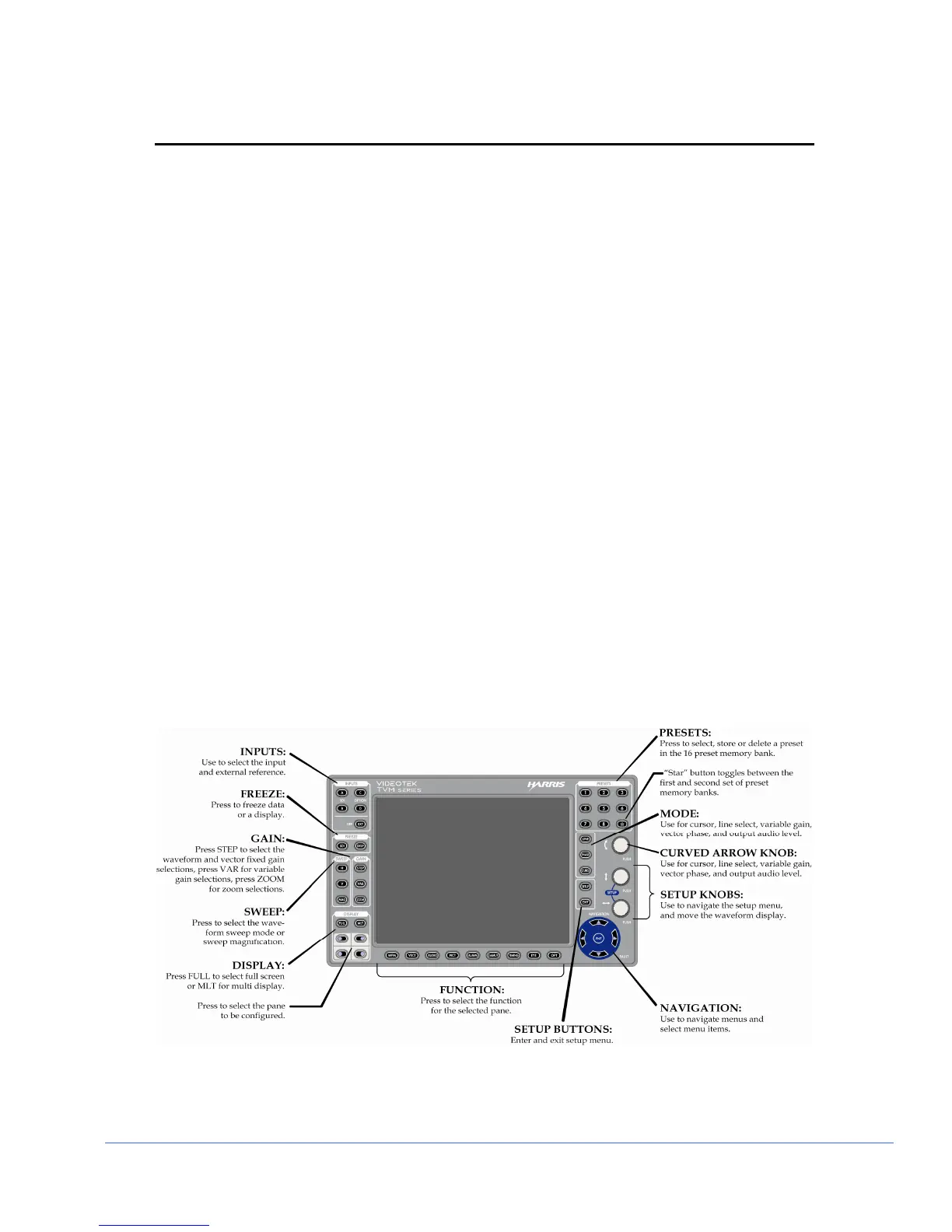
The TVM Series, shown and described in Figure 3-1, can contain up to four selectable
panes on the screen, in standard quad mode. Each pane provides a user-selectable
customized display of waveform, vector, gamut, audio, picture, relative timing, alarm
status, or data analyzer functions. A sample quad screen with the lower-right pane
selected is shown in Figure 3-2.
Certain buttons function differently according to the selected pane. Once the pane and
function for the pane is determined, more detailed settings can be configured. This
section focuses on the operation of the TVM Series according to the selected display.
Figure 3-1. TVM Series Front Panel
NOTE: Pressing and holding certain buttons will activate menus for additional functionality.
NOTE: In the Inputs groups, press the A and B (or C and D) buttons at the same time to
display inputs A-B (or C-D) simultaneously, if they are the same format.



 To Next Page