General Operation
TVM Series Installation and Operation Handbook 69
Copyright © 2008, Harris Corporation
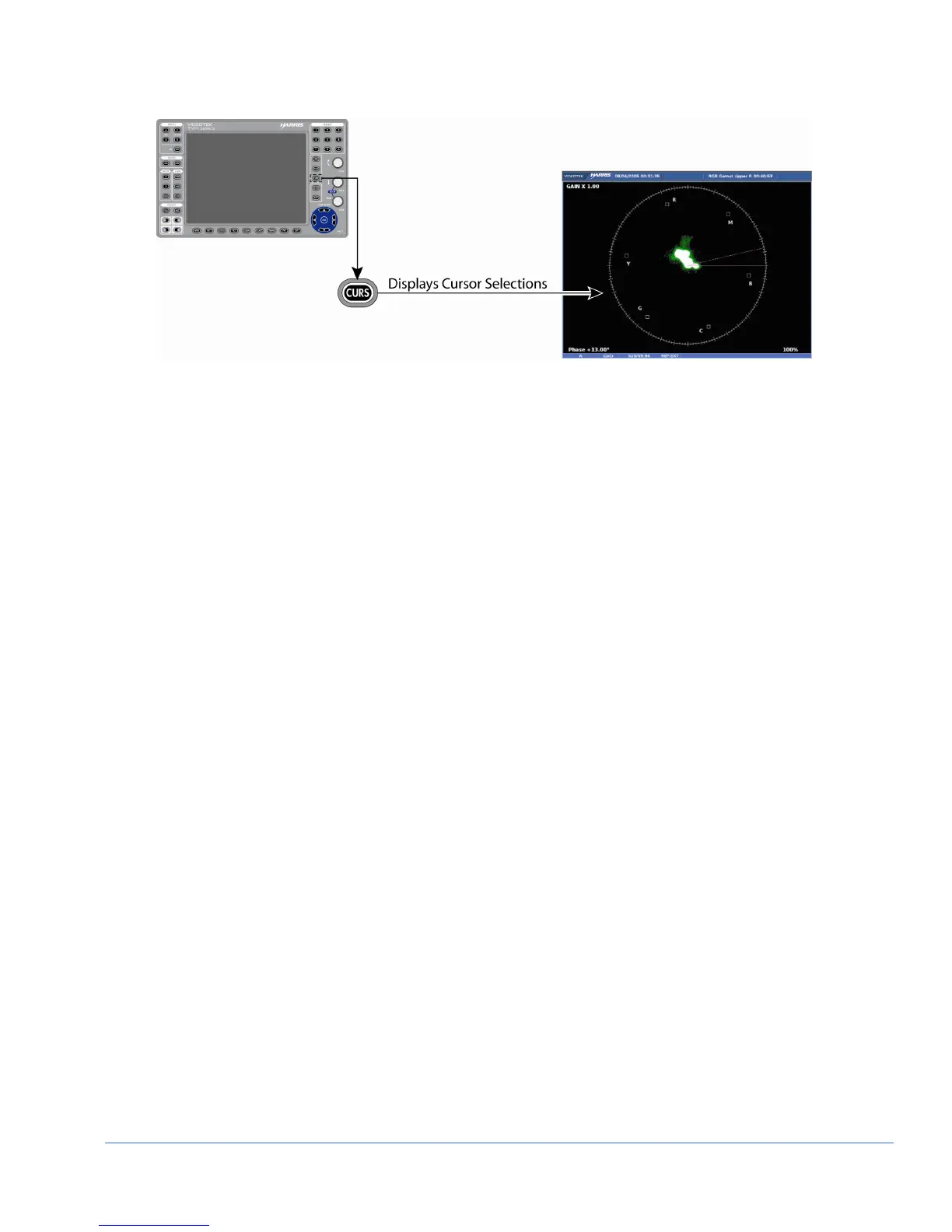
Figure 3-39. Establishing Cursor Select
To enable the Phase cursors, press and hold the CURS button. Once the PHASE
pop-up menu appears on the screen, press the ENT button to enable it. Once the cursor
is selected, press the EXIT button to exit the CURS pane menu.
When the cursor is selected, the Phase indication appears. Beside the Phase indication
is a numeric readout that indicates the difference between the REF and DELTA lines.
The active line (REF, DELTA, or both) is shown with small arrows at the outer end of
the line.
Once a line is selected for control:
1. Press the CURVED ARROW knob to select the REF or DELTA line to control.
The REF line is the solid line, and the DELTA line is the dotted line.
2. Rotate the knob to move the REF or DELTA line to the desired location.
3. Press the knob for the next line. Rotate the knob to move the other line to the
desired location.
4. Press the knob a third time to control both the REF and DELTA lines.
5. Repeat as necessary.
Once the cursors are no longer necessary, press and hold the CURS button to return to
the Cursor menu and disable the Phase cursor selection. The check mark indicates the
cursor is enabled, and no check mark indicates the cursor is disabled.
To exit the cursor function while leaving the cursor active, just select another mode in
the pane (i.e. Line Select, Variable Gain, etc.)
Vector Pane Menu Selections
Pressing and holding the VECT function button or the DISPLAY PANE button in the
active vector pane selects the pane menu. Use the SETUP POSITION knobs or the
NAVIGATION buttons to navigate the Pane menu.
The Vector Pane menu is described in Table 3-24 for analog, Table 3-25 for SD-SDI
monitoring, and Table 3-26 for HD-SDI monitoring. Though all menu items appear on
the display in one complete group, the tables below indicate what will function with the
selected formats.



 To Next Page