General Operation
TVM Series Installation and Operation Handbook 37
Copyright © 2008, Harris Corporation
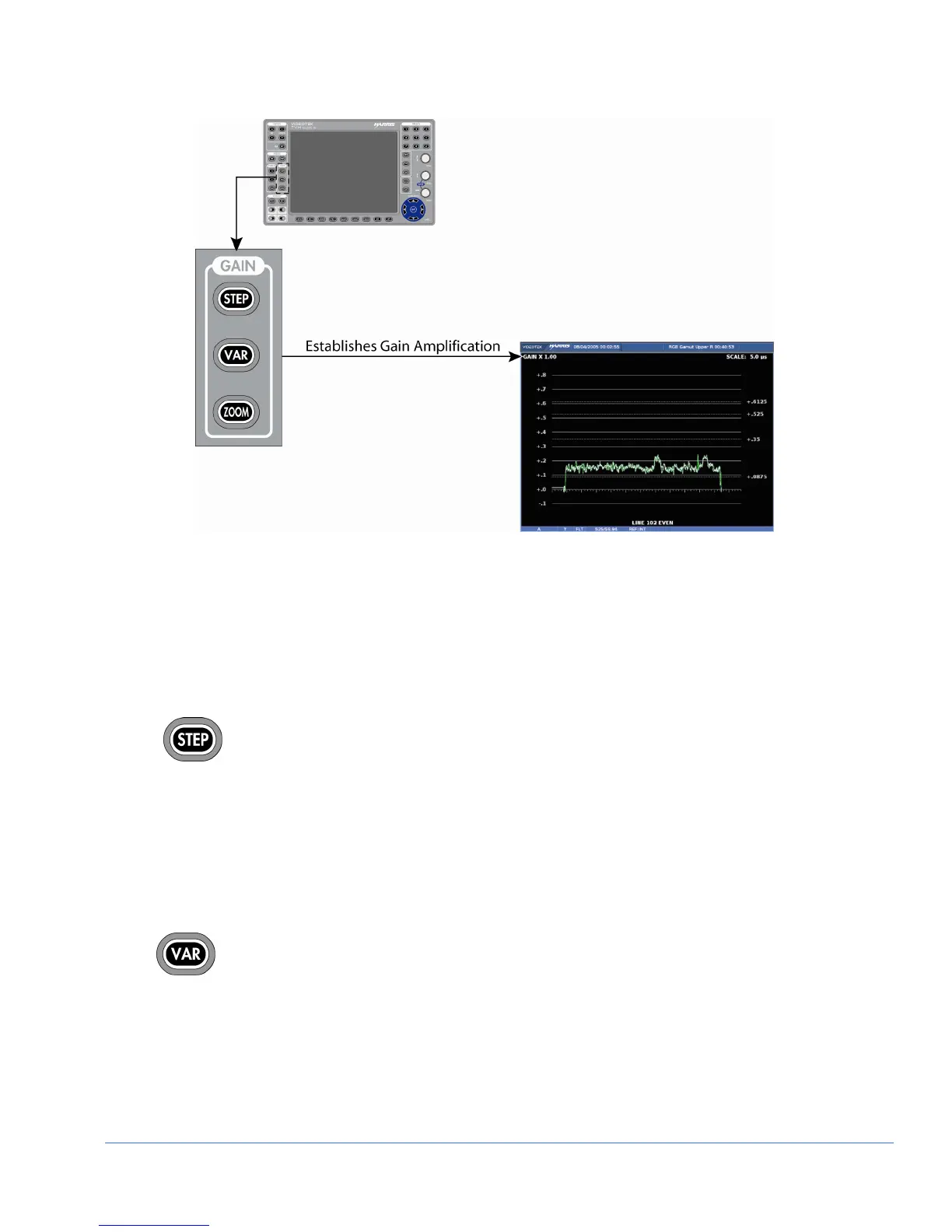
Figure 3-12. Establishing the Gain
Gain Buttons
Gain is used to set the range of the vertical amplification in the video signal. The
standard gain in the video signal is x1. The TVM can be used to set the gain
amplification in the video signal using the Gain group of buttons. The gain setting
appears in the upper-left portion of the waveform pane, as shown in Figure 3-12.
Press the STEP button to step through the available gain selections x1.0,
x2.5, x5.0, x15.0. Press and hold the STEP button to select the GAIN pane
menu. STEP button functionality is modified in the step pop-up menu. The
selections are:
• Allow all
• x1 and x2.5 (only)
• x1 and x5 (only)
• x1 and x15 (only)
Press VAR to access Waveform Variable Gain. Once the VAR button is
illuminated, the Waveform Variable Gain can be adjusted using the CURVED
ARROW KNOB. The gain is adjusted in increments of 0.01. The Variable
Gain range for a waveform will be x0.50 to x15.00.
Press the VAR button to exit variable gain mode.
If Variable Gain mode is selected while already in a fixed gain (such as x2.5 or x5) the
gain is set to the variable gain selected. When VAR is pressed to exit variable gain, the



 To Next Page