General Operation
24 TVM Series Installation and Operation Handbook
Copyright © 2008, Harris Corporation
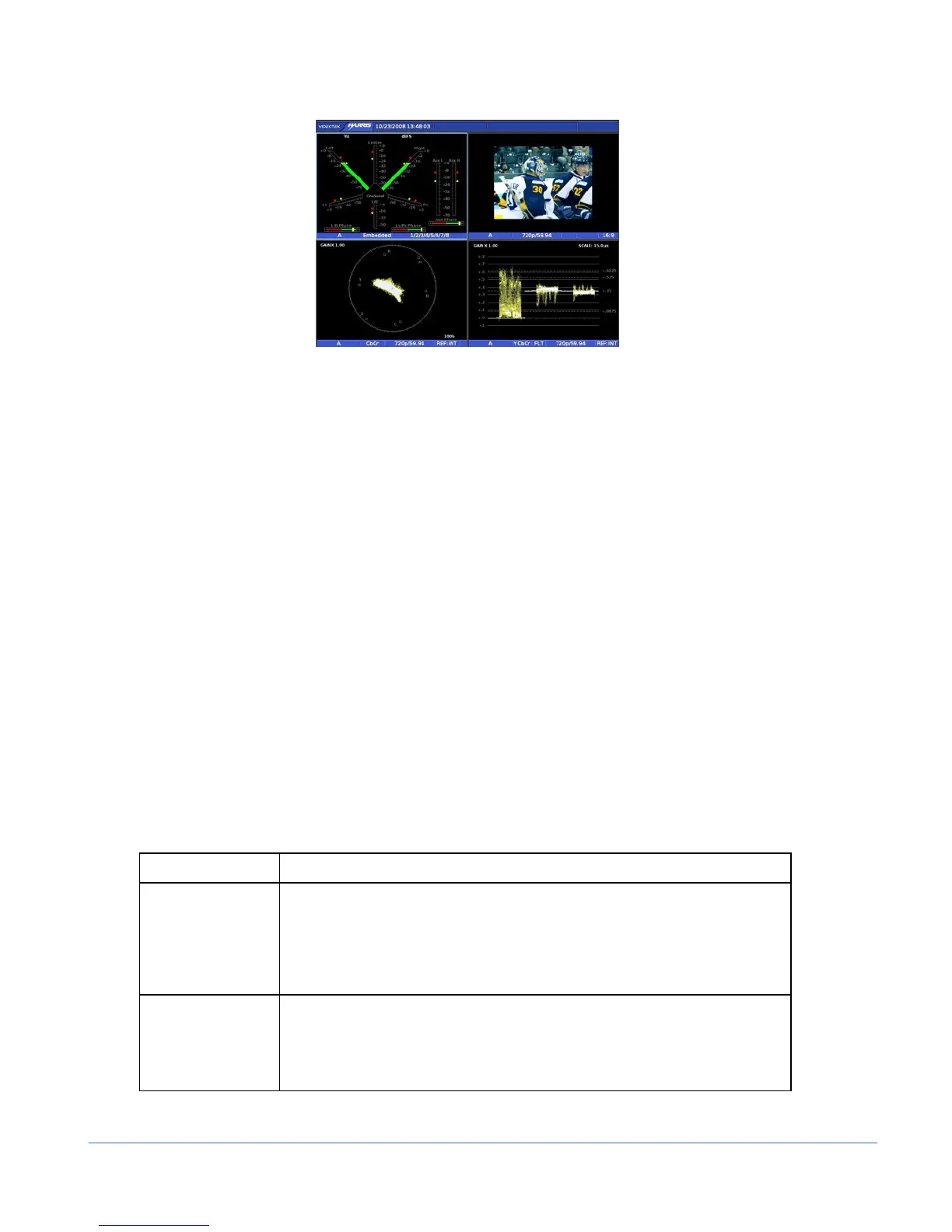
Figure 3-2. Sample Multi-Display
Types of Controls
The TVM is controlled in three ways:
• Quick Controls: Controls on the front panel that adjust parameters that are
frequently used.
• Pane Menu Settings: Pop-up menus within a pane that are used to control the
parameters for the individual pane.
• Global Setup Menu Settings: Setup menu parameters that affect the entire unit
(not pane-specific). The Setup menu is accessed by pressing the SETUP button.
Front Panel Illumination
The front panel controls are illustrated in Figure 3-1. Most buttons and text are in a
low-tally (low illumination) state; under certain conditions, however, some buttons and
text reach a high-tally (high illumination) state, as described in Table 3-1. If an option
is not installed, the associated button illumination is OFF. The high and low tally
illumination levels can be set in the SYSTEM > CONTROL ILLUMINATION menu.
NOTE: Multiple buttons may be high tally for a pane at the same time. The last control selected
using the curved arrow knob in the pane is the active control for that pane.
Table 3-1. Description of Front Panel Controls Illumination
Heading (Group) Description
INPUTS
• The button is high tally when the input is selected and displayed in a
pane. The button is low tally when the input is not selected for the
selected pane. For C and D, the button does not illuminate when the
option is not installed.
• When the input buttons are pressed simultaneously, both buttons (A and
B, or C and D) are high tally.
FREEZE
• DISP: The button is high tally when the entire XGA display is frozen. The
button is low tally when the XGA display is in live mode.
• SDI: The button is high tally when one frame of raw data is stored and
displayed frozen. The button is low tally when the XGA display is in live
mode.



 To Next Page