General Operation
TVM Series Installation and Operation Handbook 105
Copyright © 2008, Harris Corporation
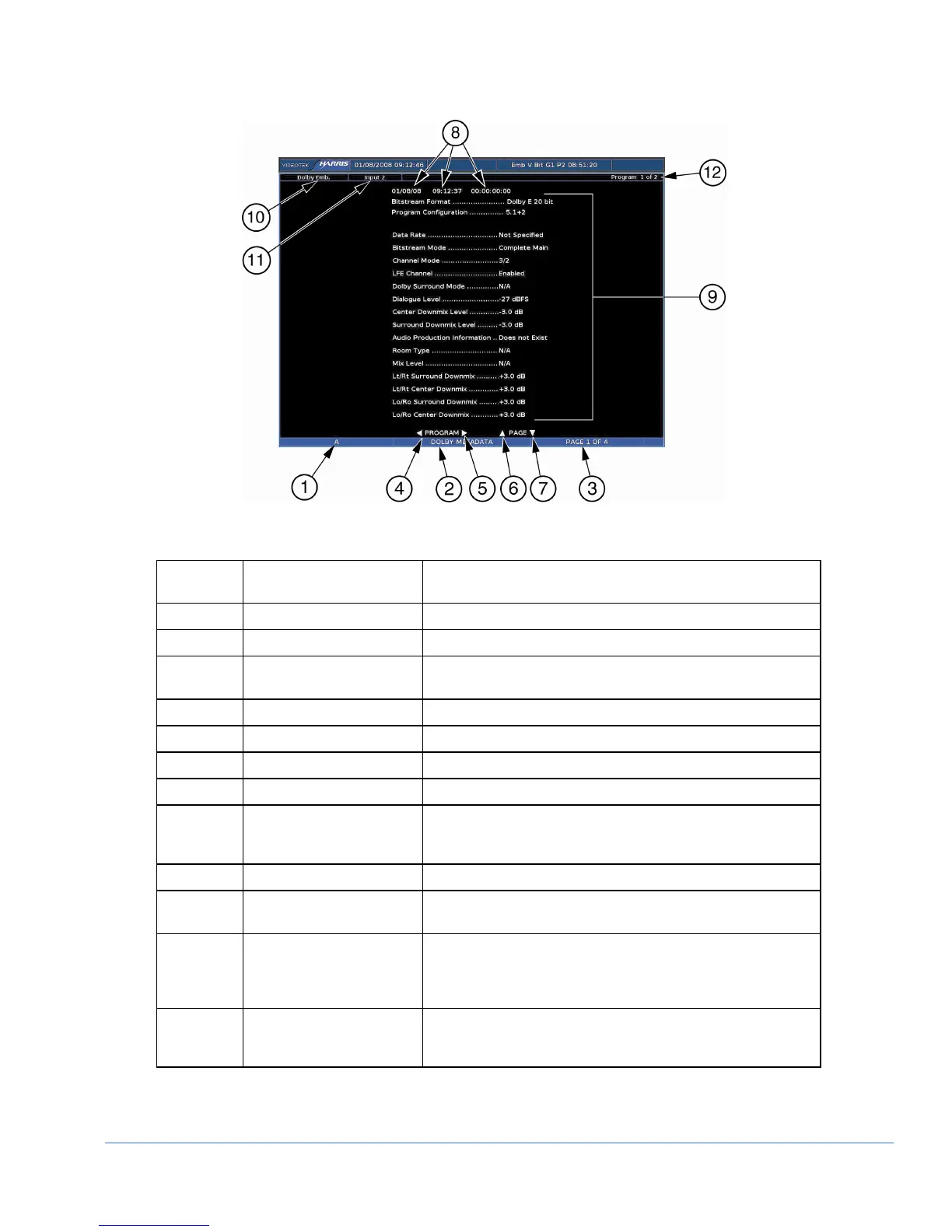
Figure 3-58. Dolby Metadata Display Diagram
Table 3-49. Description of Dolby Metadata Display Diagram
Field
Identifier
Field Information Nomenclature
1 Input Displays user-configurable source IDs for input and routers
2 Display Label Shown as Dolby Metadata
3 Page Information Shown as page X of Y where X is the page number and Y is
the total number of pages.
4 Paging Information Displays ◄ = Previous program.
5 Paging Information Displays ► = Next program
6 Paging Information Displays ▲ = PAGE UP
7 Paging Information Displays ▼ = PAGE DOWN
8 Date, Internal Time,
Selected Time Code, time
stamp
Date is shown as month/day/year, internal time is shown as
hour: minute: seconds, and time code is shown as hour:
minute: seconds: frame
9 Metadata Information Supplied by the A
3
-OPT 5 board
10 Audio Type Displayed as Analog, AES, or Embedded, Dolby AES, Dolby
Embedded
11 Dolby Display INPUT The input selected in the AUDIO SETUP > CONFIGURE
INPUT (A thru D) > DOLBY SETUP > DISPLAY INPUT menu
is the Dolby display input displayed (Dolby inputs are shown
as one digital input)
12 Program Information Shows how many programs are available for the current
Dolby format, and to which program the metadata
parameters apply



 To Next Page