Alarm Descriptions
190 TVM Series Installation and Operation Handbook
Copyright © 2008, Harris Corporation
Alarm Message Contents and Limitations
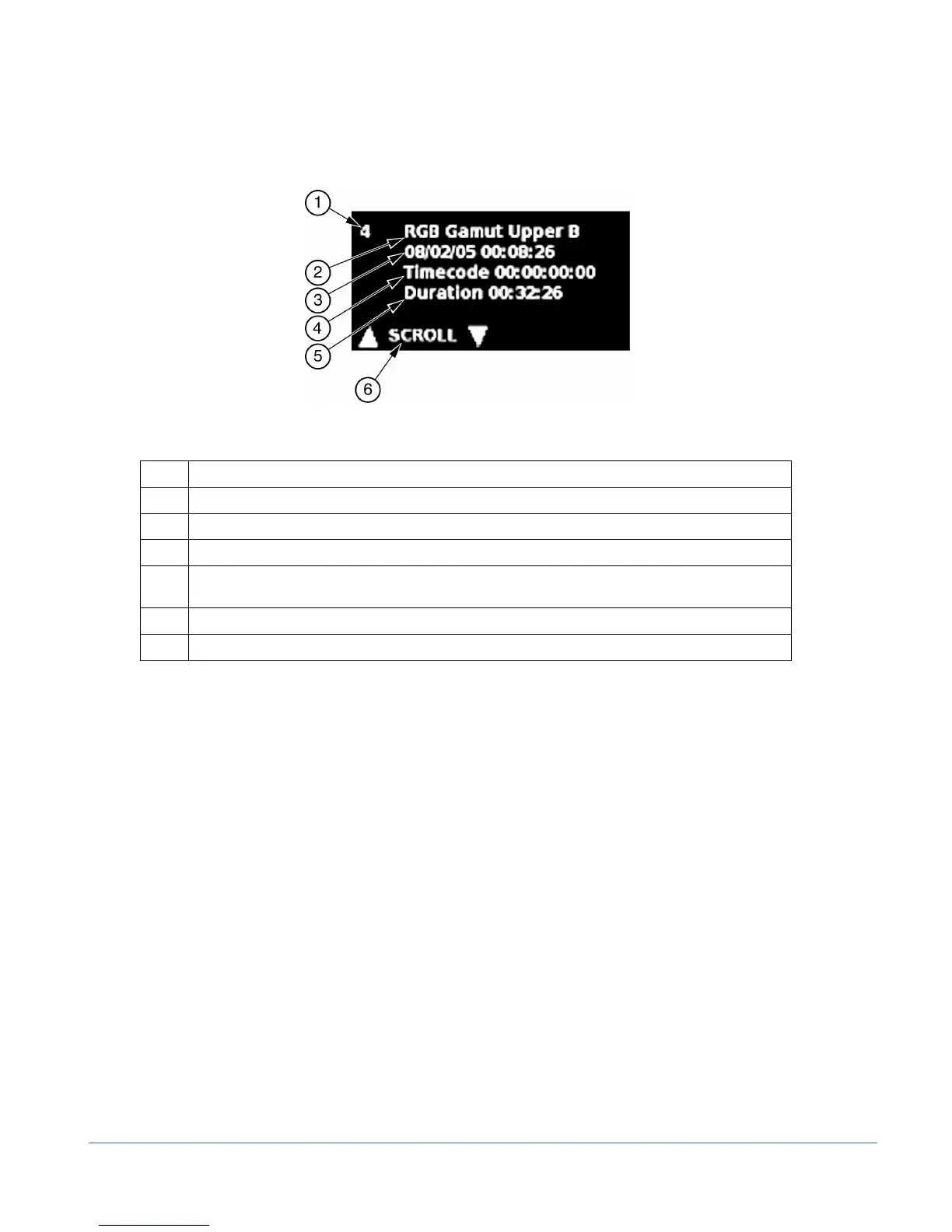
Figure 5-1. Sample Alarm Message (TVM Classic Mode Display)
Table 5-1. Description of Sample Alarm Message
Key Description
1 Index number, from 1-200
2 Error type, which describes the alarm
3 Date and time (the internal clock setting in month/day/year and hour:minute:second)
4
Time code, which is from the LTC/CLOCK, VITC, or D-VITC (shown in
day:hour:minute:second:frame)
5 Duration, which is the length of time that the error occurred (shown in hour:minute:second)
6 Press the UP or DOWN NAVIGATION buttons to move up and down the alarm list.
When an alarm is first registered, it appears at the top of the alarm display area and is
yellow. If the alarm is short term (i.e., two seconds or less), the alarm text reverts to the
original graticule color after approximately two seconds. If the alarm continues longer
than two seconds, the text remains yellow and the alarm duration is incremented. When
the next alarm occurs, the previous alarm moves up one position.
The unit has enough memory for 200 alarms per input. When 200 different alarm
events have occurred, alarm number 200 is dropped and the most recent alarm is
tagged as 01.
Use the NAVIGATION UP and DOWN buttons to scroll through the alarm list. Press
and hold ENT to erase the current group of alarms. A GPI output dry-contact closure
can be used to alert other devices when an alarm occurs. Use the
COMMUNICATIONS menu to setup the GPI.



 To Next Page