General Operation
TVM Series Installation and Operation Handbook 67
Copyright © 2008, Harris Corporation
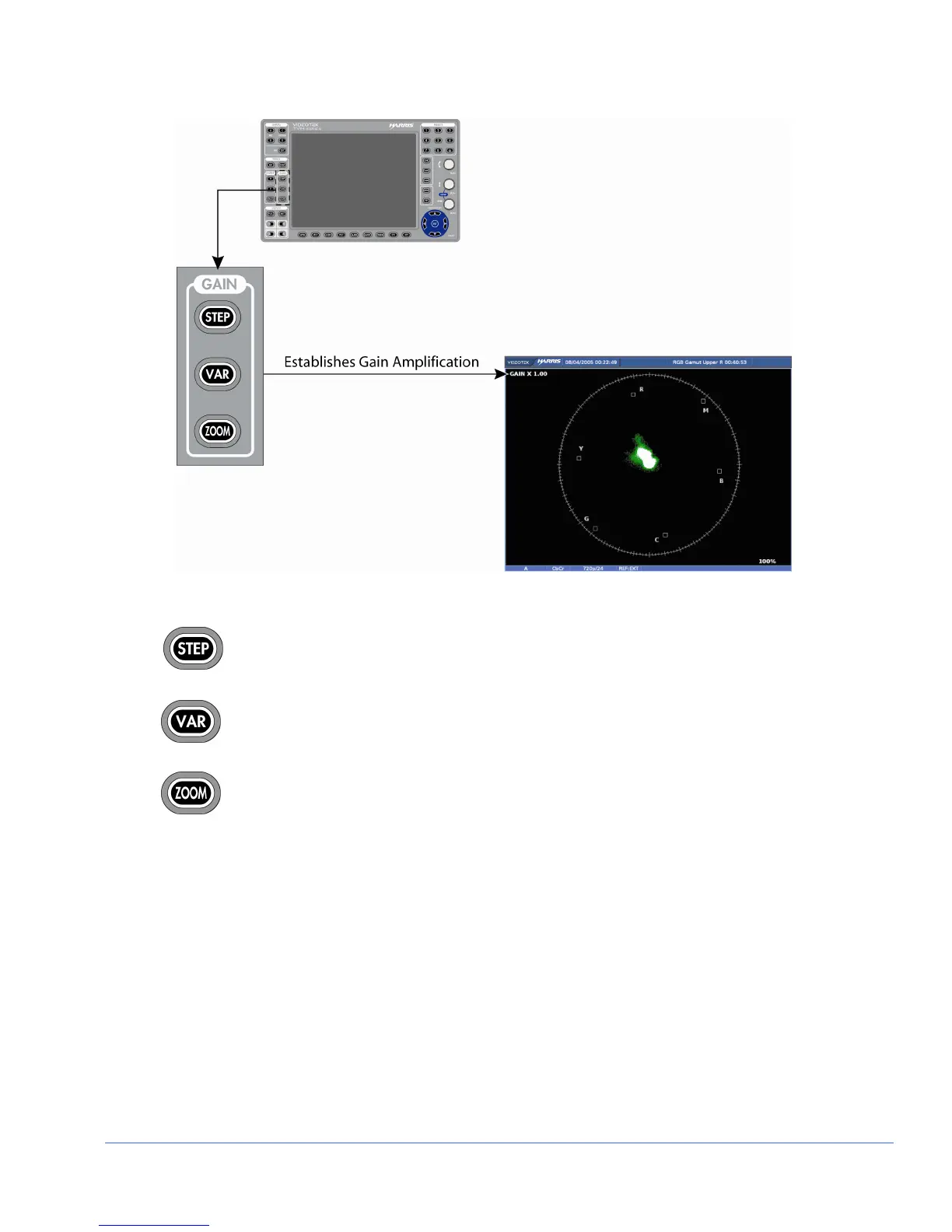
Figure 3-37. Establishing the Vector Gain
Press the STEP button to step through the available gain selections x1.0, x2.5,
x5.0, x15.0.
Press VAR to access Vector Variable Gain. Once the Waveform Variable Gain
is displayed on the screen, the Vector Variable Gain can be adjusted using the
CURVED ARROW KNOB. The gain is adjusted in increments of 0.01. The
Variable Gain range is x0.50 to x50.00.
Press ZOOM to cycle through one of six displays:
• Expand the center
• Expand the upper-left quadrant
• Expand the upper-right quadrant
• Expand the lower-right quadrant
• Expand the lower-left quadrant
• Normal
Vector Zoom is helpful when an increased resolution of phase or saturation is required.
Press and hold ZOOM to enable the zoom pop-up menu. This is used to modify the
functionality of the ZOOM button. Once selected, press ZOOM to toggle between the
selected zoom screen and the normal screen. If normal is selected in the Zoom menu,
then pressing ZOOM will step through each zoom display.



 To Next Page