VIVOTEK - A Leading Provider of Multimedia Communication Solutions
User's Manual - 299
8. You can also implement the digital inputs and outputs from the I/O module in your alarm
setting. For example, a DI can be wired to an intrusion detector; and when the DI is triggered,
an associated DO can be used to sound an alarm.
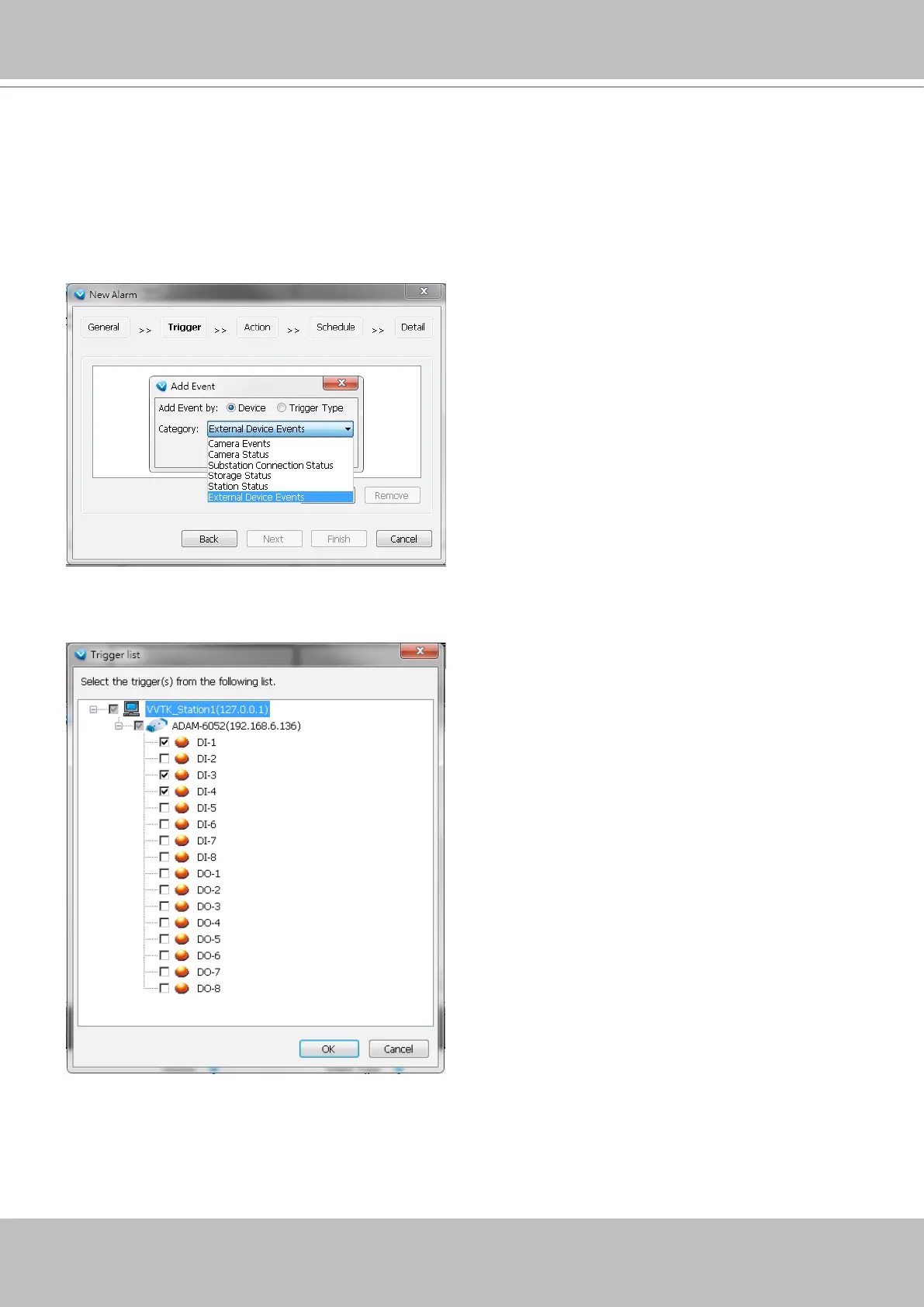
To configure the Alarm setting, enter the Configuration > Alarm management window.
Configure a new alarm. On the Trigger window, select the Trigger Category as External
Device Events.
9. The DIs and DOs on the I/O module will be listed. You can then select one or more DIs as the
triggers.



 To Next Page