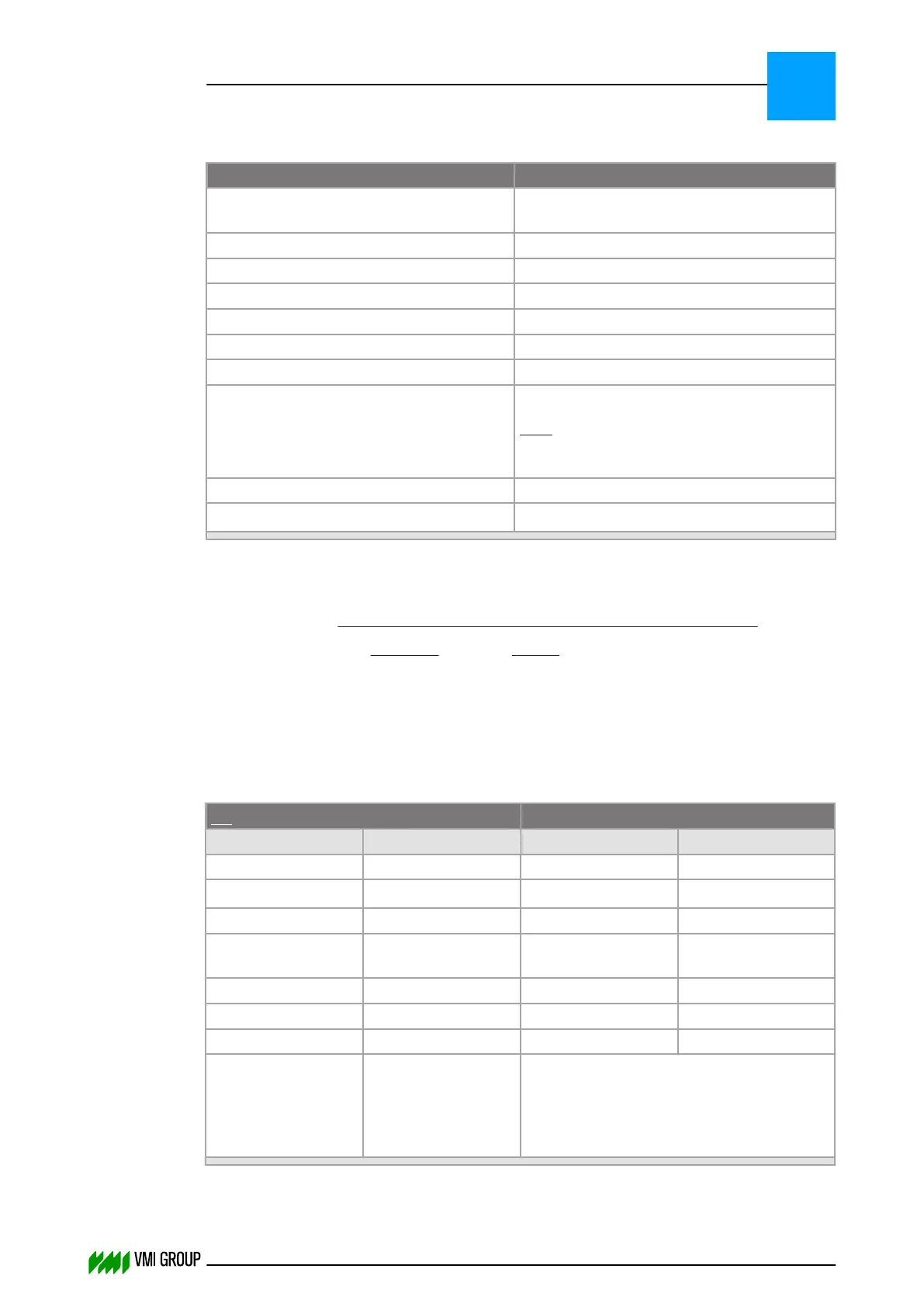
6.8.4.2 Tread centering command sequence
PLC command VVS status
Center material Set(BusyTimer,1000
msec)
Busy
Busy AND Material under sensor
AND Hold
AND Holded
AND NOT Hold
AND NOT Holded
Centering material ready
Note Centering is ready when:
The recorded profile was read back to the
end.
Zero command
Zero status
1
1. ZERO STATUS is the situation where all bits, except the heartbeat bit, are set to zero.
IF Timeout(BusyTimer) THEN
HMI should display error message "VVS did not start conveyor centering"
Operator should press the RESTART button
Zero command
Restart the TREAD CENTRING command sequence
END IF
6.8.5 EMERGENCY STOP recovery sequence
No material under sensor Material under sensor
PLC Command VVS Status PLC Command VVS Status
Send parameters Send parameters
Home conveyor
Hold
1
Busy Busy AND Holded
Busy AND Home
conveyor ready
Center material AND
Hold
Zero command Busy AND Holded
Zero status Center material
Busy
Be sure never to send a zero command
after an E-STOP while material is under
the sensor. Instead raise the HOLD bit
and continue centering after having
cleared the HOLD bit.
PARAMETERS
Communication scenarios
6
THINKING FORWARD
VMI Vision System VVS (OL82) VVSX 13.0.12.0, VVSU 3.0.6 / 4 / 2016-07-11 / pd#175592
6-32



 To Next Page