Solution:
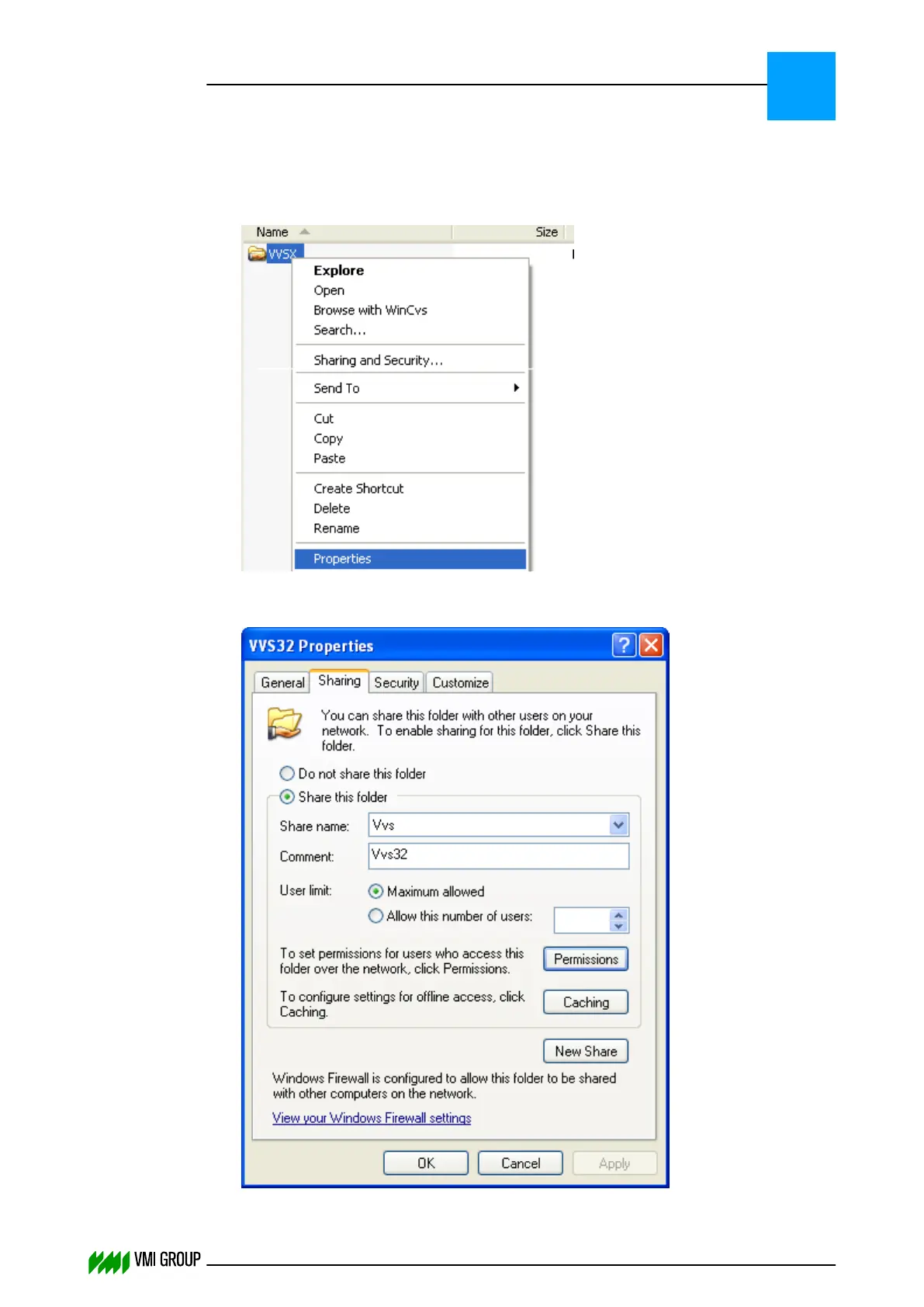
Make sure that the account which is used for the drive mapping has the right NTFS and
Share permissions on the VVSX folder. The following procedure describes how to check
this.
1.
Right mouse-click on the VVSX folder and select the function Properties in the drop-
down menu.
2.
Select the SHARING tab and press the PERMISSIONS button.
TROUBLESHOOTING
Communication
8
THINKING FORWARD
VMI Vision System VVS (OL82) VVSX 13.0.12.0, VVSU 3.0.6 / 4 / 2016-07-11 / pd#175592
8-6



 To Next Page