150 Setting Gradient Controller Operating Parameters
Gradient Controller Screens
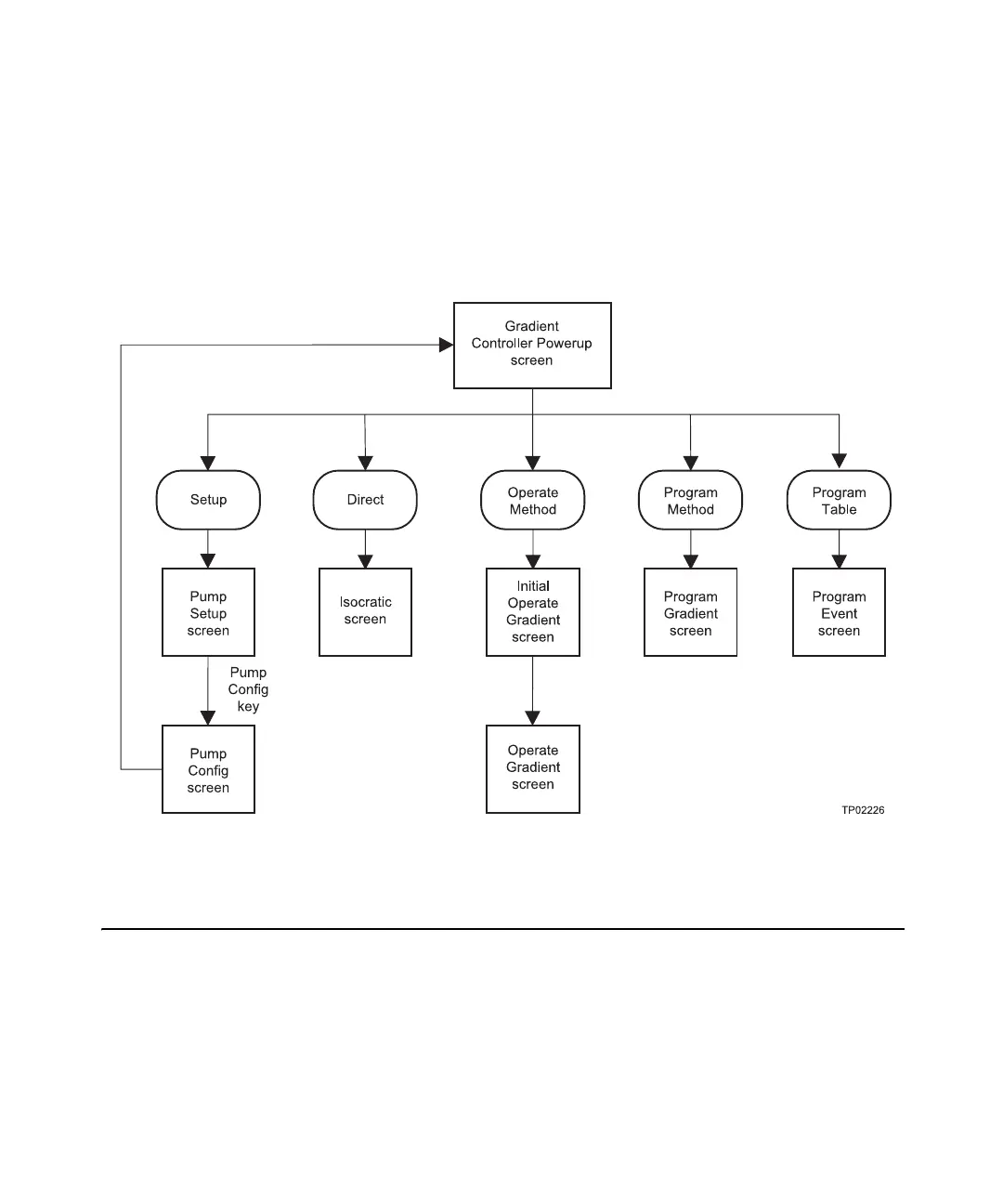
Figure 8-1 illustrates the relationships of the screens associated with the Waters 600
Controller in its Gradient Controller configuration. Use Figure 8-1 to navigate through
Gradient Controller operation.
Note: In Gradient Controller mode, function key labels do not correspond exactly to the
screens they access. For more information, see Section 2.3.2, Function Keys.
Figure 8-1 Gradient Controller Screens
8.1 Setting Up the 600 as a Gradient Controller
This section describes how to use the Pump Configuration screen to configure the Waters
600 Controller as a Gradient controller. It includes procedures for:
• Configuring the controller type
• Communicating with a data system



 To Next Page