176 Creating Gradient Controller Time-Based Tables
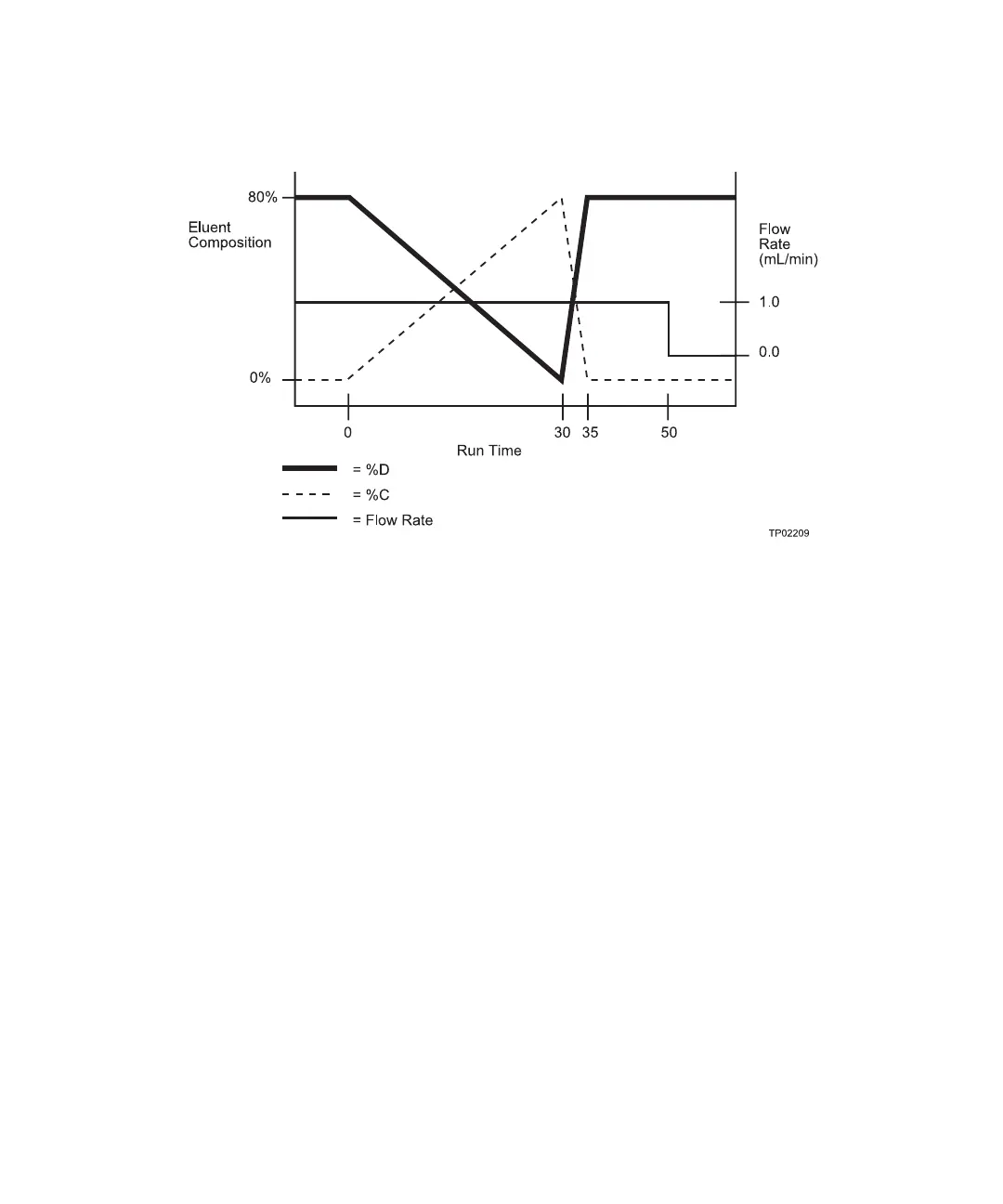
Figure 10-2 illustrates the flow rate and the %C, and %D profiles for the gradient table in
Figure 10-1.
Figure 10-2 Auto•Blend Gradient Profile
10.1.2 Programming the Gradient Table
Figure 10-3 illustrates the steps involved in using the Program Gradient screen to create a
gradient table. Use this flowchart for quick reference once you become familiar with the
Waters 600E system.



 To Next Page