168 Running Gradient Controller in Isocratic Mode
Accessing the Isocratic Screen
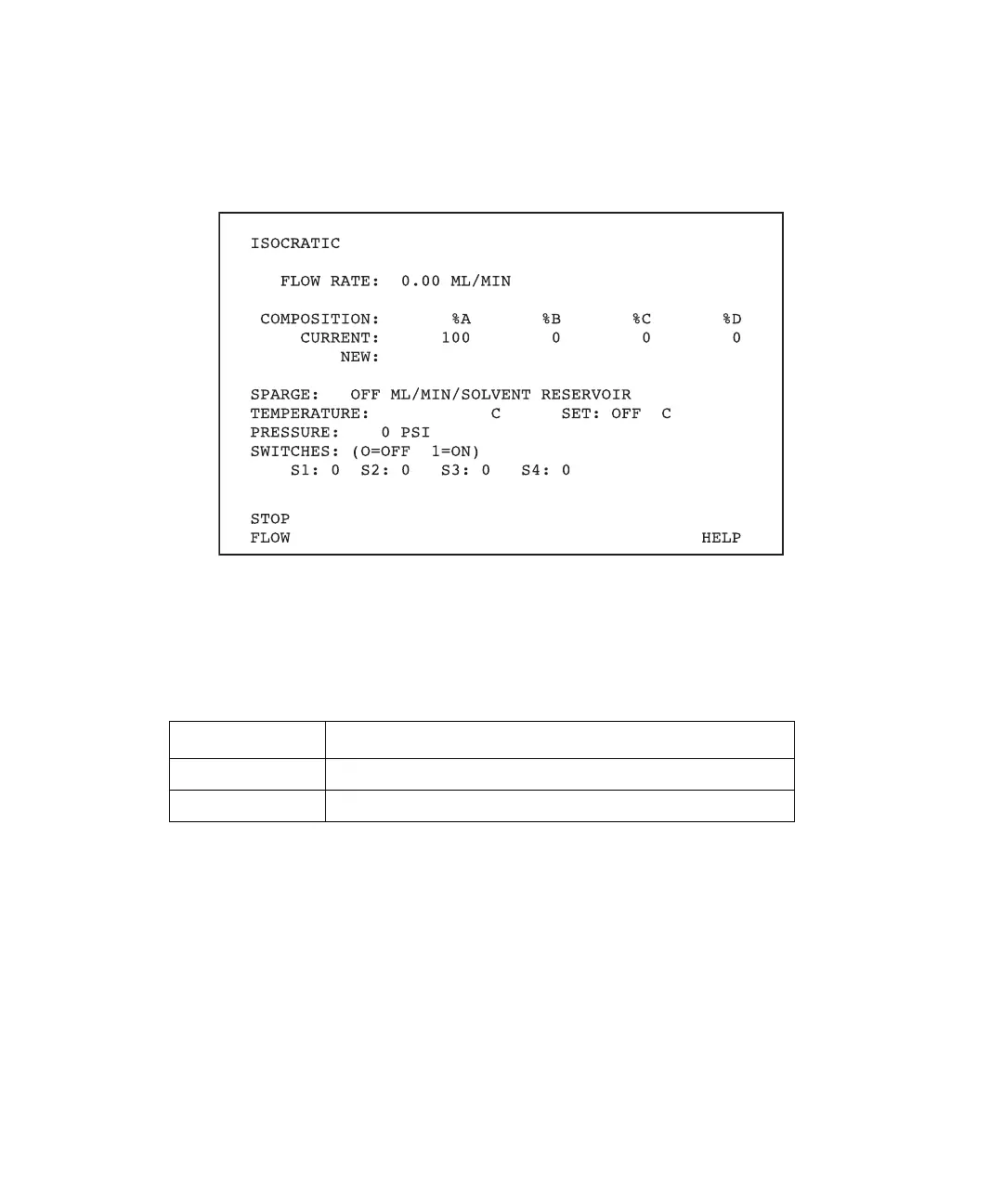
To access the Isocratic screen (Figure 9-2), press the Direct function key on the controller
front panel.
Figure 9-2 Isocratic Screen
In addition to the parameters shown on the screen, the Isocratic screen displays the screen
keys described in Table 9-1.
Exiting the Isocratic Screen
Press any function key to select another mode.
9.1.1 Setting Pump Parameters
Use the Isocratic screen (see Figure 9-2) to make manual changes to the pump parameters.
The pump parameters are:
•Flow rate
• Composition
Table 9-1 Isocratic Screen Keys
Key Function
Stop Flow Stops the pump.
Help Displays the Help screen for the Isocratic screen.



 To Next Page