Creating a Gradient Table 109
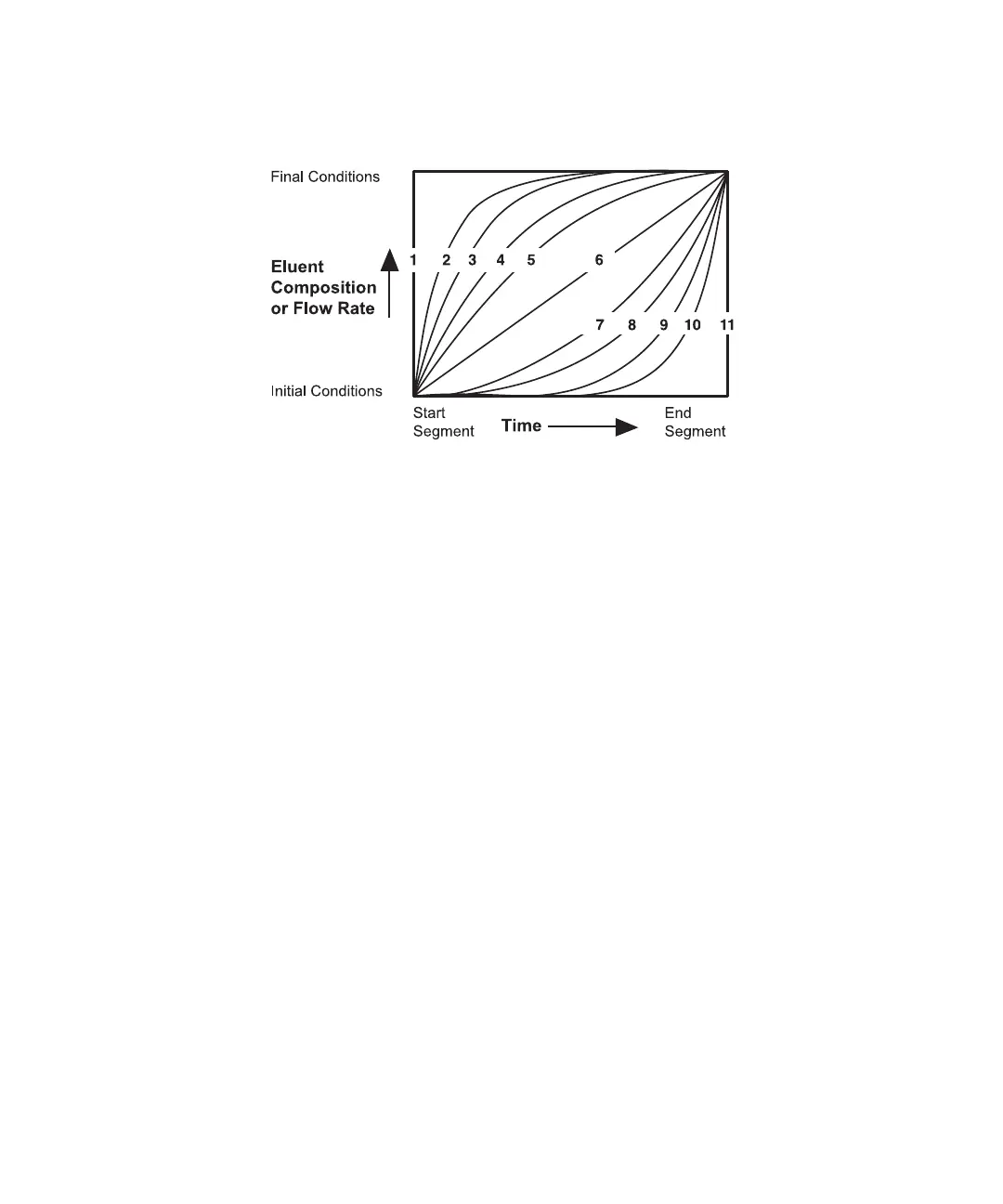
7. At the Curve field, type the gradient curve profile number for the gradient segment.
Figure 6-6 shows the gradient curve profiles.
Figure 6-6 Gradient Curve Profiles
8. Repeat steps 3 through 7 for each line in the gradient table.
9. If you wish, enter the line to return to initial conditions.
10. If you wish, enter a line to reduce the flow rate.
11. Press the Save screen key to save the table in permanent memory. When prompted,
enter a table number between 1 and 15. Press Enter.
6.1.4 Editing the Gradient Table
This section describes the following editing functions:
• Deleting and inserting lines
• Saving tables
• Replacing and deleting tables
These functions apply to:
• Gradient tables
• Event tables
• Detector tables



 To Next Page