7. Select the time (1) and confirm with OK (2).
ð
The e-mail (3) for sending the remote authorisation
is generated automatically.
8. Enter the recipient's email address or select from the
contact list.
9. Send email.
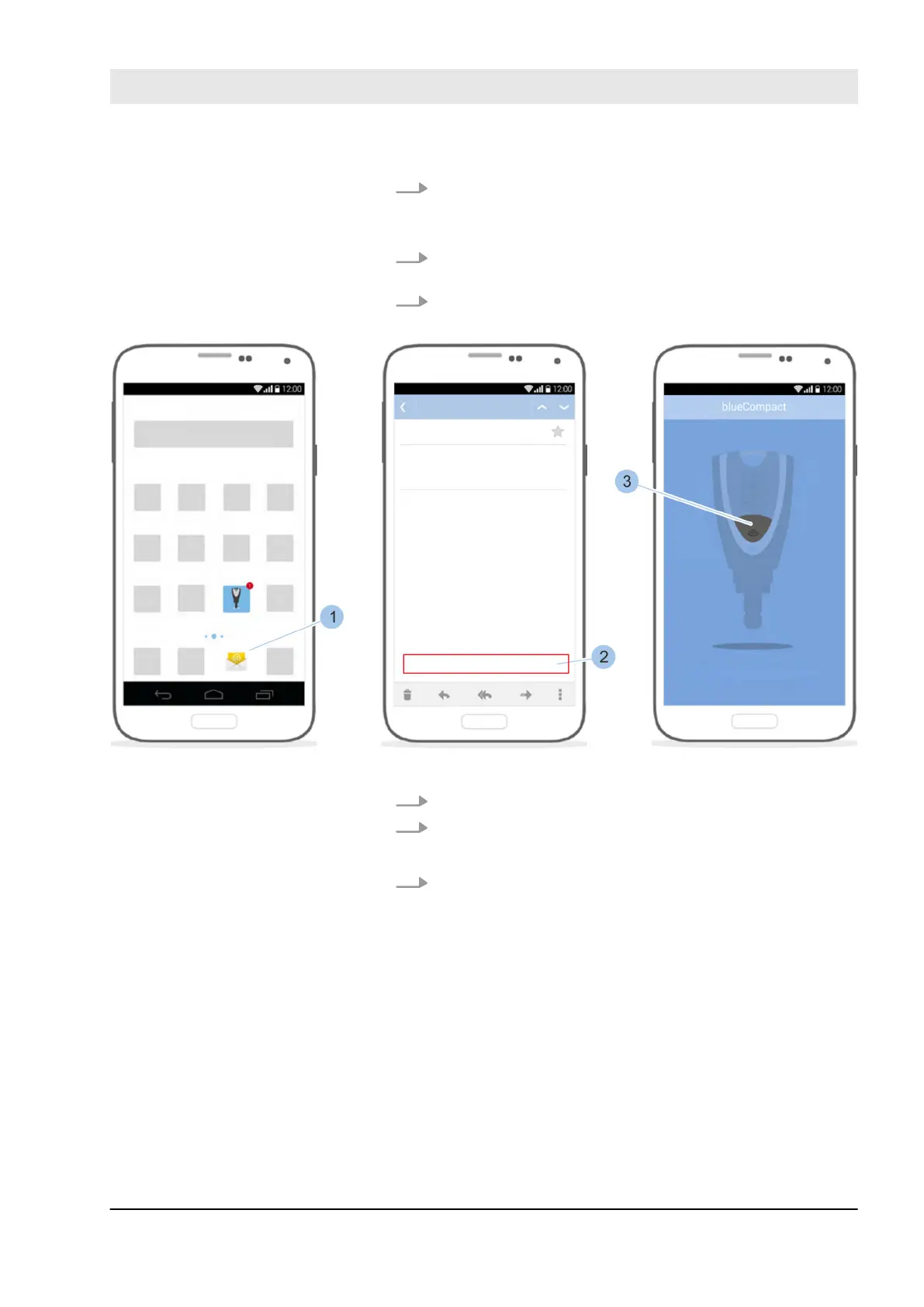
Fig. 109: Receive remote authorisation
10. Open email account (1).
11. Touch the link (2) to activate the remote authorisation.
ð
The app starts.
12. Press button (3).
Receive remote authorisation
Log on key
Manage locking system
23.03.2020 blueCompact electronic locking system 133



 To Next Page