1-5
FEATURES
Depending on the nature of the error, the display
may not function properly and TCS settings may
be impossible to change. Additionally, ABS may
not function properly. Use extra care when brak-
ing and have a Yamaha dealer check the vehicle
immediately.
Auxiliary system warning “ ”
This icon appears if a problem is detected in a
non-engine-related system.
Coolant temperature warning “ ”
This icon appears if the coolant temperature
reaches 116 °C (241 °F) or higher. Stop the ve-
hicle and turn off the engine. Allow the engine to
cool.
ECA10022
Do not continue to operate the engine if it is
overheating.
Oil pressure warning “ ”
This icon appears when the engine oil pressure
is low. When the vehicle is first turned on, engine
oil pressure has yet to build, so this icon will
come on and stay on until the engine has been
started.
If a malfunction is detected, the oil pressure
warning icon will flash repeatedly.
ECA27240
Do not continue to operate the engine if the
oil pressure is low.
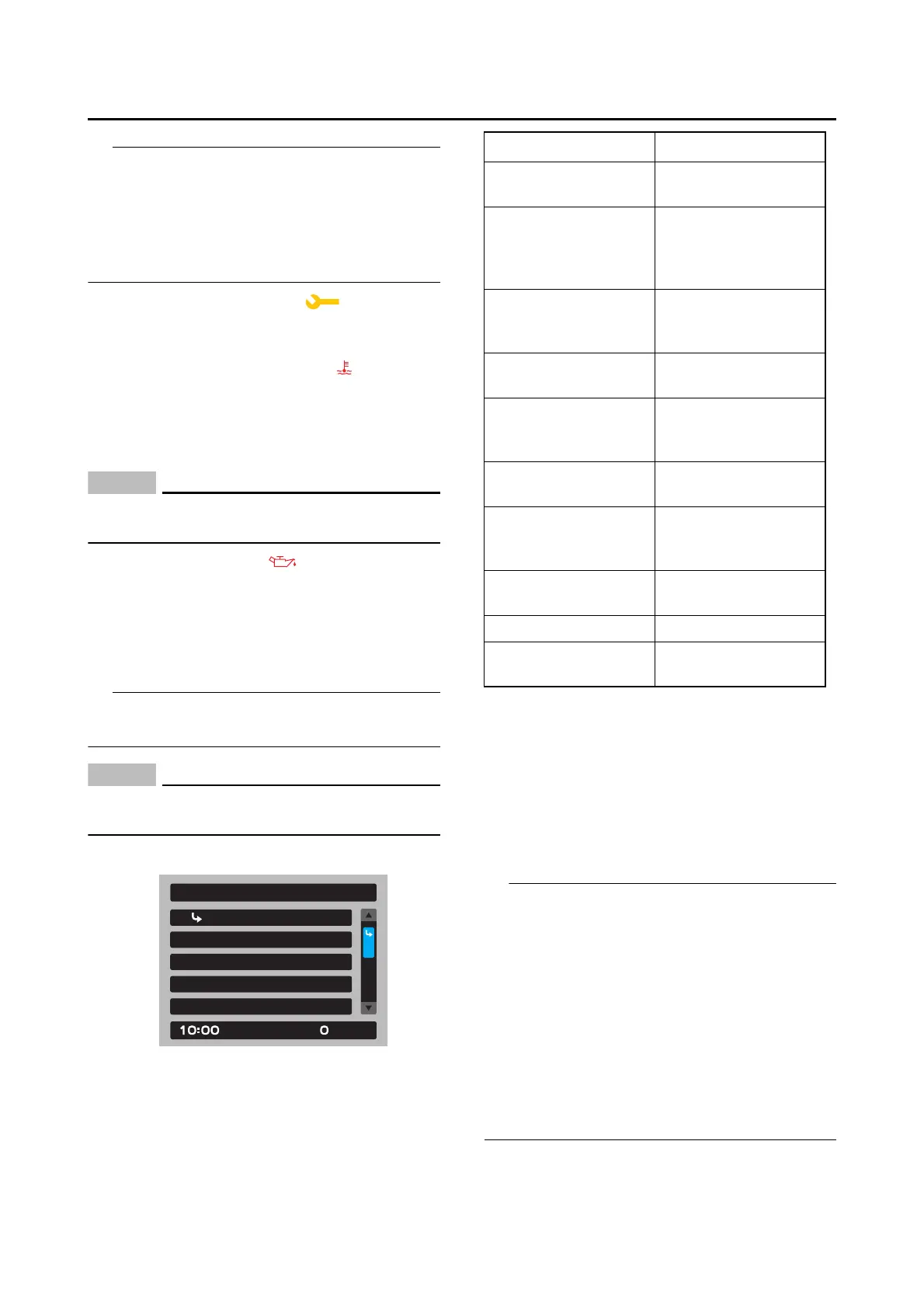
Settings MENU
The settings MENU screen contains the follow-
ing settings modules. Select a module to make
related settings changes.
Settings MENU access and operation
How to use the settings MENU:
Rotate the wheel switch up or down to highlight
items or increase/decrease values and then
short push the wheel switch (briefly press the
wheel switch inward) to confirm the selection.
Press and hold the wheel switch to exit the
MENU and return to the main display any time.
• Certain settings menu screens have an up-
ward pointing triangle mark item. Select the tri-
angle mark to save settings changes and exit
the current screen.
• Should vehicle motion be detected, the screen
will automatically exit the settings MENU and
return to the main display.
• To ensure that the desired settings changes
are saved, be sure to exit each menu via the tri-
angle mark (if displayed). Exiting the settings
menu by pressing and holding the wheel
switch may not save settings changes.
Display Setting
Exit
Manual TCS Setting
Vehicle Setting
Shift Indicator
km/h
MENU
Module Description
“Exit”
Exit MENU and re-
turn the main display
“Display Setting”
Switch lap time
mode on/off and ad-
just the tachometer
color
“Manual TCS Set-
ting”
Adjust TCS/SCS/LIF
settings for the
“TCS-MODE M”
“Vehicle Setting”
Adjust BC/QS set-
tings
“Shift Indicator”
Turn the shift indica-
tor on/off and adjust
tachometer settings
“Maintenance”
View and reset main-
tenance intervals
“Unit”
Set fuel consumption
and measurement
units
“Brightness”
Adjust screen bright-
ness
“Clock” Adjust the clock
“All Reset”
Return all settings to
factory default









 To Next Page