23www.zcorp-users.com
USING ZCAST POWDER
GENERAL INFORMATION
ZCast 500 powder is a plaster-ceramic composition that allows you to print sand casting-like molds and/or cores
with your Z Corporation 3D Printer. Once printed, depowdered, and baked, you have the ability to immediately
pour molten metal into the mold, yielding a cast metal part. Arguably, the ZCast process is the fastest and most
direct way to obtain a metal part from CAD data. ZCast 500 powder has been optimized for non-ferrous materials
ranging from zinc to brass, including aluminum and magnesium.
WARNING: NEVER pour magnesium without first contacting a Z Corporation technical representative. NEVER
ATTEMPT TO POUR FERROUS METALS IN ZCAST 500 MOLDS.
You will find a detailed document entitled ‘ZCast Direct Metal Casting - Design Guide’ located in the appendix
of this manual for additional information. Please review the guide along with safety issues before continuing
with this product. Upon review, contact the Z Corporation Applications Team for information about a
free online training session at (781) 852-5005 or via email at applications@zcorp.com.
USING ZCAST ON YOUR ZPRINTER
™
310 PRINTER
Temporary Scraper Blade Removal
When using ZCast powder on the ZPrinter 310 Printer, the scraper blade should be removed. Failure to remove
the scraper blade when running ZCast powder will result in excessive wear on the scraper blade and require
replacement. The entire activity should take less than ten minutes and requires two hex wrenches. Remember
to reinstall the scraper blade when printing with ZCast is complete. Follow the instructions below to remove the
scraper blade.
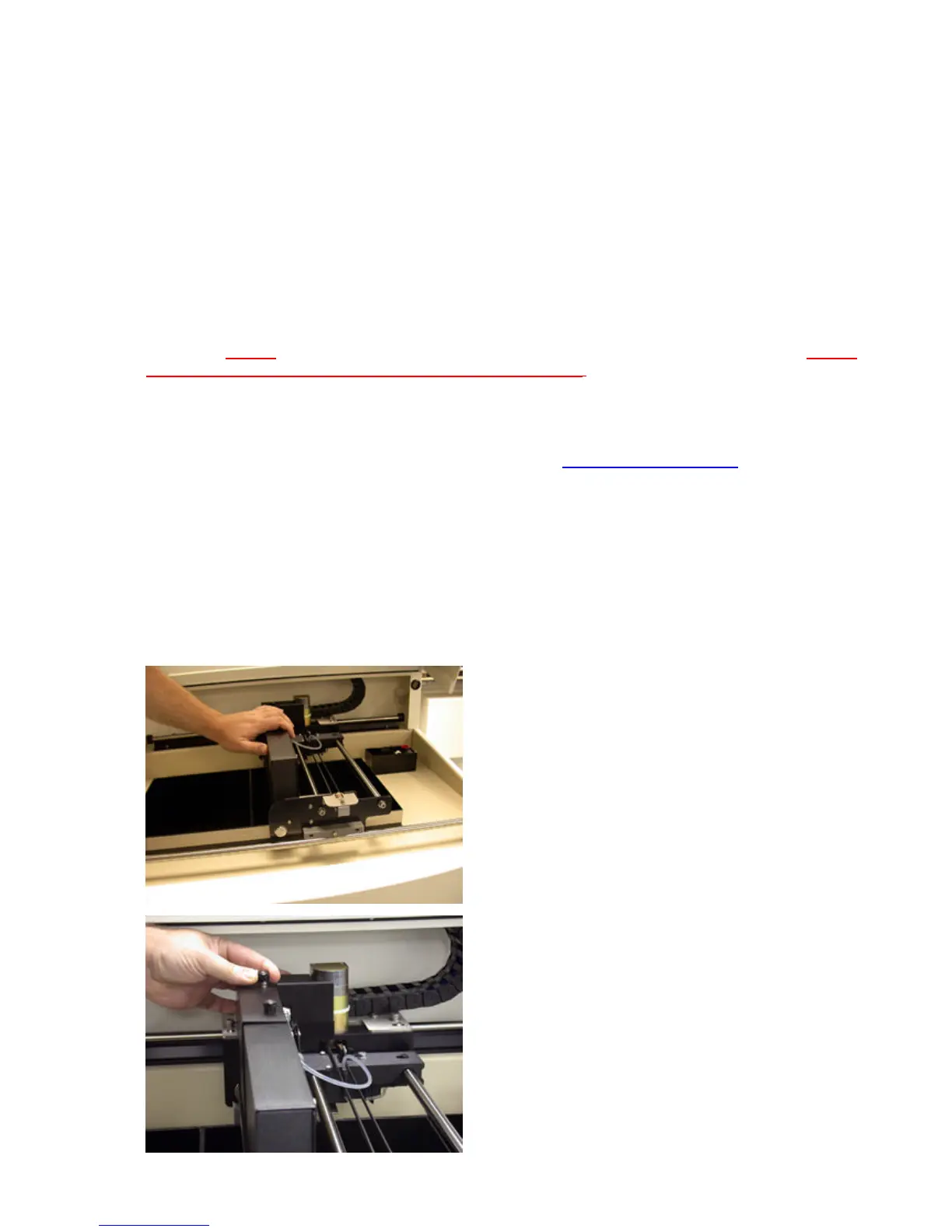
1. Turn off power and unplug the printer.
2. Slide gantry to the middle of the print area.
3. Remove the cable enclosure cover by unscrewing the
two screws on the top of the enclosure.



 To Next Page