28 service@zcorp.com
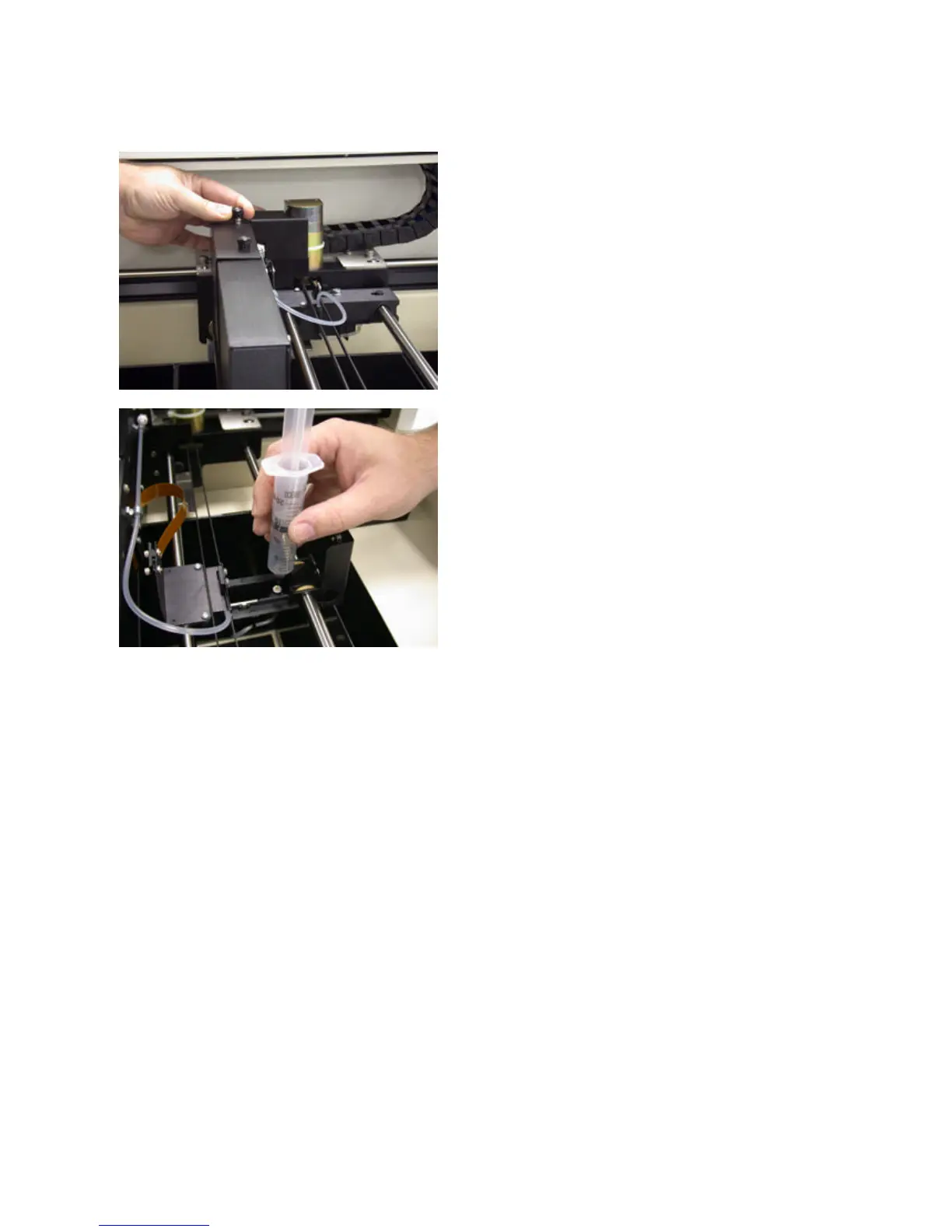
19. Replace the cable enclosure and tighten up the both
screws on top of the enclosure.
20. Using the syringe provided in the user toolkit, place
the needle into the septum and slowly draw binder through
the fluid system until no bubbles are present in the binder
tube.
LOADING ZCAST POWDER
1. Remove any non-ZCast powder from the feed piston, build piston, and overflow bucket.
2. Fill the piston completely with ZCast 500 powder being sure to keep the casting powder “fluffy”. Use the
tamper to level off the top of the feed piston but do not compress the powder.
3. Spread over the build bed and print.
Packing the casting powder into the feed piston increases the density of the powder at the feed piston plate and
increases the gripping force that ZCast 500 powder has on the sidewalls of the feed piston. DO NOT pack the
casting powder.
SETTING UP ZCAST BUILDS
Follow best practices for setting up a build in Z Corporation 3D Printers found in the ZPrint Software User
Manual. For more information, please refer to the ZCast Direct Metal Casting – Design Guide.
POST PROCESSING
Unlike other Z Corp. parts, ZCast parts require no infiltration. However, ZCast molds must be thoroughly baked
in a vented oven at sufficient temperatures to burn out organic materials. Additionally, the user may apply a core
wash solution to improve the surface finish of the casting. See the ZCast Direct Metal Casting – Design Guide
for bake temperatures, times, and additional information.
WARNING: If using a build plate, remove the part from the build plate before placing in the oven. Failure
to do so will damage the build plate.



 To Next Page