86 service@zcorp.com
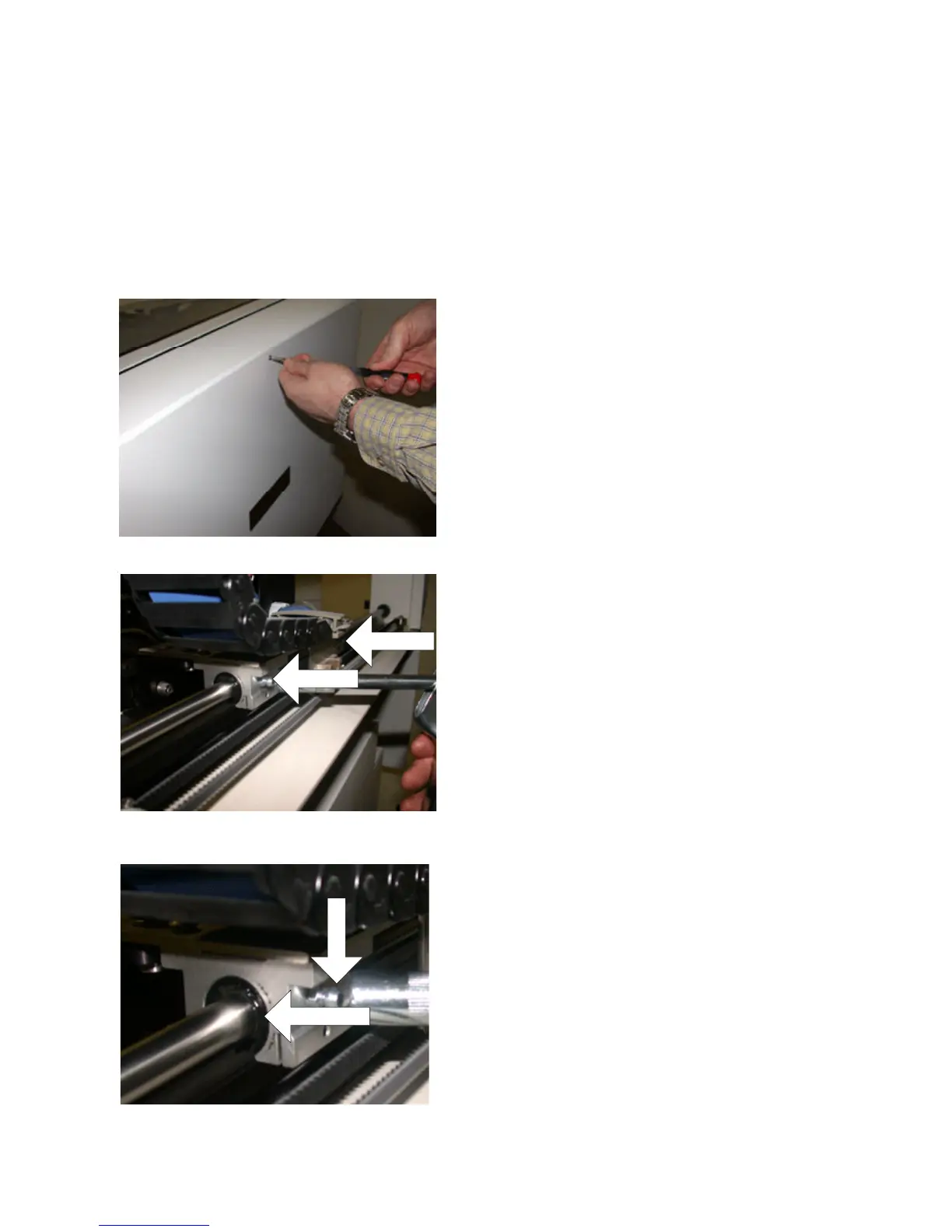
Grease Input
Bearing
4. Add grease until it begins to come out the side of the
bearing (typically two pulls of the trigger).
5. Replace the back cover of the printer.
GREASING THE SLOW AXIS
1. Remove the back cover of the printer, by removing
seven screws.
Grease Fitting
Grease Fitting
2. Locate the two grease fittings.
3. Snap the grease coupler onto the fittings.
The slow axis will need to be greased occasionally to prevent slow axis errors. The ZPrint Software will alert you
when it is time to grease the slow axis if the maintenance reminder feature is enabled.
If this is the first time greasing the slow axis, assemble
the grease gun. Follow the instructions on the packag-
ing.
6. Store grease gun for future use.



 To Next Page