48 service@zcorp.com
CHECKING BUILD SETTINGS
ALWAYS check build settings before printing:
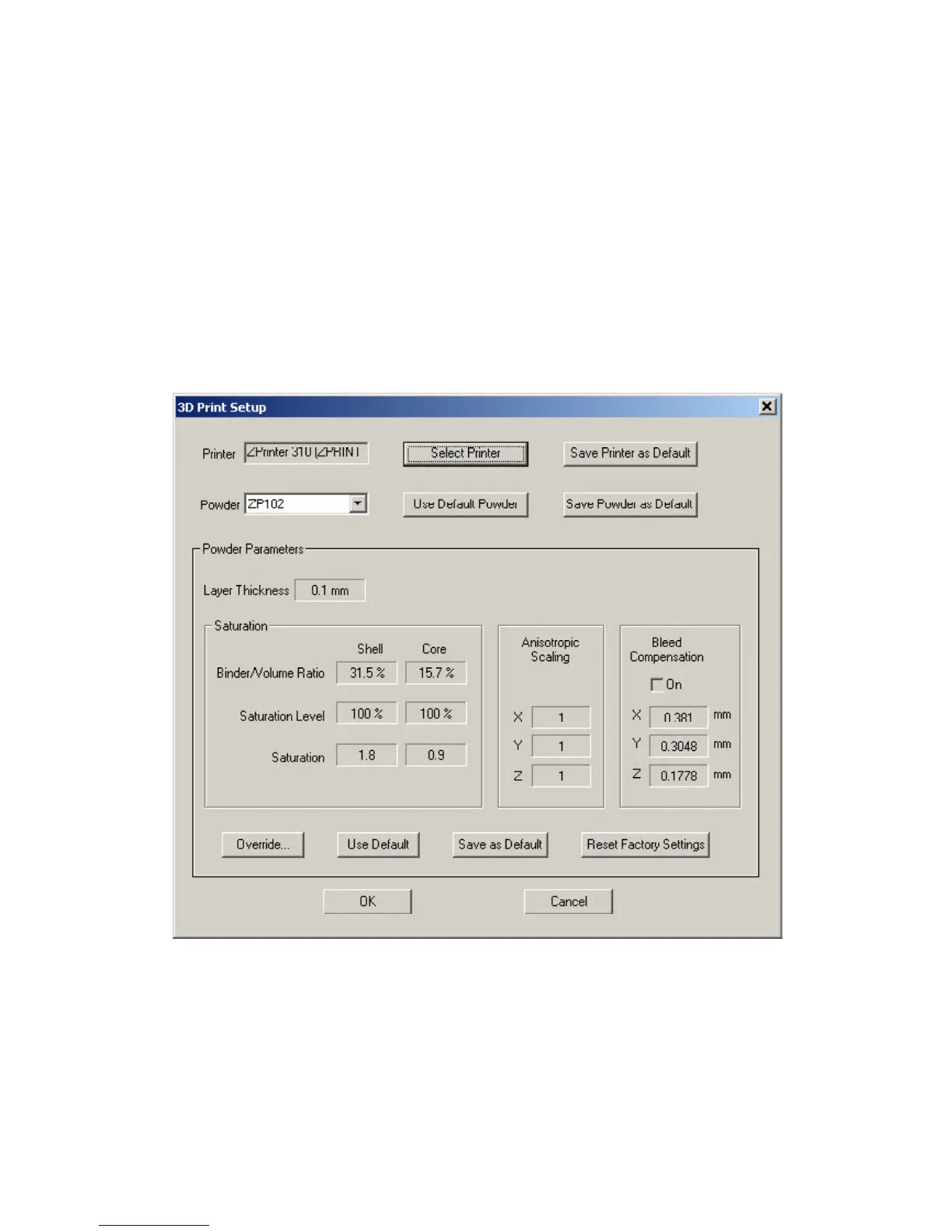
1. Choose the ‘3D Print Setup’ option from the File menu (or toolbar).
2. Check that the printer, powder type, and powder settings for the build are correct.
3. If the settings need to be changed, select ‘Override’. Press ‘OK’ to confirm. See Section 5, Changing Powder
Parameters.
For more information on how to change the settings, please refer to the ZPrint Software Manual.



 To Next Page