81www.zcorp-users.com
OILING THE FAST AXIS
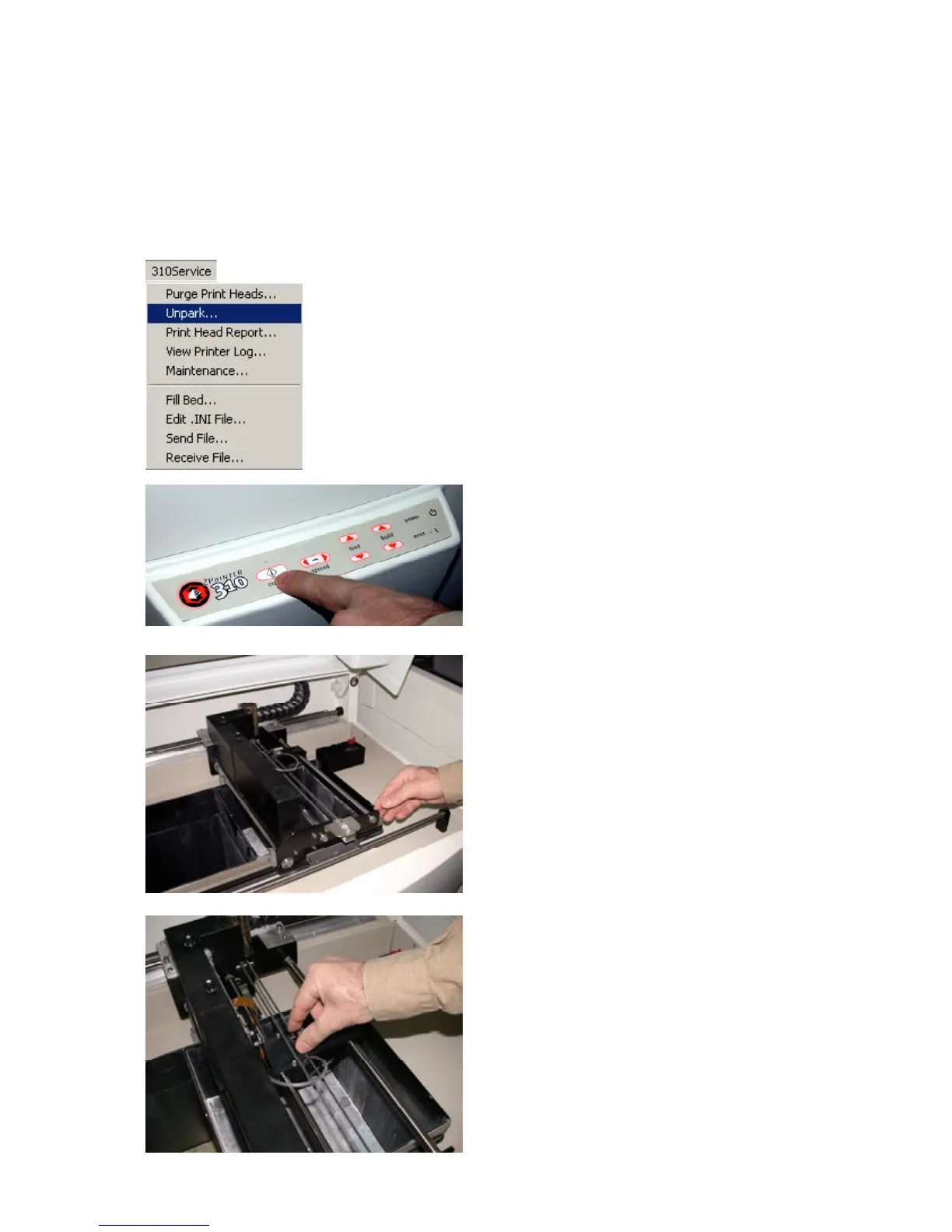
2. Take the printer offline.
3. Lift top cover.
4. Manually move the gantry to the middle of the printer.
5. Manually move the carriage to the middle of the printer.
1. Select the ‘Unpark’ option in the ZPrint Software under
the 310Service menu.
The ZPrint Software will alert you when it is time to oil the fast axis if the maintenance reminder feature has been
enabled. Warning: DO NOT use grease on the fast axis.



 To Next Page