78 service@zcorp.com
Technical Tip...
CHANGING PRINT HEADS
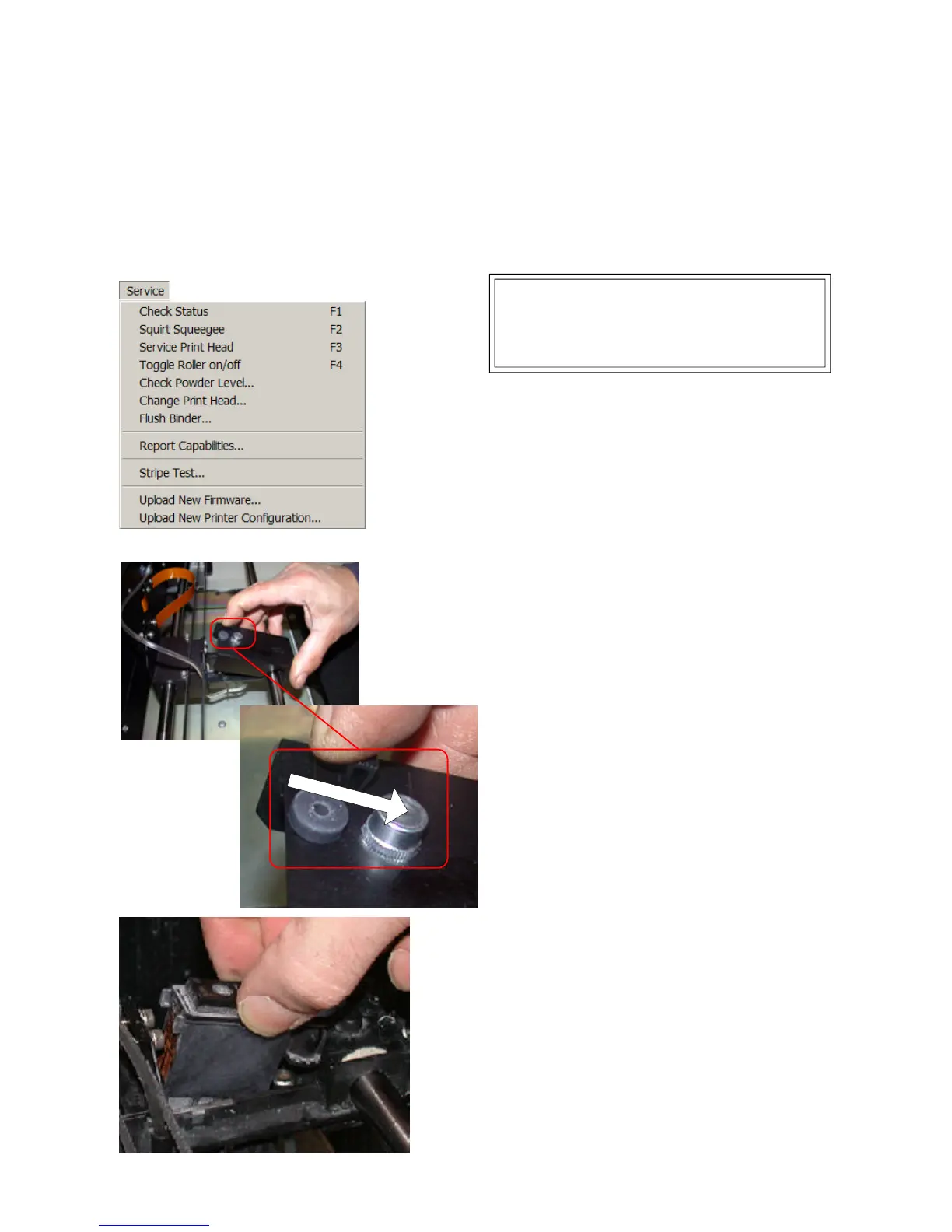
2. Wait for carriage to stop moving, then lift the
top cover of the printer.
3. Lift the carriage cover to expose the print head.
Slide the latch back to disengage and open the
cover.
4. Remove the print head by holding the
printhead on two sides and pulling it directly up.
1. Select the ‘Change Print Head’ option under
the Service menu in the ZPrint Software. Then
press ‘Start’ to begin the print head change
process.
Pull Lever Back to Open
The life of a print head usually exeeds 30 billion pixels. If you begin to see striping on your part or if your part is
weak, it is time to change the print head. The ZPrint Software will also alert you if the print head may not last
through the complete build.
If you fill the binder tank when you change the print
head, you will not have to fill it again until you
change the print head again.



 To Next Page