79www.zcorp-users.com
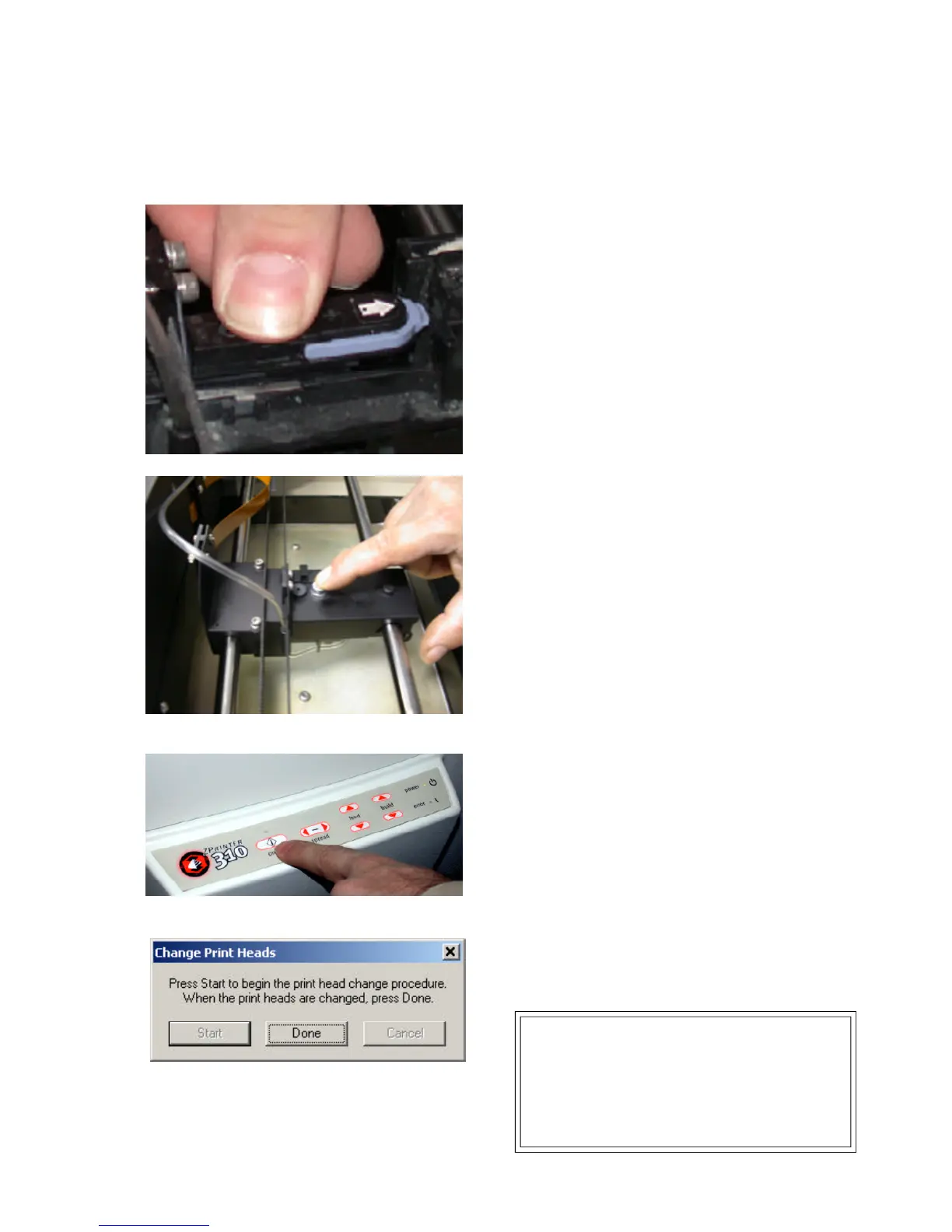
6. Place the new print head in the carriage and push
down to secure the print head. The print head should
seat firmly in the carriage.
7. Close the carriage cover and press on the carriage
cover lock until it clicks to ensure the cover is properly
latched.
8. Close the top cover of the printer.
9. Press ‘Online’ on the control panel or ‘Done’ in the
software when complete.
10. Fill up the binder bottle.
11. Make sure waste bottle is empty.
12. To purge the print head of HP ink choose the ‘Purge
Print Head’ option under the ZPrinter 310 Service menu.
When the purge cycle is completed. The printer will
stop beeping.
Technical Tip...
If you need to work in another dialogue box, click
the close window button (X located on the upper
right-hand corner), NOT THE DONE OR CANCEL
button. You may continue purging. Complete the
procedure by pressing the ‘Online’ button on the
printer when complete.



 To Next Page