5-10
Preparations for start-up
61211-1020202 CenterMax Operating Instructions
The holders are generally preassembled. The procedure for moving,
removing or adding a holder is described in the following.
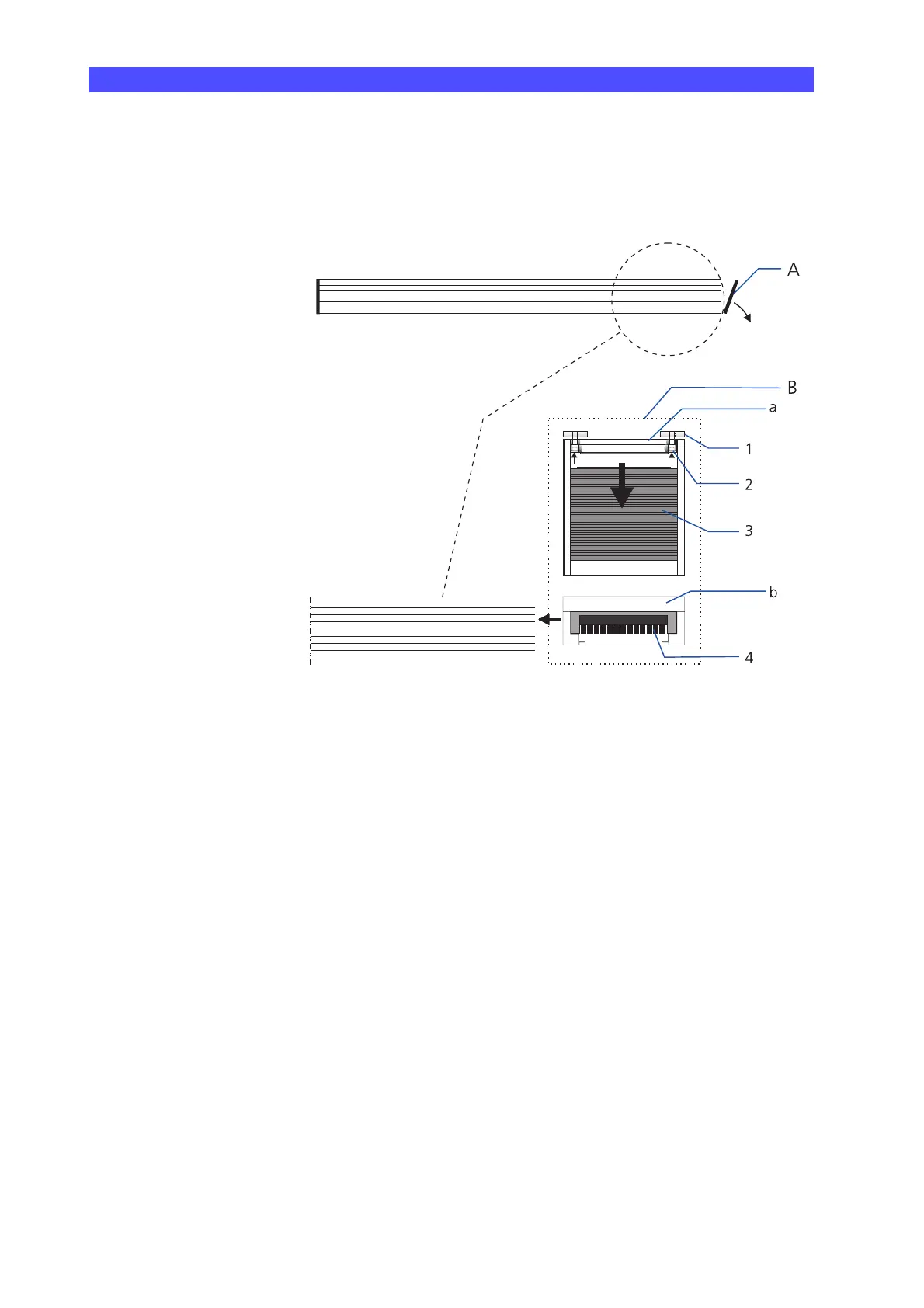
A Cap
B Holder for probe system VAST;
a: top plan view; b: front view
1 Mounting aid
2Screw; M6×16
3 Cover of a holder
4 Brush for cleaning the adapter plate
• Remove the cap (A).
• Move the cover of the holder in the direction of the arrow (3) and
loosen the two hexagon-socket screws (2) slightly; do not remove
them completely from the mounting aid.
• Slide the holder on the profile rail.
The mounting aid must be guided in the profile rail.
• Proceed in the same way for sliding further holders on the profile
rail.
The permissible number depends on the probe system and the pro-
file rail length.
• Reattach the cap to the profile rail.











 To Next Page