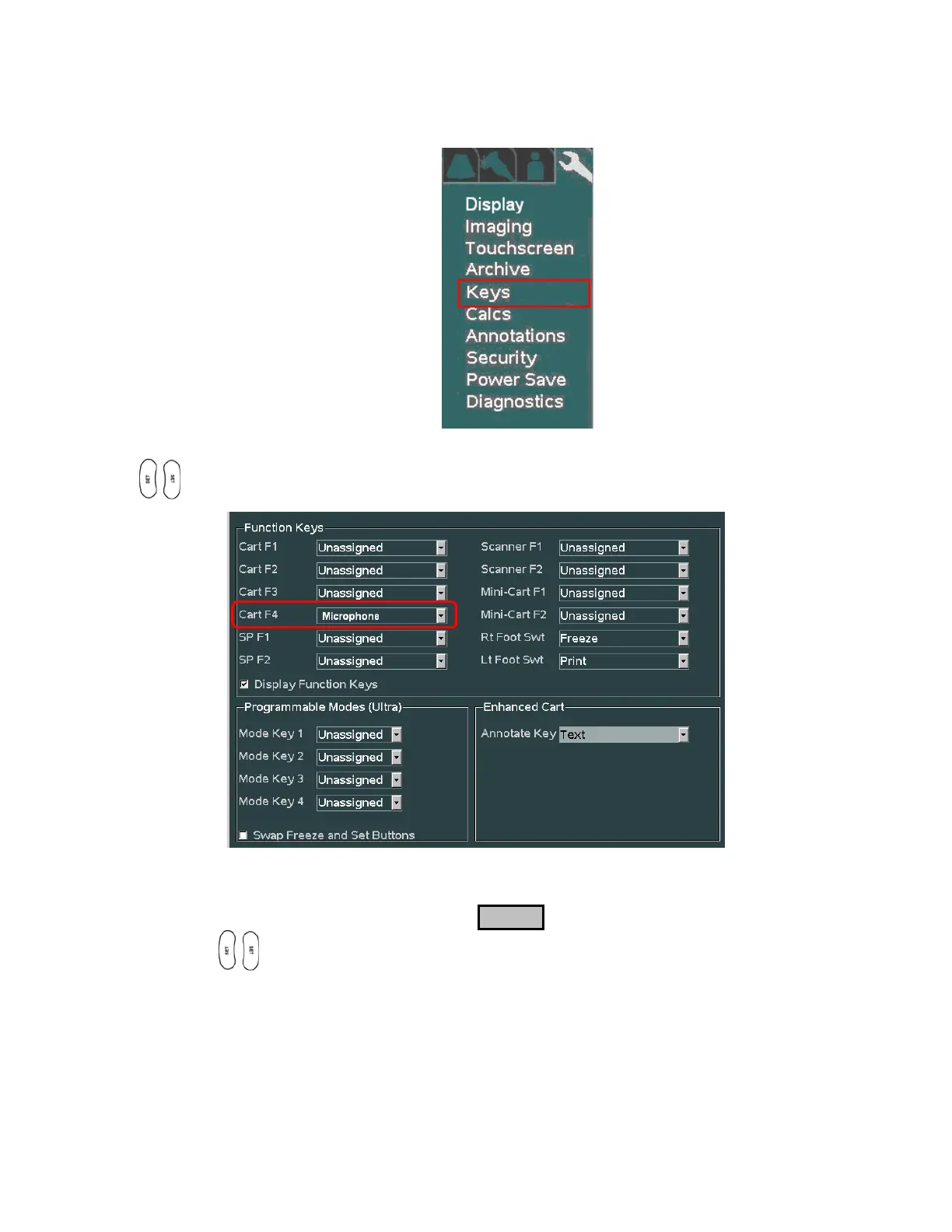
SYSTEM SETUP Sub-Menu
1. Using the trackball scroll down to backlight the Keys selection, and press one of the SET keys
to bring up the configuration menu.
2. For the desired Function Key (F1 – F4) selection, select the MICROPHONE function from
the pull-down menu
3. To save the Function Key assignment, select APPLY from the main menu, and press one of the
SET keys to save new setting.



 To Next Page