System Installation
ZONARE MODULE COVER INSTRUCTIONS
WARNING
Ensure system is powered OFF.
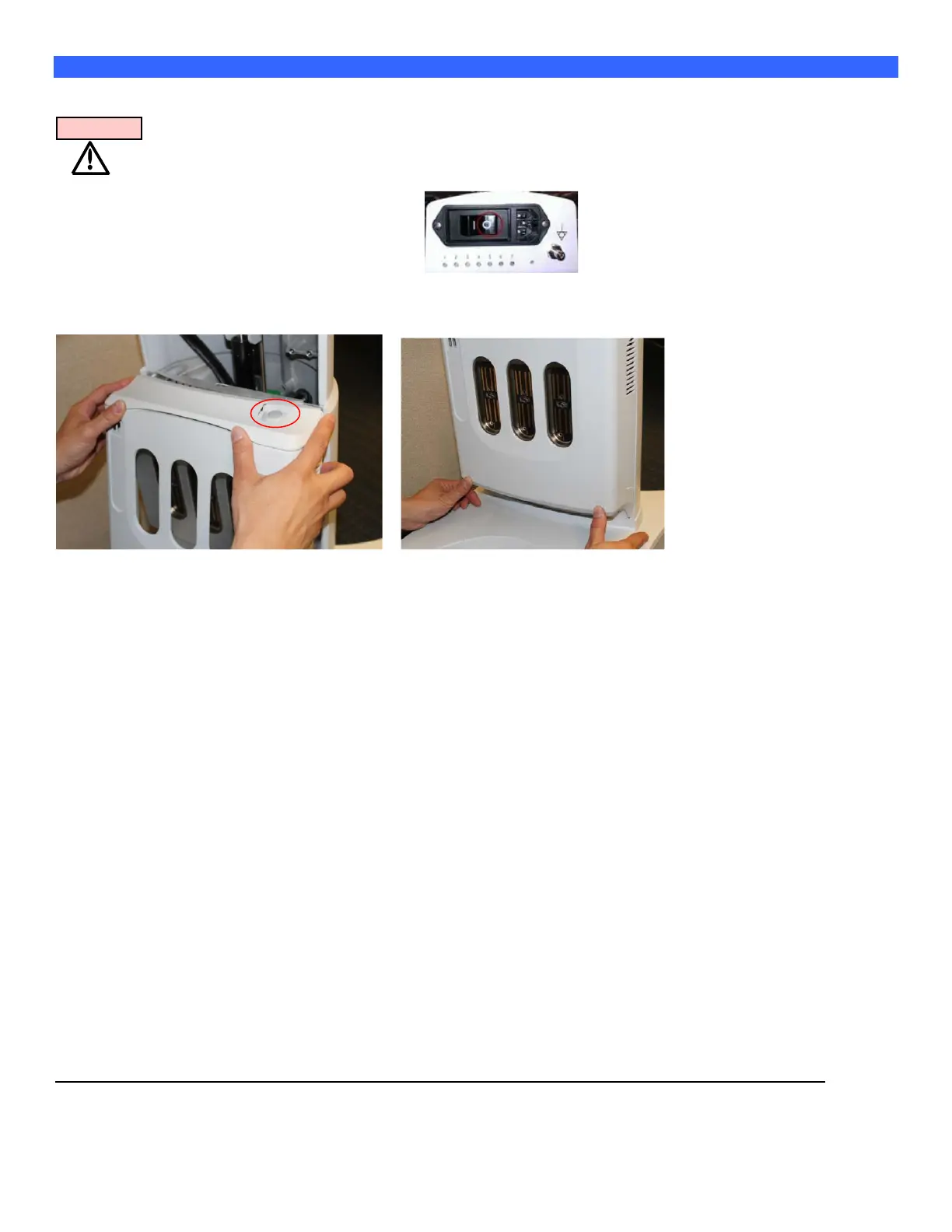
Place AC circuit breaker, located at the rear of the cart in the off “0” position.
Disconnect the main AC power cord from the rear of the cart or unplug from the wall
source.
Ensure cart wheels are in the locked position.
Fig 1 Fig 2
Step 1
The system is designed to power on only if the module cover is installed.
In order to install the cover correctly, attach the top portion first. Make sure the top
edge of the cover is pressed in and sits under the top metal plate as in above photo Fig 1.
Step 2
Proceed to push the bottom half of the module cover in place by using thumbs to press on indented
thumb tabs at bottom as in Fig 2 and push in until cover snaps in place. Plug in the power cord and
switch the circuit breaker on the back in the ON position. Now press the power button at top of the
module cover (Fig 1). The system should now start. If not, contact technical support.



 To Next Page