8 ARCHIVE MENU FUNCTIONS
“Media” & “Store/Print” Setup
1. Using the TAB button advance the menu screen to select TOOLS
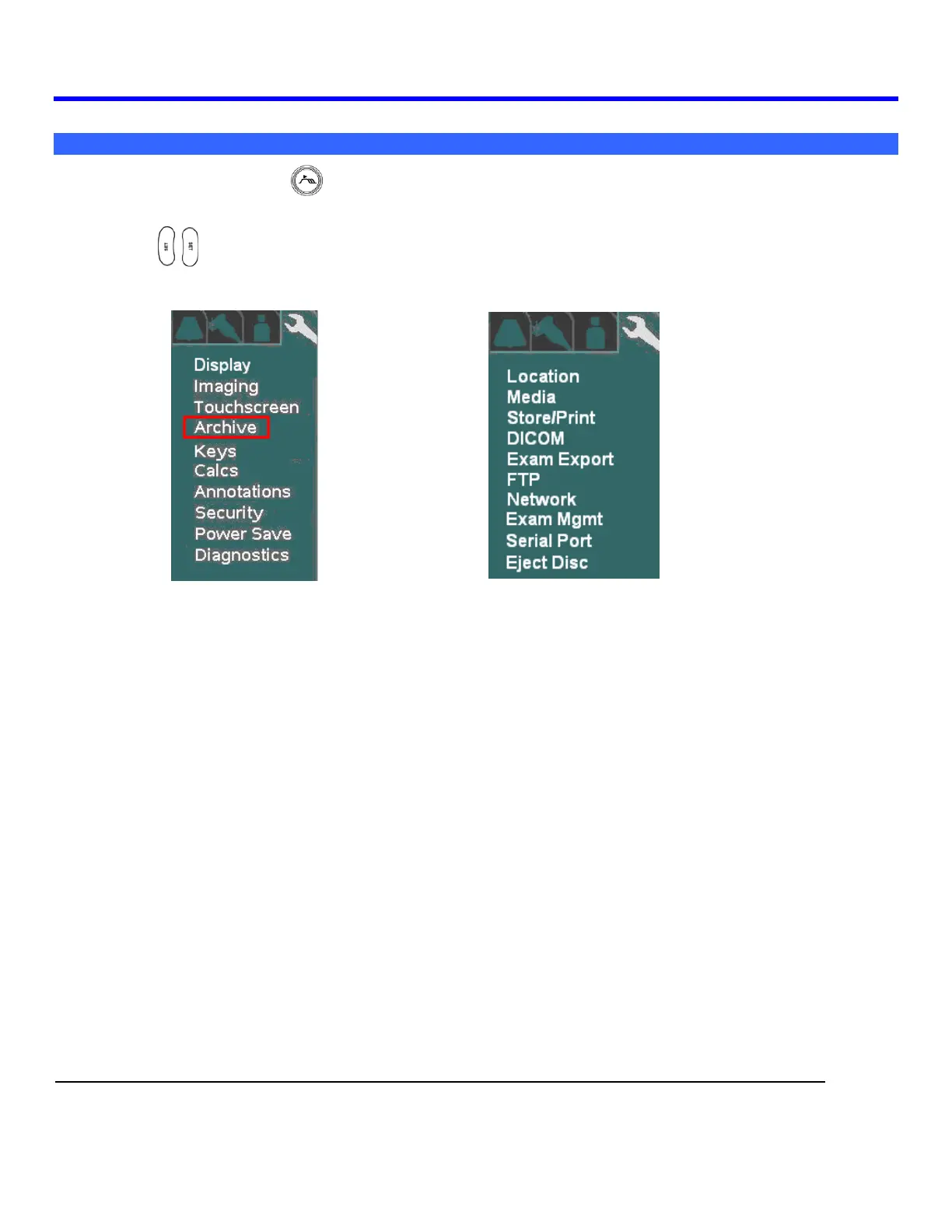
2. Using the Menu Control, arrow down to backlight the Archive selection, and press one of the SET
keys to bring up this menu.
SYSTEM SETUP Sub-Menu ARCHIVE Sub-Menu
In addition to configuration of the Archive functions, the following operations are also accessed under this
menu path.
LOCATION (site) specific configuration
Media storage configuration
Store/Print button configuration
DICOM setups
Exam Export
FTP Store settings
Network
Exam Management
Serial Port/USB report configuration
Ejecting of DVD/CD



 To Next Page