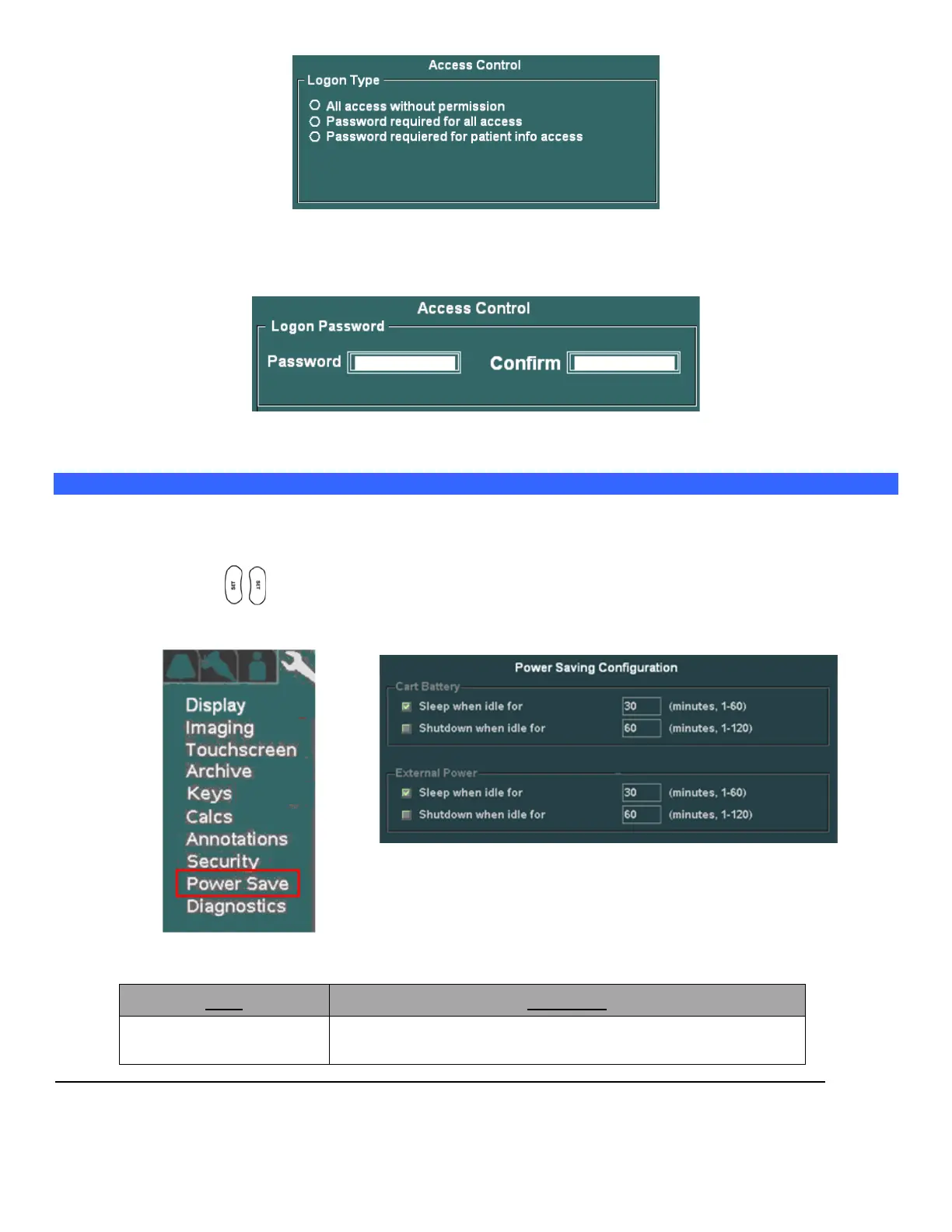
Under the Logon Password field, enter in the desired security access password. (NOTE: You will need to enter
it in a second time in the “CONFIRM” field, to ensure accuracy).
To save the new Security settings, select Apply on the main menu, and exit.
“Power Save” Setup Menu
CONFIGURING “POWER SAVE” CONFIGURATION
1. Within the System Setup screen, use the Menu Control to backlight Power Save selection, press one of
the SET keys to bring up this menu.
SYSTEM SETUP Sub-Menu POWER SAVE Sub-Menu
The three different categories of power operation mode configurations in this menu are:
Configuration of power saving action when the system is
being operated without AC power applied. System will be



 To Next Page