matching the target peripheral device (external DVI monitor, etc). The two external video format
options available are:
Standard: 1280 x 1024 format (entire screen of z.one
pro
)
Image Only: 800 x 600 format (image area only)
4. Once all the desired values have been selected, place the arrow cursor over the APPLY soft-button
displayed in this menu, and press one of the SET keys to save new settings.
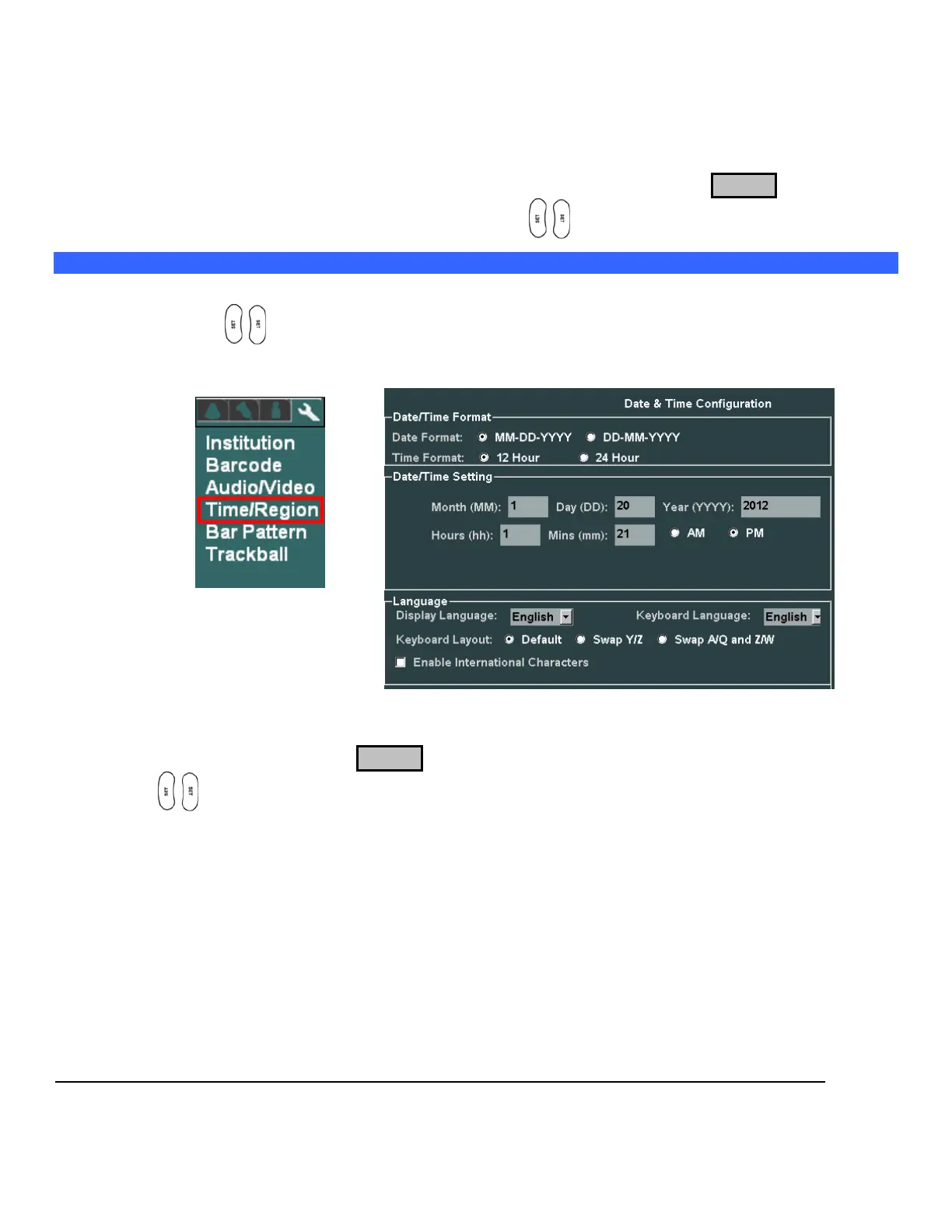
Entering “Time/Region” Information
1. Within the Display selection, use the Menu Control to backlight Time/Region selection, press one of
the SET keys to bring up this menu.
DISPLAY Sub-Menu TIME (DATE) Sub-Menu
2. Using the alpha-numeric keyboard, enter in the current date/time information. The TAB key on the
alpha-numeric keyboard is used for advancing to each successive field.
3. Place the arrow cursor over the APPLY soft-button displayed in this menu, and press one of the SET
keys to save new settings.



 To Next Page