Archive “Export” Options
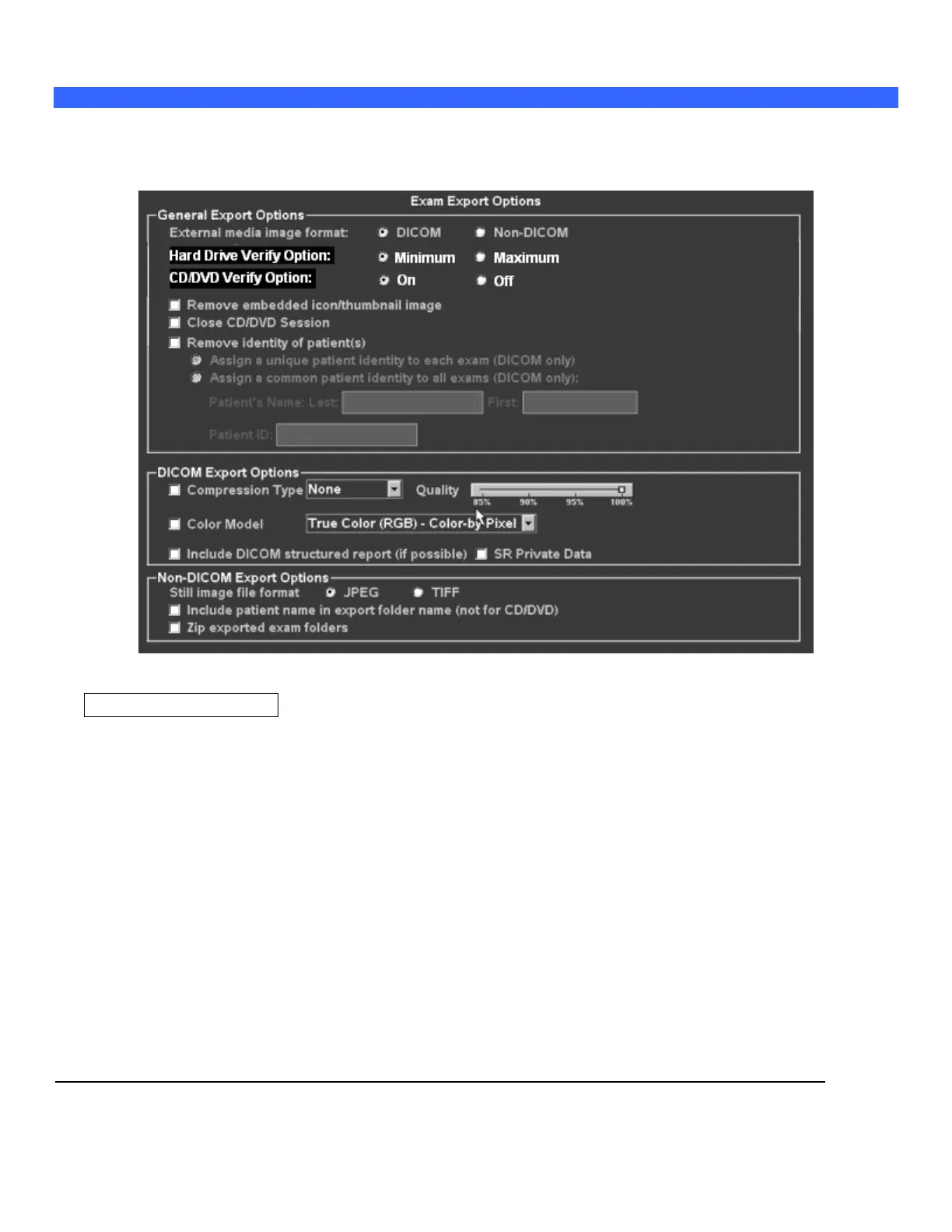
The EXPORT function on the ARCHIVE page includes a special OPTIONS page. This page allows for
customizing the steps that will be performed, and the data formatting, that will occur during the export. The
export options are as shown in the menu below:
--------------------------------------------------------------------------------------------------------------------------
General Export Options
External Media Image Format:
DICOM: Exam data stored on output device in native DICOM format (may be re-imported
later).
Non-DICOM: Exam data stored on output target device in a non-DICOM (cannot be re-imported
or viewed on ZONARE) format, as selected in non-DICOM export option area.
Hard Drive Verify Options:
Minimum: Basic level checksum verification only (fastest)
Maximum: Full file system data verification (longest)
CD/DVD Verify Options:
On: Comprehensive data validation operation at end of data export (longest)
Off: No advanced data validation, but basic data checking still performed (fastest)
Remove embedded icon/thumbnail image:
When checked, the small icon/thumbnail images will be removed from all images



 To Next Page