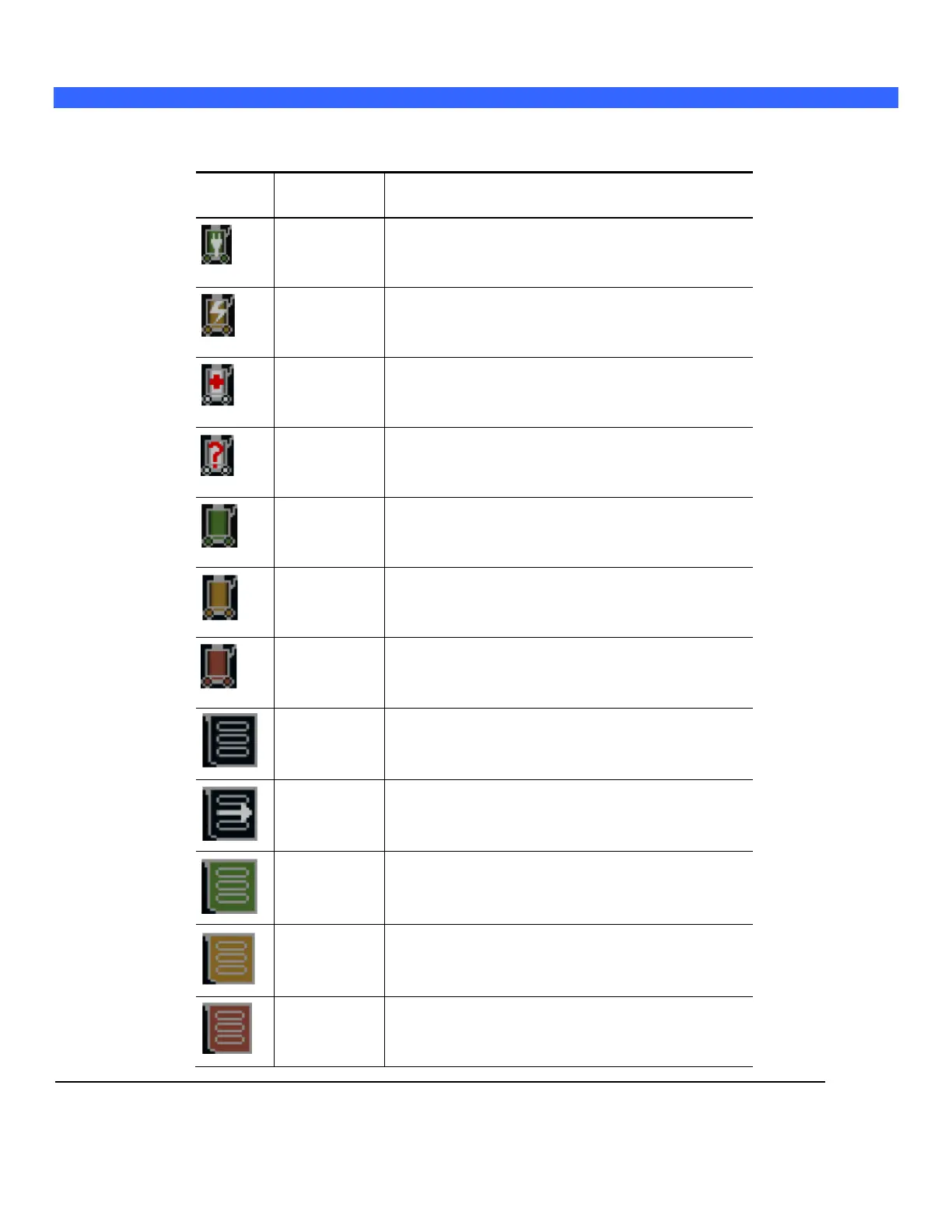
On-Screen “Dashboard” System Status ICONs
If the system is equipped with the on-board battery option, a battery icon will be displayed in the upper-
left hand corner of the LCD display of the z.one
pro
.
System running on AC Power, and Battery is fully charged.
System running on AC Power, and Battery is currently
charging.
Battery is currently undergoing a “Reconditioning” process
(approx 12 hours)
Battery status is currently unknown
System running on Battery source power (more than 25%
remaining charge)
System running on Battery source power (10%-25% remaining
charge)
System running on Battery source power (less than 10%
remaining charge)
Solid state drive is initializing for image storage
Solid state drive is storing images
>20% of solid state drive storage capacity remaining
>5% - <20% of solid state drive storage capacity remaining
<5% of solid state drive storage capacity remaining



 To Next Page