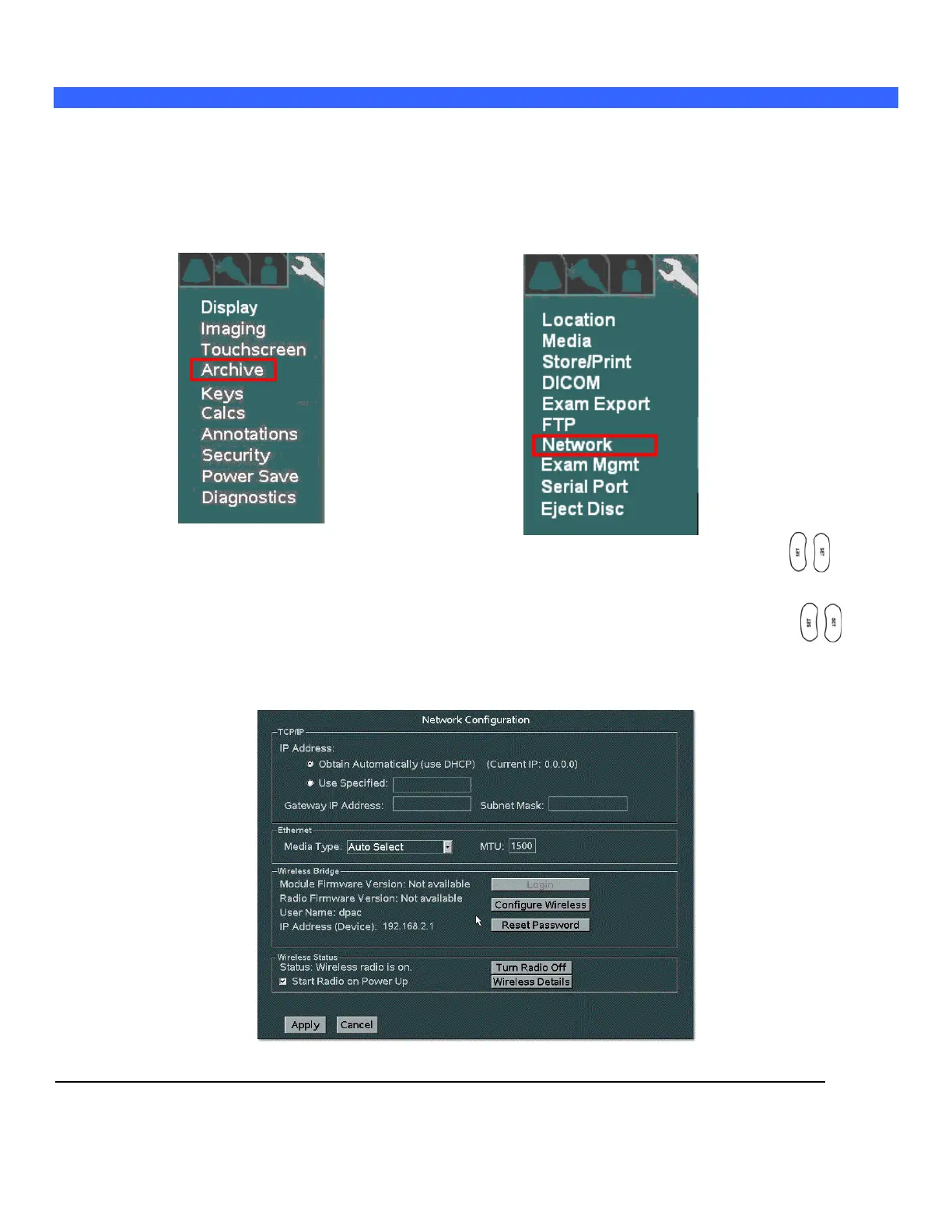
“Network” Setup
The “NETWORK” configuration menu allows for configuring the TCP/IP networking parameters that will be
assigned to define the identity of the system on the hospital’s network.
1. Use the Setup button and trackball to advance menu screen to select TOOLS menu, then select
SYSTEM SETUP.
SYSTEM SETUP Menu NETWORK Menu
Using the trackball scroll down to backlight ARCHIVE selection, and press one of the SET keys to
bring up this menu.
Using the trackball scroll down to backlight NETWORK selection, and press one of the SET keys to
bring up this menu.
NETWORK Sub-Menu



 To Next Page