DICOM “PRINTERS” CONFIGURATION
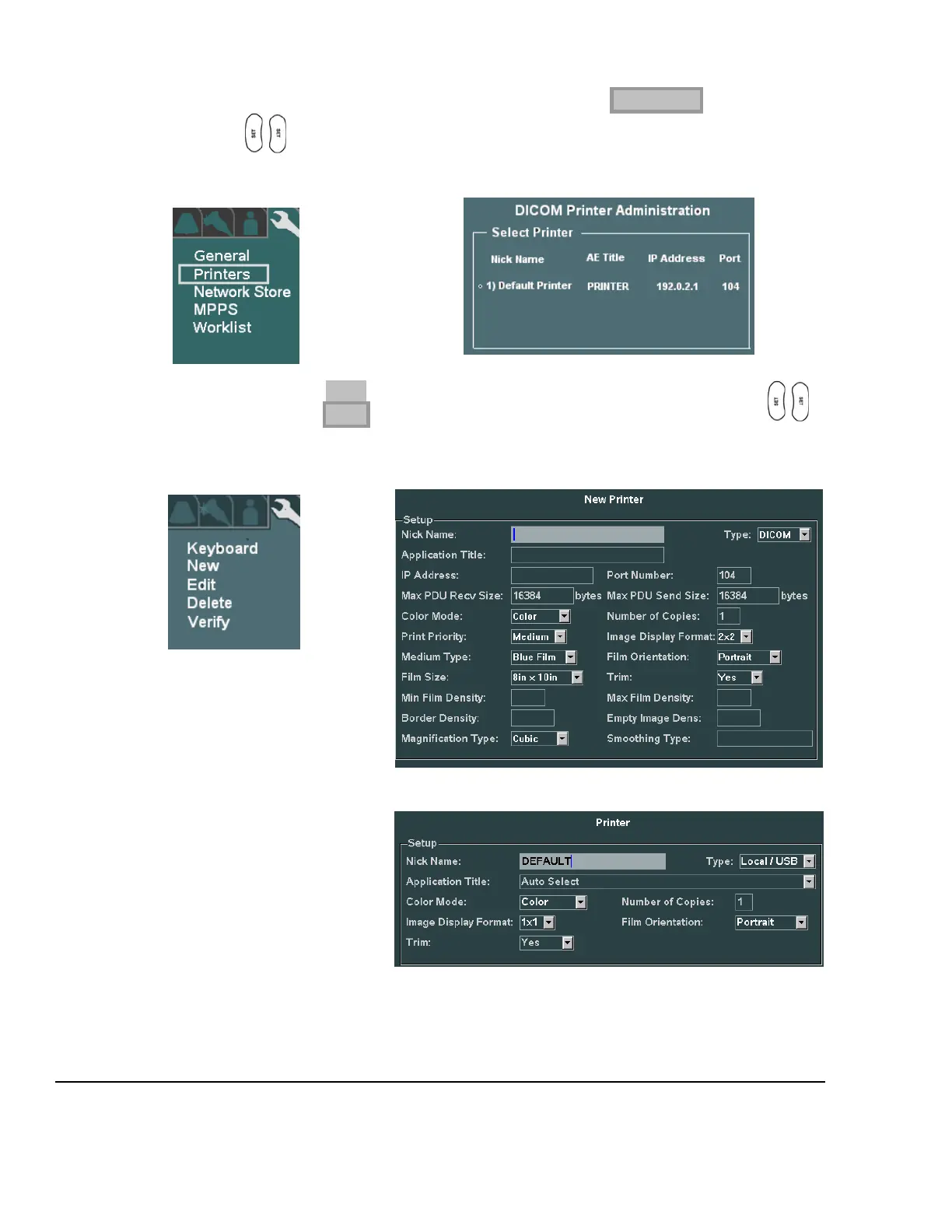
1. Within the DICOM selection, use the Menu Control to backlight PRINTERS selection, and press one
of the SET keys to bring up the DICOM Printer Administration menu.
DICOM Sub-Menu PRINTER Administration Sub-Menu
2. To create an entry for a new printer to be added to the DICOM connectivity for the z.one
pro
, use the
Menu Control to backlight NEW from the main menu, and press one of the SET keys to bring
up the DICOM Printer Administration menu.
DICOM Sub-Menu PRINTER New/Edit Sub-Menu
DICOM Network Printer Setup Page
Local USB Printer Setup Page



 To Next Page