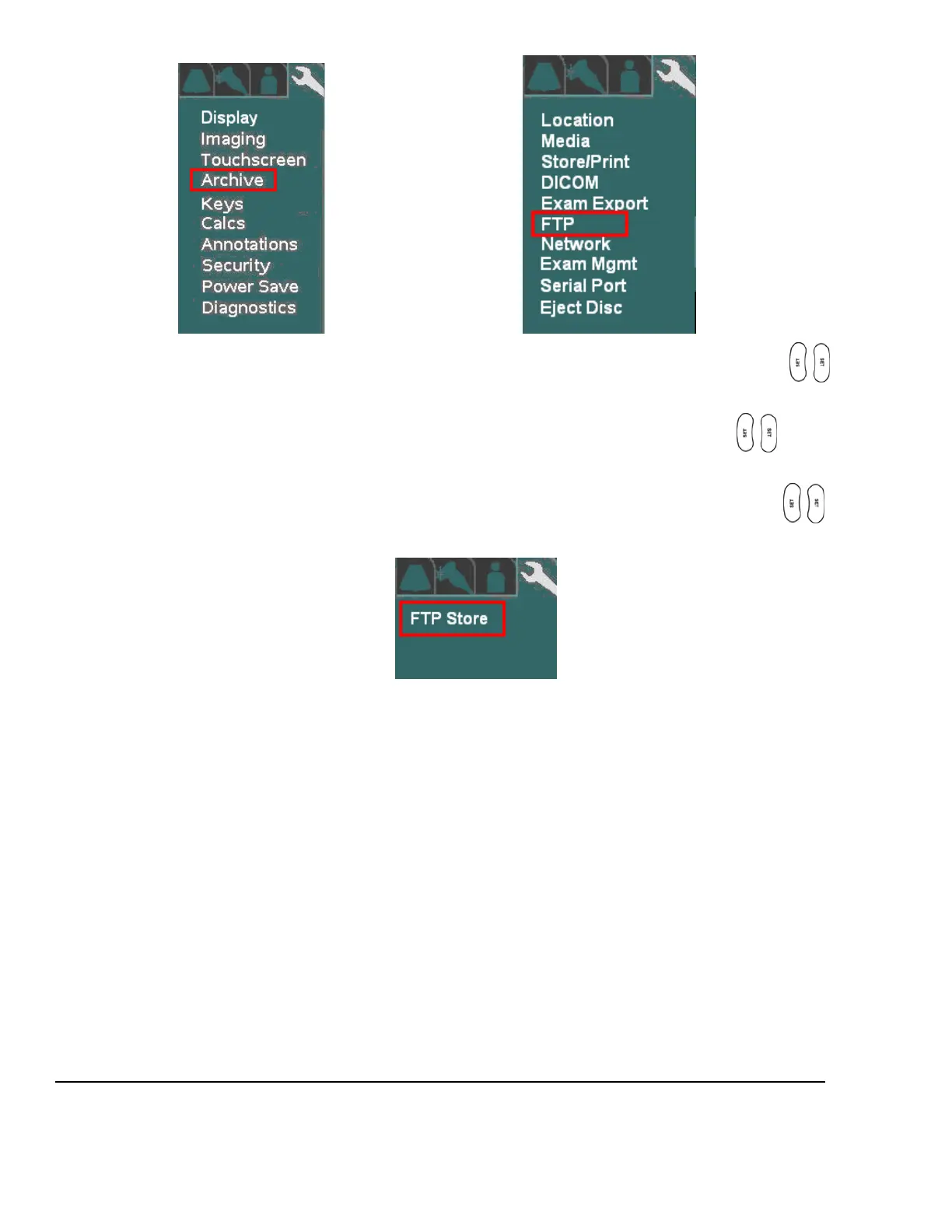
Using the trackball scroll down to backlight ARCHIVE selection, and press one of the SET keys to
bring up this menu.
Using the trackball scroll down to backlight FTP selection, and press one of the SET keys to bring up
this menu.
Using the trackball scroll down to backlight FTP Store selection, and press one of the SET keys to
bring up this menu FTP Store Sub-Menu
Using the alpha-numeric keyboard, enter in the required FTP configuration values/settings in the appropriate
fields, as specified in the information previously provided in the “Pre-Installation Site Survey Form”, by the
medical facility’s IT System Administrator.



 To Next Page