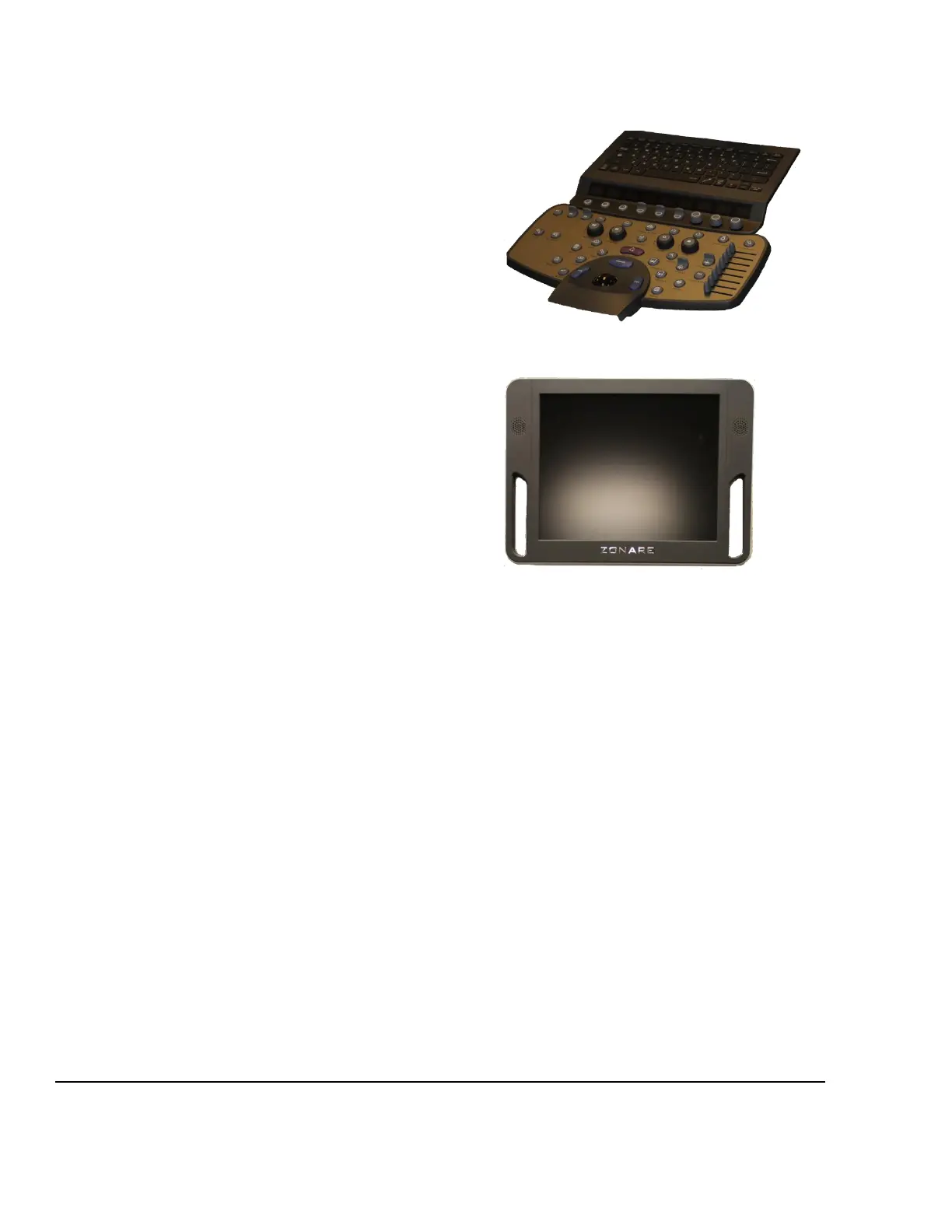
11.1.2 USER INTERFACE ASSY, Z.ONE
pro
P/N: 86700-00 (86702-00 FOR SP VERSION)
QWERTY keyboard
OLED soft-function displays
Trackball assembly
DGC controls
Discrete functional controls
11.1.3 DISPLAY, Z.ONE
pro
P/N: 89051-00
System display
Speakers
11.1.4 ELECTRO AND MECHANICAL ASSEMBLIES
11.1.5 BRAKE MECHANISM - WHEEL
The system has 2 different types of casters. The front right caster (green tab) is used as a
directional/swivel lock. The other 3 casters have break features. Using the bottom of your shoe to push
down, press the lower tab to engage, and the upper tab to release.
With all 4 casters “unlocked” all casters will be in full swivel mode.
By locking the front right (green) caster, the system will be in a directional mode.
Any combination of the other 3 casters can be used to lock the system from moving.



 To Next Page