3-24
CELL-DYN
®
3200 System Operator’s Manual
9140181H—October 2001
Principles of Operation
Flow Cytometry
Section 3
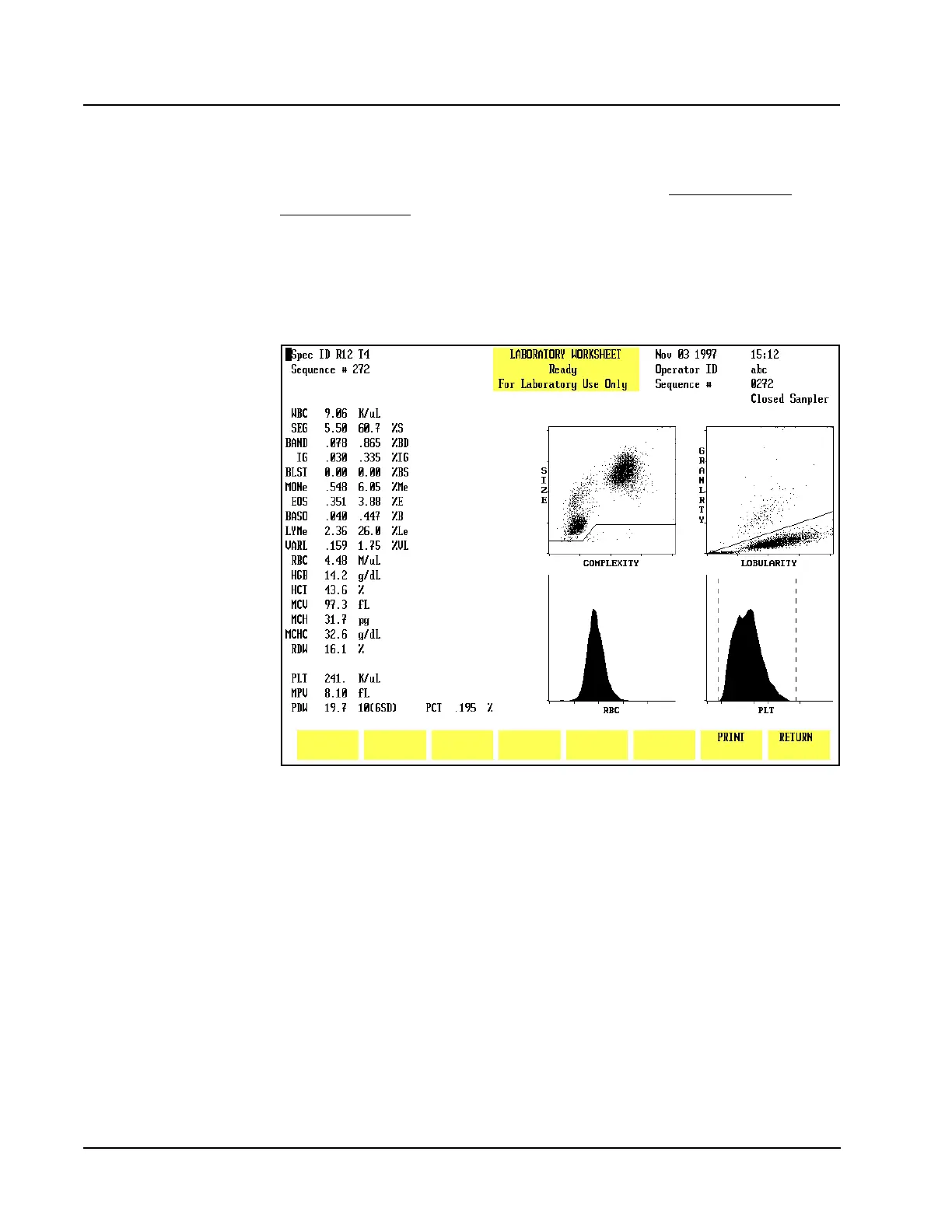
Laboratory Worksheet Screen
The LABORATORY WORKSHEET screen is provided to assist the laboratory
staff in data review and validation (refer to Figure 3.11.) This screen is for
laboratory use only. This screen displays the 5-Part Differential plus additional
parameters. The RUN and DATA LOG screens display only the 5-Part Differential.
The difference between the two formats is shown in Table 3.1 and 3.2.
NOTE: The parameters MON and LYM have an “e” after the label, indicating that
the values are estimated. MONe represents monos minus blasts. LYMe
represents reported lymphs minus variant lymphs.
Figure 3.11 Laboratory Worksheet Screen
To access the LABORATORY WORKSHEET screen, press the Page Down key on the
keyboard while the RUN menu is displayed or while the DISPLAY SPECIMEN screen
(in the DATA LOG menu) is displayed. The format is fixed and cannot be changed.
The specimen displayed on the screen is identified by the Specimen ID number and
Sequence number in the upper left corner of the screen.
To print the LABORATORY WORKSHEET screen, press the [PRINT] soft key or the
Print Screen key on the keyboard. Press [RETURN] to return to the RUN menu or
DISPLAY SPECIMEN screen (in DATA LOG menu), depending on which menu was
used to access the worksheet.
The 5-Part Differential separates WBC into 5 components: Neutrophils,
Lymphocytes, Monocytes, Eosinophils, and Basophils. The additional parameters
further separate the Neutrophils, Lymphocytes, and Monocytes into their
constituent components. Eosinophils and Basophils are the same in both tables.



 To Next Page