13-10
CELL-DYN
®
3200 System Operator’s Manual
9140181H—October 2001
Sample Loader
Sample Loader Description
Section 13
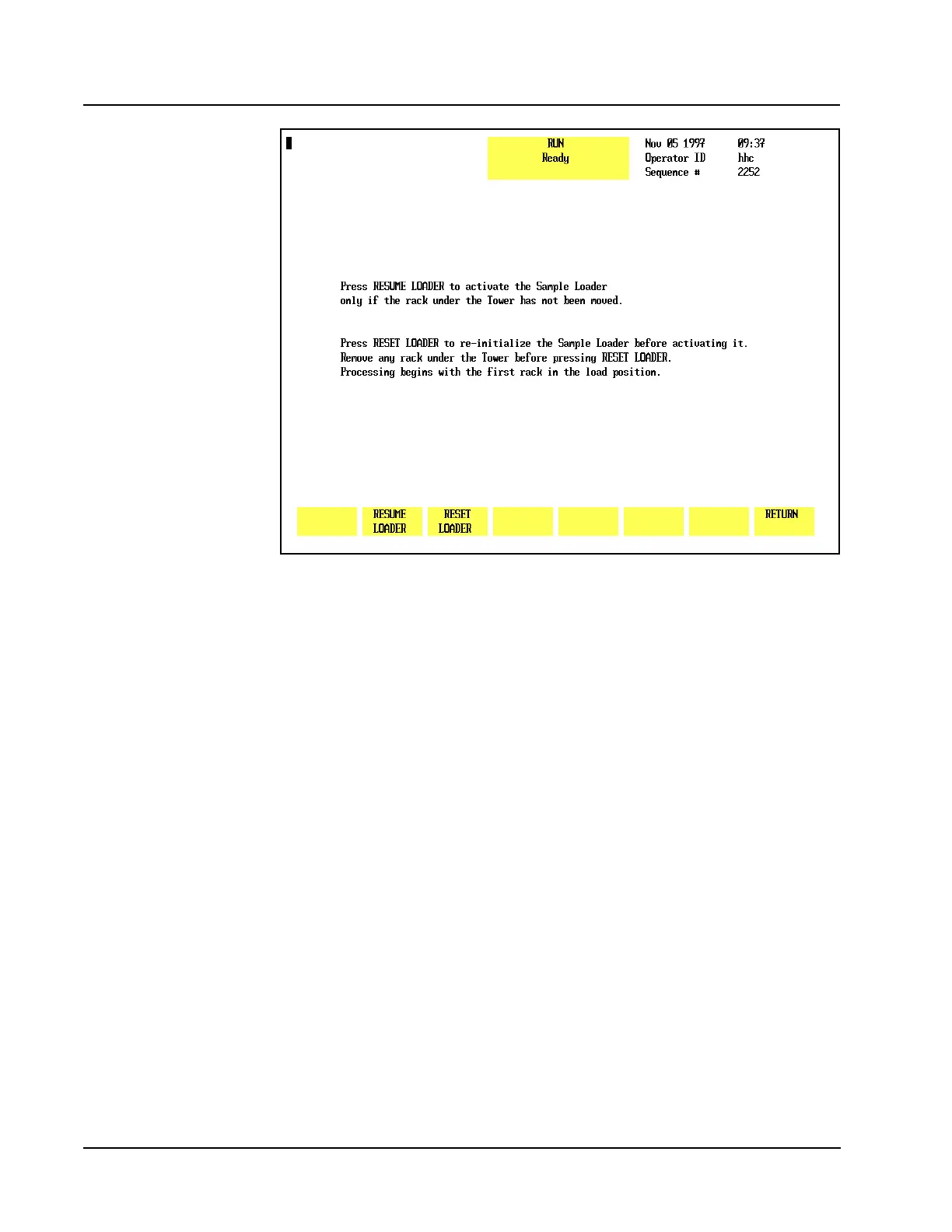
Figure 13.6 Sample Loader Restart Screen
Soft Keys
Overview
The soft key menu on the CELL-DYN 3200SL model is similar to the menu on the
CELL-DYN 3200CS model except for the following:
1. The [START LOADER/STOP LOADER] key in the first position (refer to Figure
13.5).
NOTE: The [CLEAR FAULT] key will appear in the first position whenever a
Fault condition occurs.
2. A submenu that appears under certain conditions when the [START LOADER]
key is pressed (refer to Figure 13.6).
Pressing the [START LOADER] key activates the Sample Loader and toggles to
[STOP LOADER] without an intervening submenu under the following two
conditions:
1. When the System has been initialized or when only the Sample Loader has
been re-initialized.
2. When the Sample Loader has finished processing all loaded racks (without
the [STOP LOADER] key being pressed) and comes to a halt.



 To Next Page