CELL-DYN
®
3200 System Operator’s Manual
9-3
9140181H—October 2001
Section 9 Service and Maintenance
Special Protocols
The SPECIAL PROTOCOLS menu is used to access various preventative
maintenance procedures. There are two major screen levels in this menu. The first
level is displayed when the [SPECIAL PROTOCOLS] soft key in the MAIN MENU is
pressed. The second major screen level is accessed by pressing the [MORE] key in
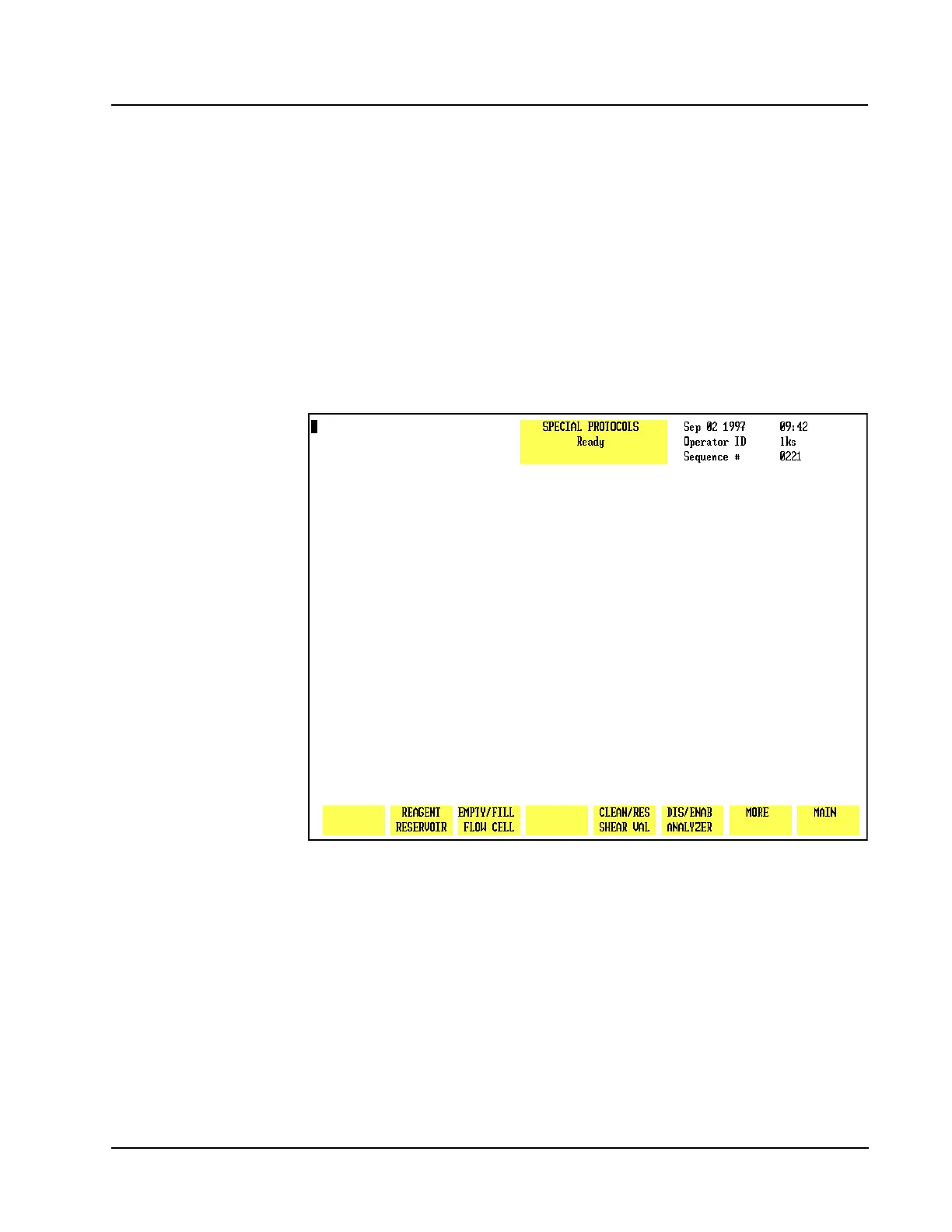
the first level. Within each major level are submenus. Figure 9.1 displays the key
labels in the first SPECIAL PROTOCOLS menu.
NOTE: Prior the entering the SPECIAL PROTOCOL menu to perform a procedure,
ensure the instrument is at the READY state.
Figure 9.1 First Special Protocols Screen
Special Protocols Menu
When the [SPECIAL PROTOCOLS] key is pressed in the MAIN MENU, the following
soft key labels are displayed:
REAGENT RESERVOIR
EMPTY/FILL FLOW CELL/
EMPTY FLOW CELL/
FILL FLOW CELL (.H\ODEHODOWHUQDWHVEHWZHHQVHOHFWLRQV



 To Next Page