CELL-DYN
®
3200 System Operator’s Manual
5-67
9140181H—October 2001
Section 5 Operating Instructions
Center Section
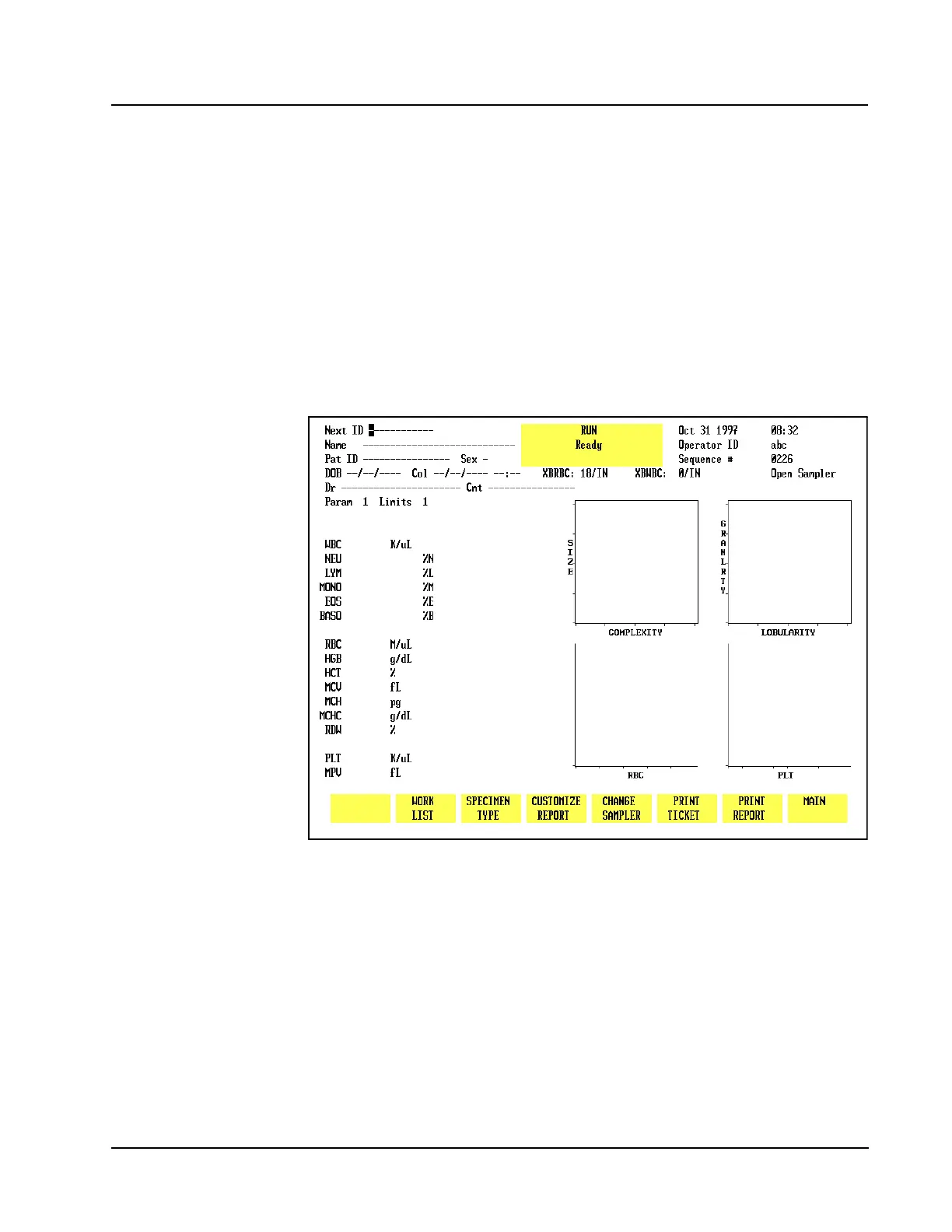
The Center Section of the RUN screen displays the results. A list of the parameters
and results is displayed on the left side. Scatterplots and histograms are displayed
on the right side. The area between the parameter data and the graphic data is used
to display flagging messages.
Bulletin Line
The Bulletin Line is displayed immediately above the key labels. Messages appear
in this line to identify status or fault conditions.
Run Menu Soft Keys
CS Model
Figure 5.27 Run Screen for Patient Samples - CS Model
The soft keys displayed at the bottom of the RUN menu are used to access the menu
options that are available. The soft keys displayed on the SL model are slightly
different from the keys displayed on the CS model. The keys shown on the CS
model are listed below. (See Figure 5.27.)
CLEAR FAULT (This key label is blank unless a Fault occurs.)
WORK LIST
SPECIMEN TYPE
CUSTOMIZE REPORT
CHANGE SAMPLER
PRINT TICKET



 To Next Page