1-22
CELL-DYN
®
3200 System Operator’s Manual
9140181H—October 2001
Use or Function
System Components
Section 1
Display Station Components
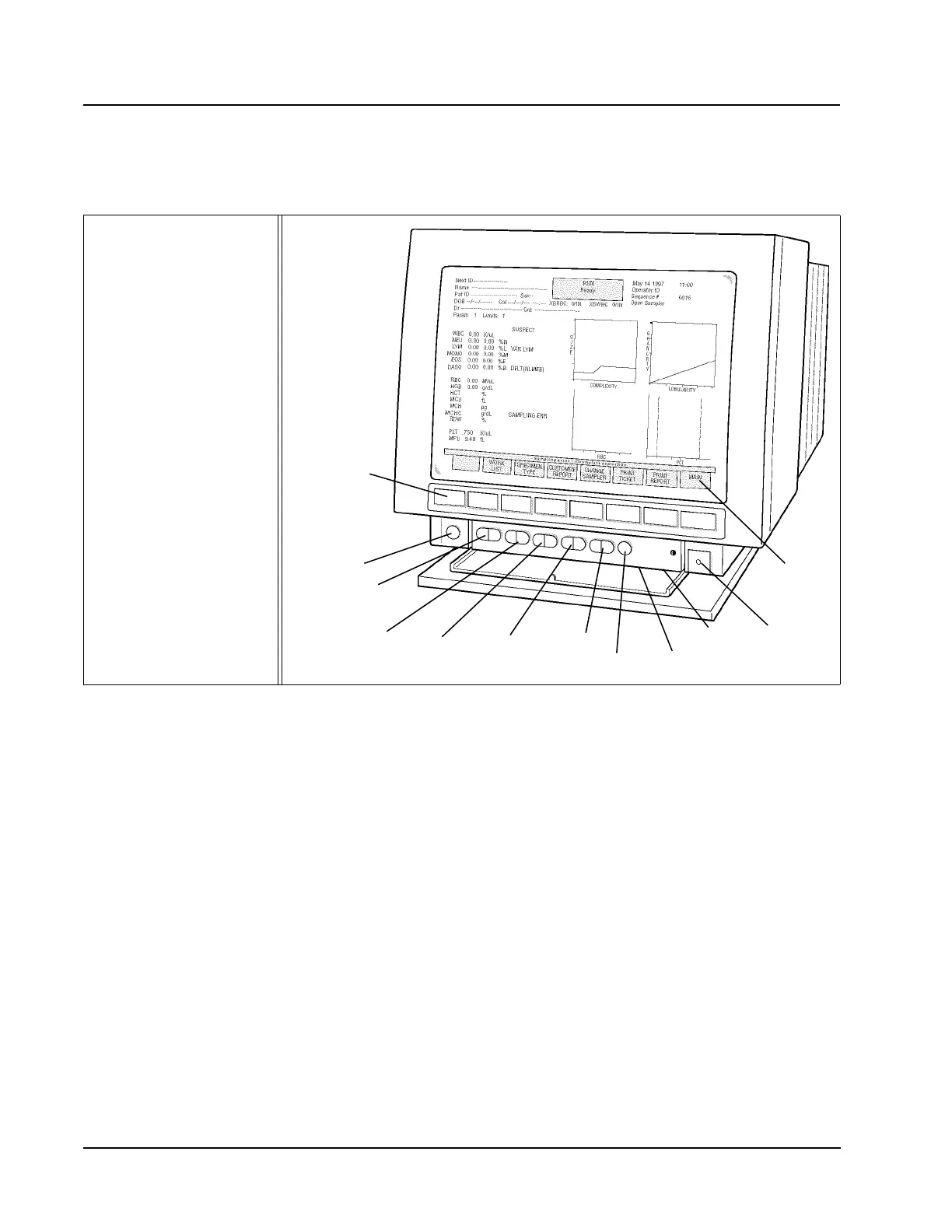
The major components of the Display Station are shown in Figure 1.12.
A description of each component’s function follows.
Figure 1.12 Display Station Components
Display Monitor
A 15-inch diagonal, high-resolution Display Monitor with 16-color illumination
displays all alphanumeric and graphical data.
Membrane Keypad
The Membrane Keypad allows commands to be transferred from the Display
Monitor to the Data Module.
Screen Controls
The Controls available on the Display Monitor are shown in Figure 1.12. The
Brightness and Contrast controls are located under the control panel shown in the
figure.
Soft Keys
A row of eight unlabeled pressure-sensitive Soft Keys (membrane keypad) is
located directly below the screen. Each key initiates a function defined by the
screen label currently displayed directly above it.
1 Membrane Keypad
Screen Controls
2 Degauss
3 Side Pincushion
4V Size
5V Shift
6H Size
7H Shift
8 Reset to Default
9 Brightness
10 Contrast
11 ON/OFF Switch
12 Soft Keys
1
2
3
4
5
6
7
8
9
10
11
12



 To Next Page