CELL-DYN
®
3200 System Operator’s Manual
11-3
9140181H—October 2001
Section 11 Quality Control
Quality Control Menu
QC Menu Softkeys
This section discusses the options available when the [QUALITY CONTROL] key is
pressed. The options used to set up the QC Files are available from the QUALITY
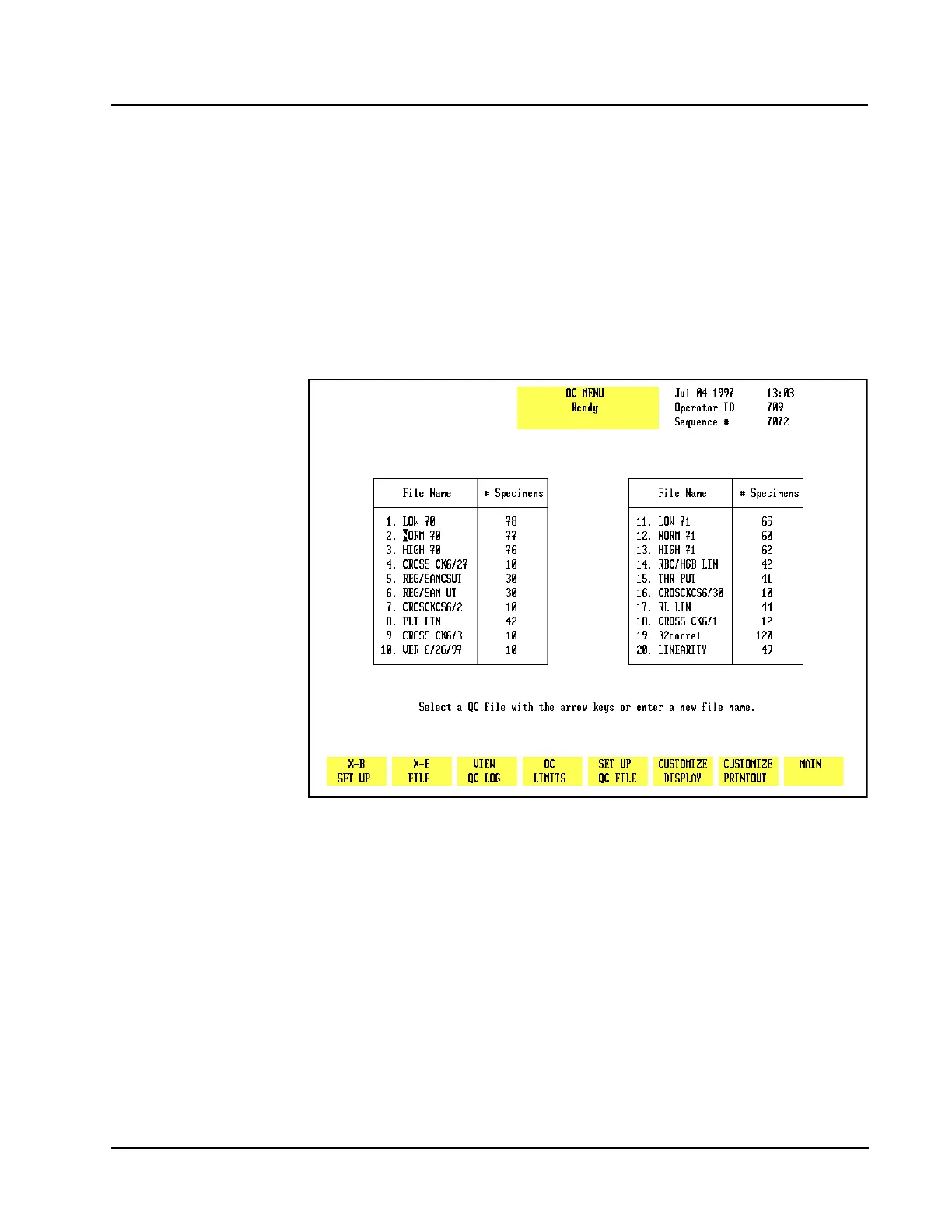
CONTROLmenu (see Figure 11.1) and the QC SET UPmenu. Refer to Set Up QC
File in Section 5: Operating Instructions for an explanation of these keys as they
will not be discussed in this section.
Figure 11.1 Quality Control Menu Screen
The following soft key labels are displayed when the [QUALITY CONTROL] key on
the MAIN MENUscreen is pressed:
X-B SET UP
X-B FILE
VIEW QC LOG
QC LIMITS*
SET-UP QC FILE*
CUSTOMIZE DISPLAY *
CUSTOMIZE PRINTOUT *
MAIN
* These keys are discussed in Section 5: Operating Instructions; Subsection: Set
Up Instructions.



 To Next Page