CELL-DYN
®
3200 System Operator’s Manual
5-143
9140181H—October 2001
Section 5 Operating Instructions
Data Review from the Data Log
Use the Page Up/Down keys and arrow keys to view Data Log records and
parameters within a record as described earlier in Scrolling Through the Data
Log.
Displaying A Record
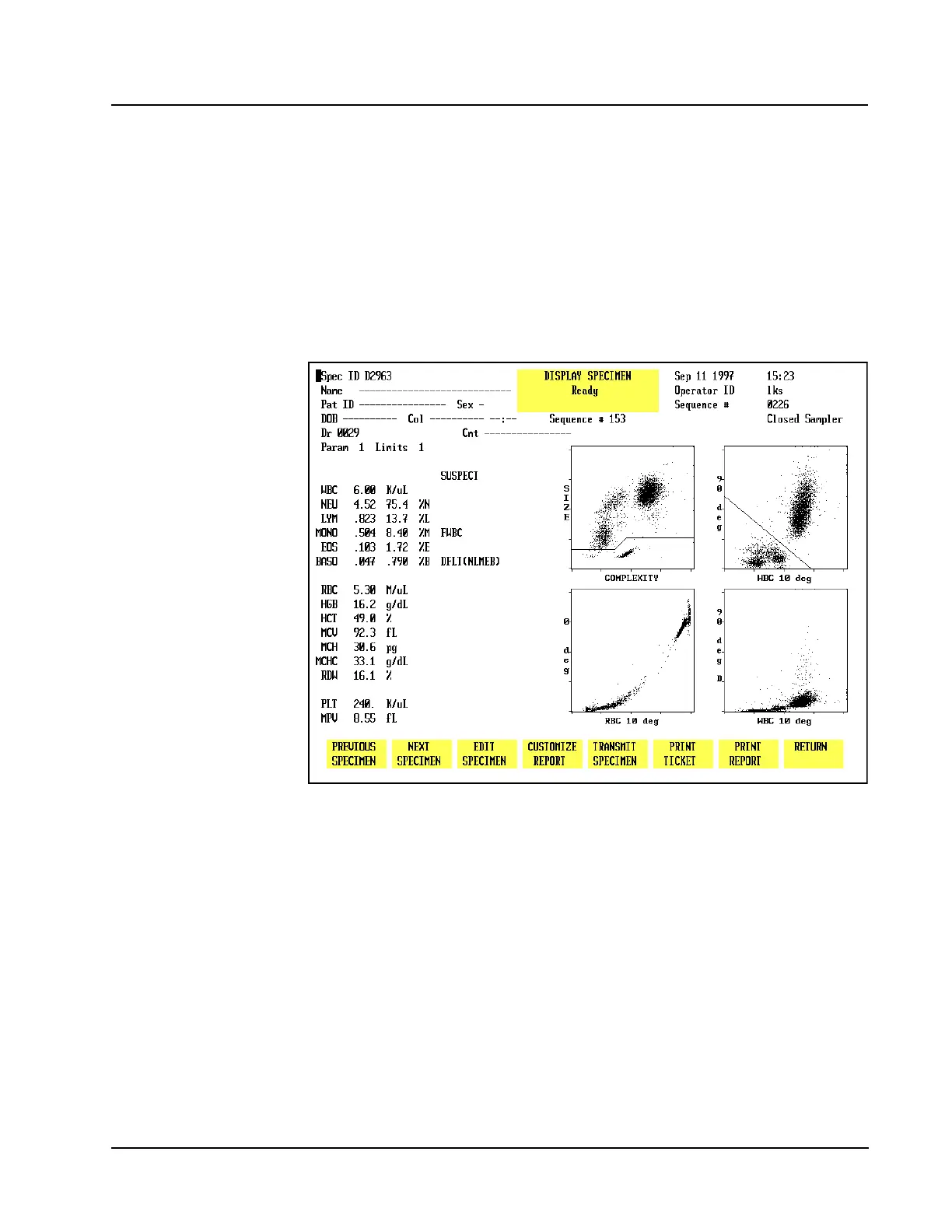
A copy of theRUNscreen may be displayed for all 10,000 records in the
CELL-DYN 3200 Data Log. A record is displayed by positioning the cursor at the
record in the Data Log listing and pressing [DISPLAY SPECIMEN]. The record is
displayed on the DISPLAY SPECIMEN screen. (See Figure 5.56.)
Figure 5.56 Display Specimen Screen
To Display a Record
1. From the MAIN MENUscreen, press [DATA LOG].
2. Use the Arrow keys on the keyboard to move the cursor to the desired record
(use the Page Up and Page Down keys to scroll between pages).
3. Press [DISPLAY SPECIMEN] to display the RUN screen for the selected record.
4. If desired, press [PRINT REPORT] to obtain a printout.
NOTE: If a color printing has been selected, the key label changes to
[COLOR PRINT]and a color printout is generated when the key is
pressed.
5. The [PREVIOUS SPECIMEN] or [NEXT SPECIMEN] key may now be used to
display records listed in the Data Log which are adjacent to the one currently
displayed.



 To Next Page