CELL-DYN
®
3200 System Operator’s Manual
6-15
9140181H—October 2001
Section 6 Calibration Procedures
Calibration Menu Soft Keys
Enter Factor
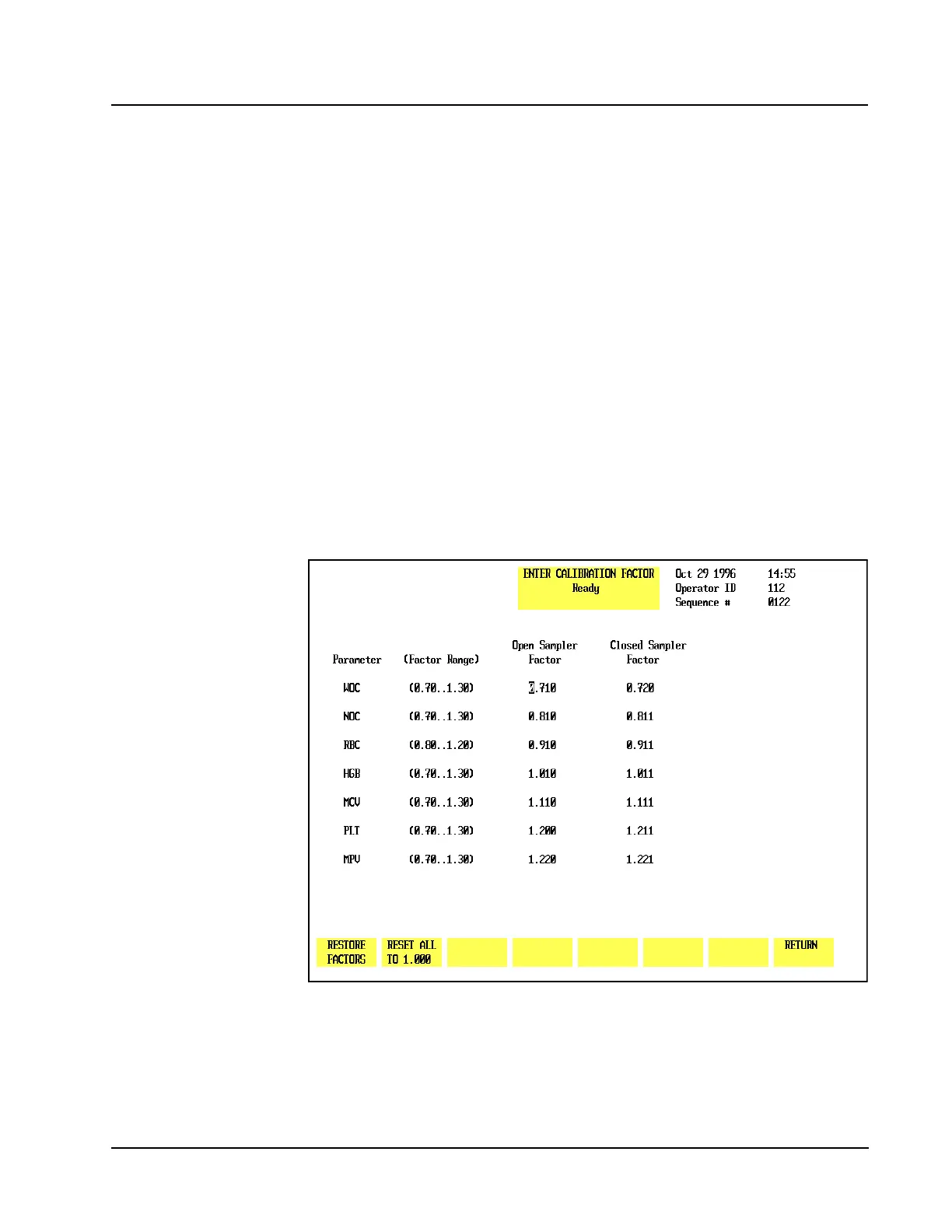
The [ENTER FACTOR] key is used to display the ENTER CALIBRATION FACTOR
screen which displays the current whole blood factors for the displayed mode (refer
to Figure 6.3). The soft keys available in this screen are:
RESTORE FACTORS
RESET ALL TO 1.000
RETURN
Restore Factors
The [RESTORE FACTORS]key is used to restore the previous calibration factors.
This key is active only immediately after factors have been changed.
Reset all to 1.000
The [RESET ALL TO 1.000] key is used to reset all of the calibration factors to 1.000.
Return
The [RETURN] key is used to return to the main CALIBRATION menu.
Figure 6.3 Enter Calibration Factor Screen



 To Next Page