5-68
CELL-DYN
®
3200 System Operator’s Manual
9140181H—October 2001
Operating Instructions
Run Menu
Section 5
PRINT REPORT/
COLOR PRINT (This key label changes to &2/2535,17 when
the color printing option is selected in the
&86720,=('35,17('5(3257screen for
the Graphics Printer)
MAIN
SL Model
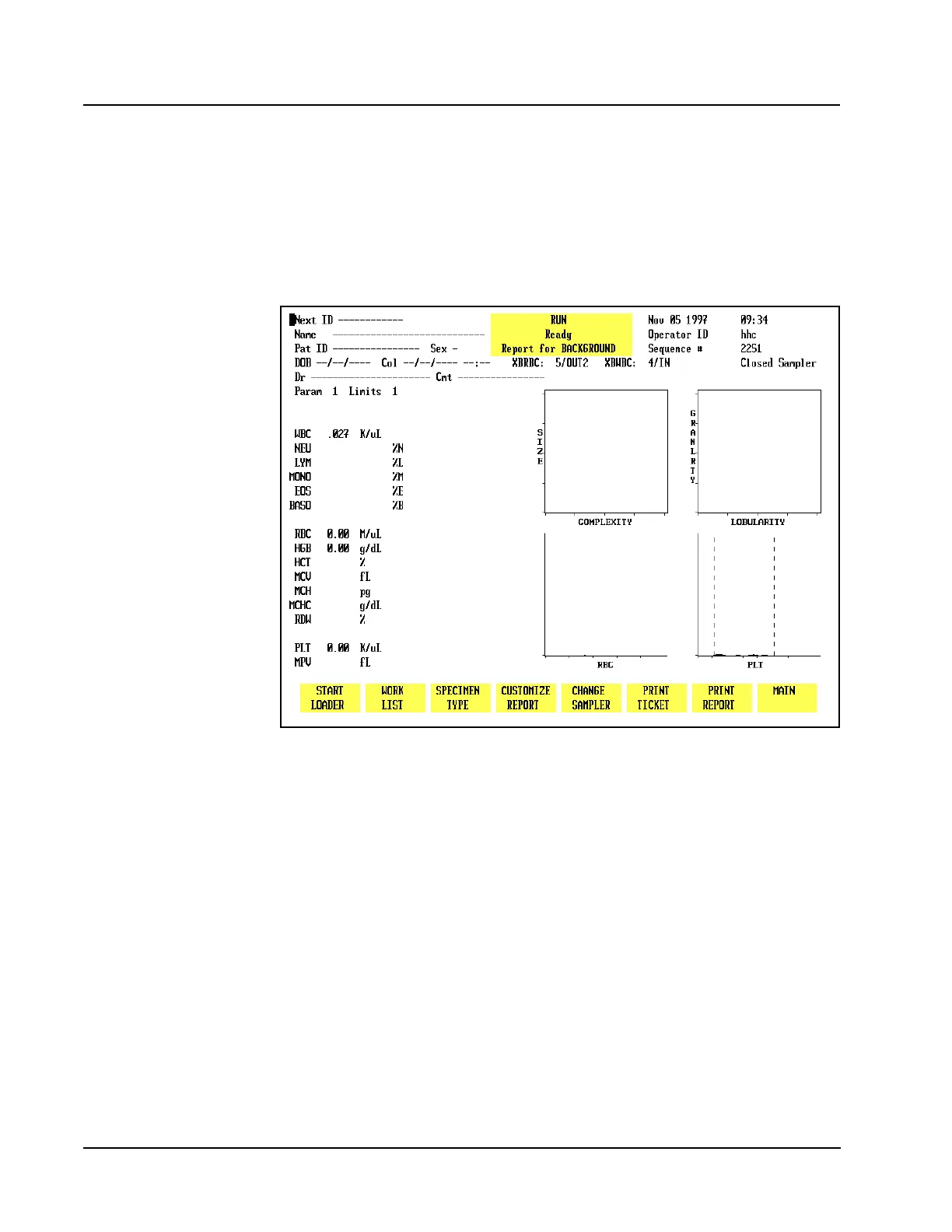
Figure 5.28 Run Screen for Patient Samples - SL Model
The soft keys shown on the SL model are similar to the CS model except for the
first key (leftmost key label on the screen) in Closed Mode, shown below, which is
used to operate the Sample Loader. (See Figure 5.28.)
START LOADER/
STOP LOADER (This key label alternates between the selections)
If a fault occurs, this key label changes to [CLEAR FAULT] similar to the CS model.
Soft Key Description
A brief description of the function of each key is given below. Instructions for
running samples are given in Sample Analysis on the CELL-DYN 3200CS and
Sample Analysis on the CELL-DYN 3200SL in this section.



 To Next Page