CELL-DYN
®
3200 System Operator’s Manual
5-69
9140181H—October 2001
Section 5 Operating Instructions
Clear Fault
The blank key label in the CS model or the[START/STOP LOADER] key label in the
SL model changes to [CLEAR FAULT] whenever a system fault occurs (e.g., Diluent
Empty). This key is used to clear the fault message and return the Analyzer to the
READY state after corrective action has been taken.
NOTE: A message describing the fault appears in the bulletin line. A list of fault
conditions and corrective action is given in Section 10: Troubleshooting
and Diagnostics.
Work List
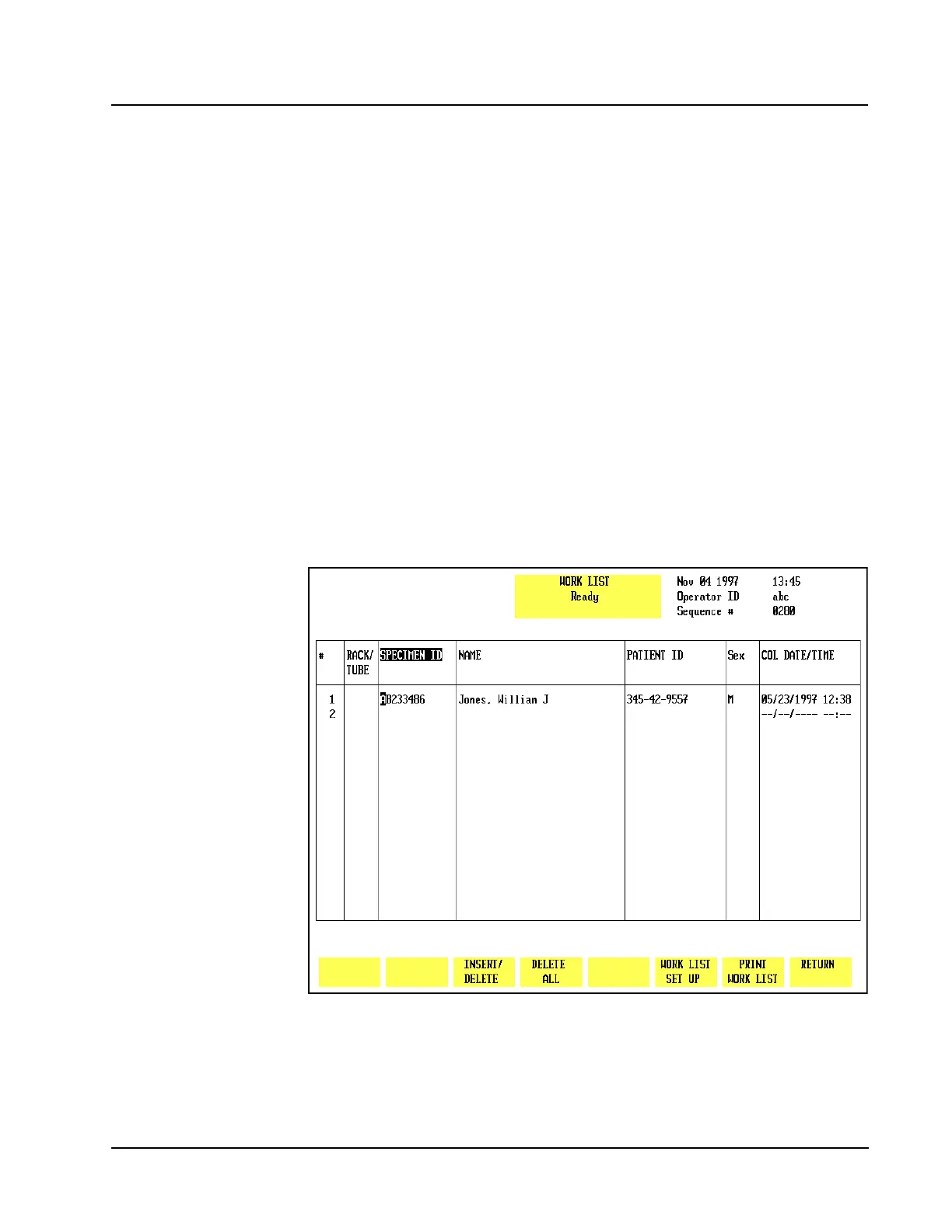
This key is used to display the WORK LIST screen, shown in Figures 5.29 and 5.30.
Use the left and right arrow keys to scroll between the pages. When the [WORK
LIST]key is pressed, the WORK LIST screen appears and the following soft key
labels are displayed:
INSERT/DELETE
DELETE ALL
WORK LIST SET UP
PRINT WORK LIST
RETURN
Figure 5.29 Work List Screen - Page 1



 To Next Page