9-54
CELL-DYN
®
3200 System Operator’s Manual
9140181H—October 2001
Service and Maintenance
Nonscheduled Maintenance Procedures
Section 9
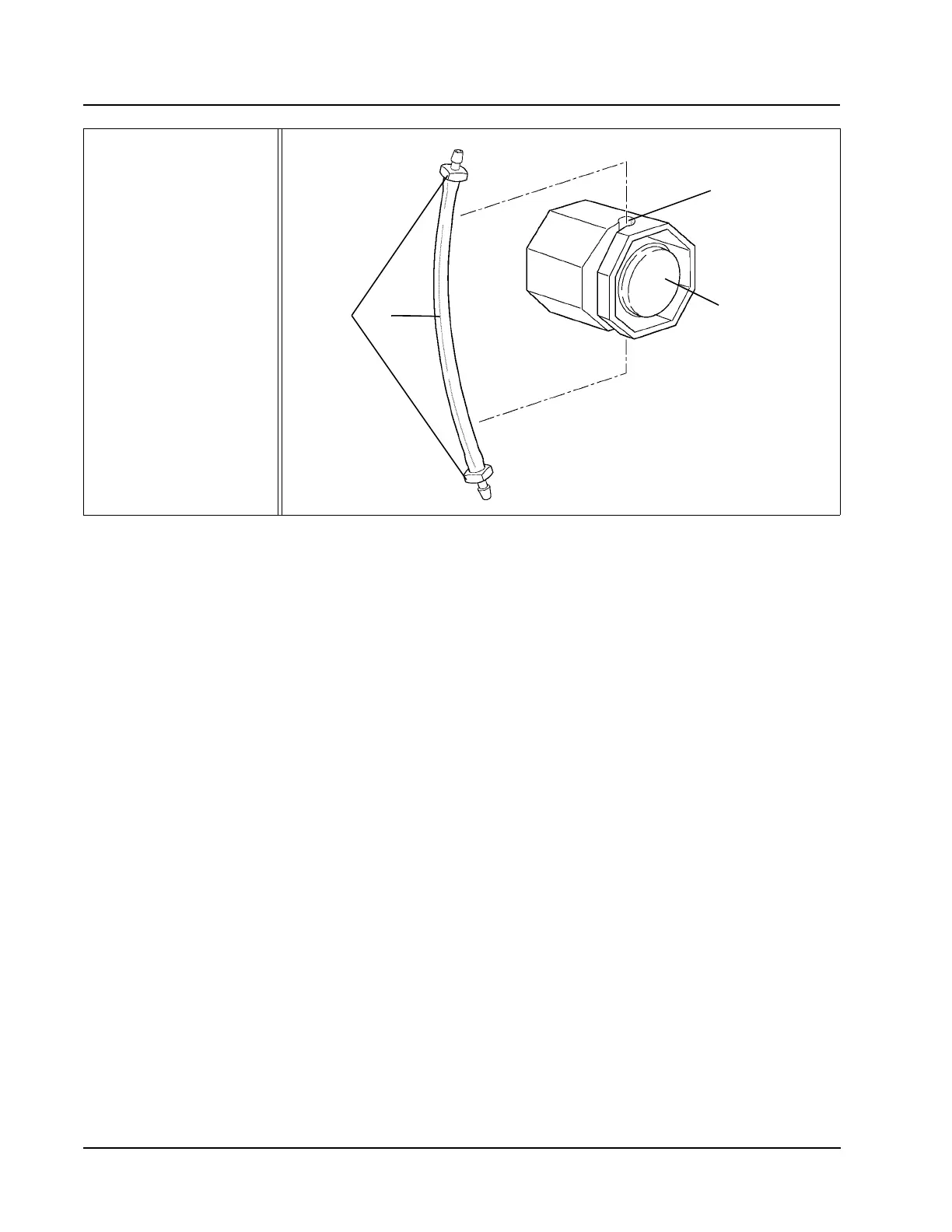
Figure 9.21 Tubing in Normally Closed Valve
9. Insert the new tubing section into both connectors. Make sure the tubing is
pushed all the way into the connectors.
10. Reinsert the tubing into the slot on the valves. Work the tubing firmly back
and forth until it is completely inserted into the valve and resting on the
bottom of the slot. Unless the tubing is securely seated, the flow system will
not function properly. Remove the hemostats.
11. Replace covers:
a. On the CS model, reattach the Front Skirt using the four Phillips-head
screws. Do not pinch the tubing at the bottom.
b. On the SL model, align the removable left side skirt panel over its
holding pins and slide down.
c. Close the Left and Right Front Covers. Reattach the Tower Cover and
press into place (Tower Door on the CS model must be open).
12. Turn the Power switch ON. Wait until the instrument is initialized, then press
[RUN] to prime the system and place it in READY state.
13. Run at least three background counts to rinse the system. Check that the
background counts are acceptable before running controls or patient samples.
If the counts are unacceptable, troubleshoot accordingly (refer to Section 10:
Troubleshooting and Diagnostics; Subsection: Troubleshooting Guide).
14. Record this maintenance in your maintenance log.
1 Connectors
2 Tubing
3Slot
4 Normally Closed Valve
12
4
3



 To Next Page