2-8
CELL-DYN
®
3200 System Operator’s Manual
9140181H—October 2001
Installation Procedures and Special Requirements
Tubing Installation
Section 2
Remove Sample Loader
To access the Flow Panel, the Sample Loader on the SL Model is pulled away from
the analyzer as follows:
1. Remove Tower Cover.
2. Open Left and Right Front Covers as follows. Gently pull on cover using
hand hold and swing door open about 30-45 degrees. Lift door fully upward
from bottom area closest to door hinge bracket, then rotate door fully open so
that the lift-and-hold feature on upper door hinge mechanism is engaged.
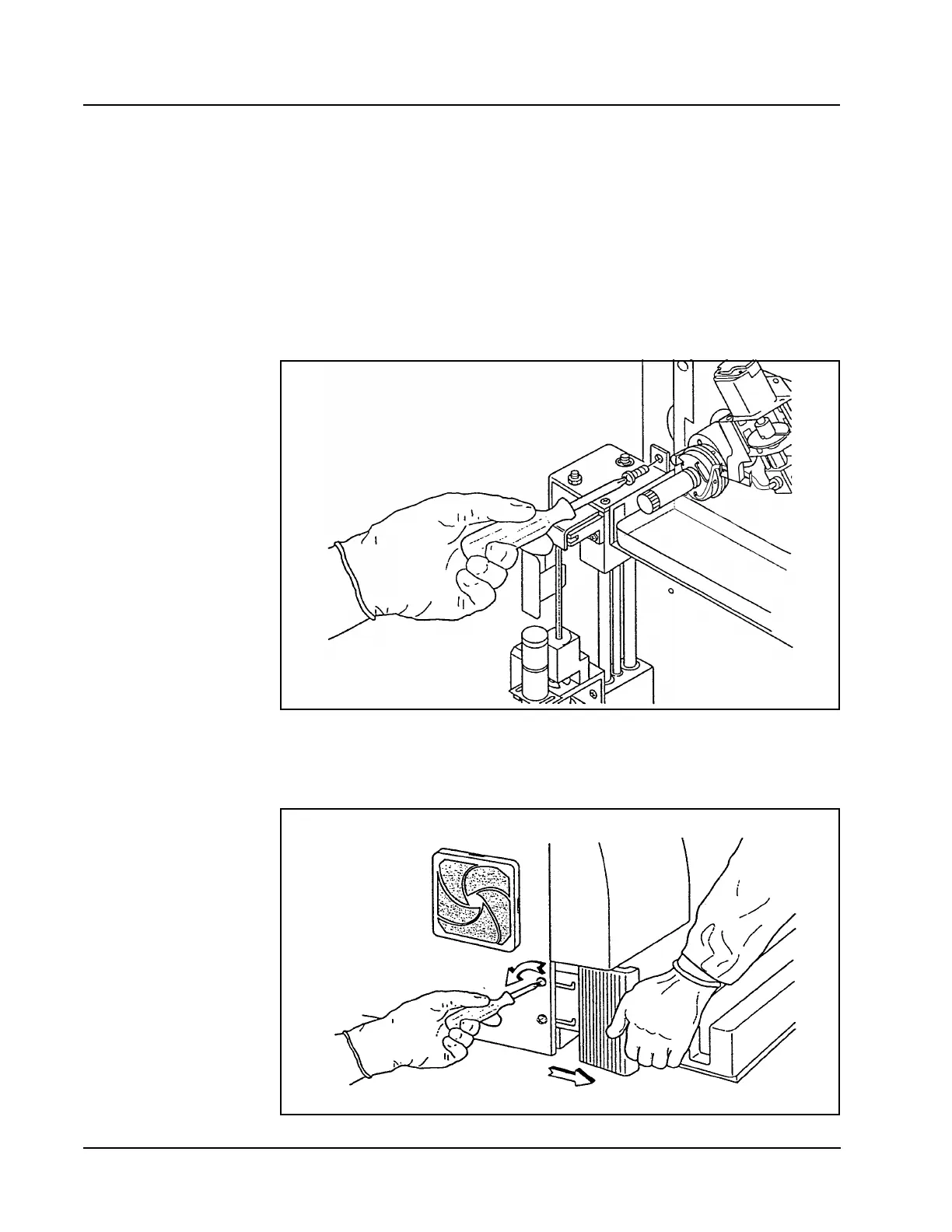
3. Remove the screw that holds the Sample Loader Tower in place on the Front
Panel. Refer to the following figure:
Figure 2.3 Sample Loader Tower
4. Loosen the flat-head screws, two on each side of the instrument. Refer to the
following figure:
Figure 2.4 Sample Loader Mounting Screws



 To Next Page