WWAN configuration
106 / 157 DLT-V83 Operating Instructions V2.00
12.5.1. Open device manager
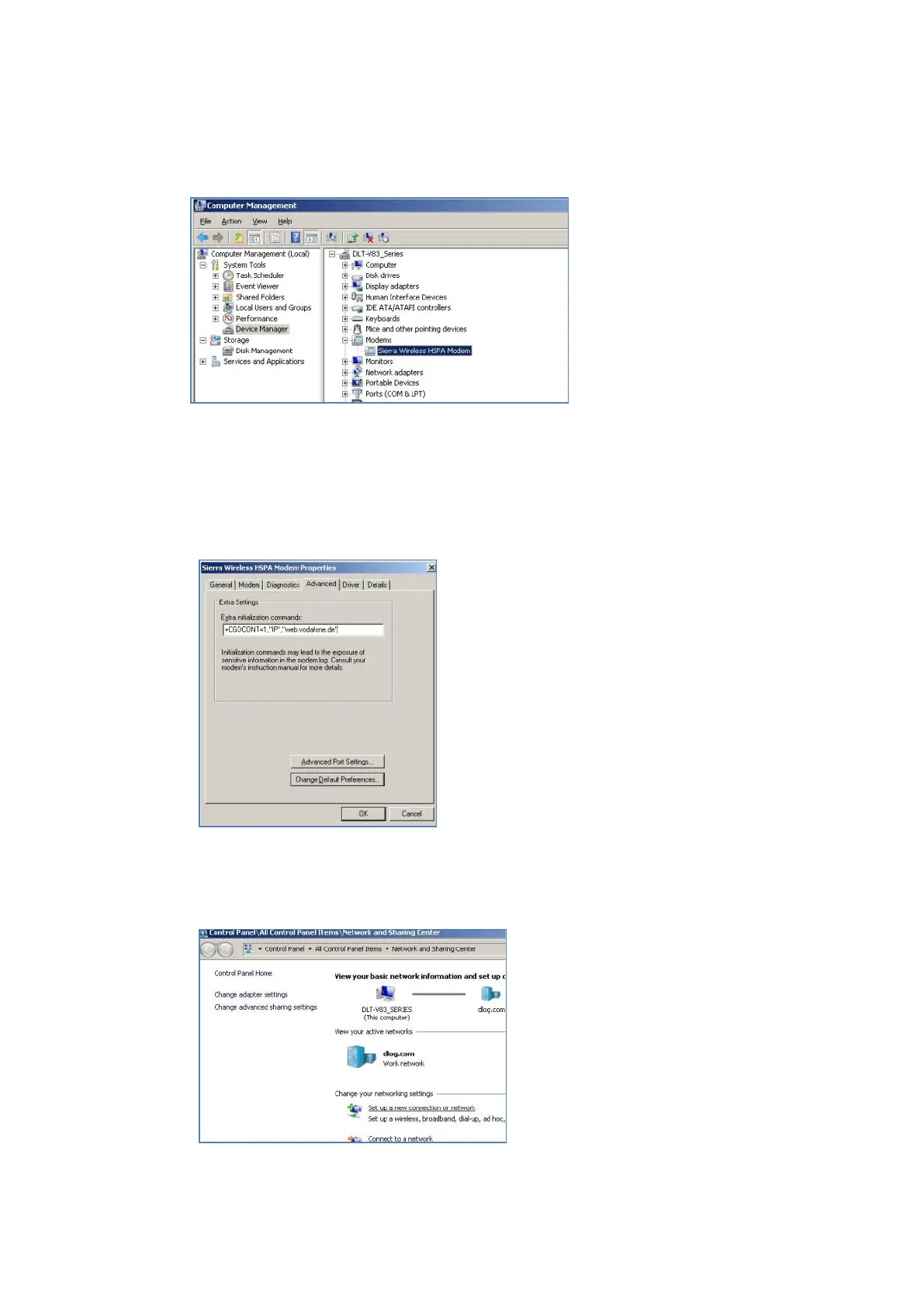
Check whether or not the Sierra Wireless HSPA Modem is present in the list of modems.
Fig. 12.1: SIERRA WIRELESS MC80 - Device manager, Sierra Wireless HSPA Modem
Display the Properties window of the Sierra Wireless HSPA Modems (left mouse button).
Click the Advanced tab.
In the Advanced tab, enter the APN of the
provider:
e.g. +CGDCONT=1,"IP","web.vodafone.de"
Then click OK.
Fig. 12.2: SIERRA WIRELESS MC80 - Sierra Wireless HSPA Modem - Properties
12.5.2. Establish Internet connection
Open the Network and Sharing
Center.
Click Set up a new connection or
network.
Fig. 12.3: SIERRA WIRELESS MC80 - Set up a new connection or network



 To Next Page