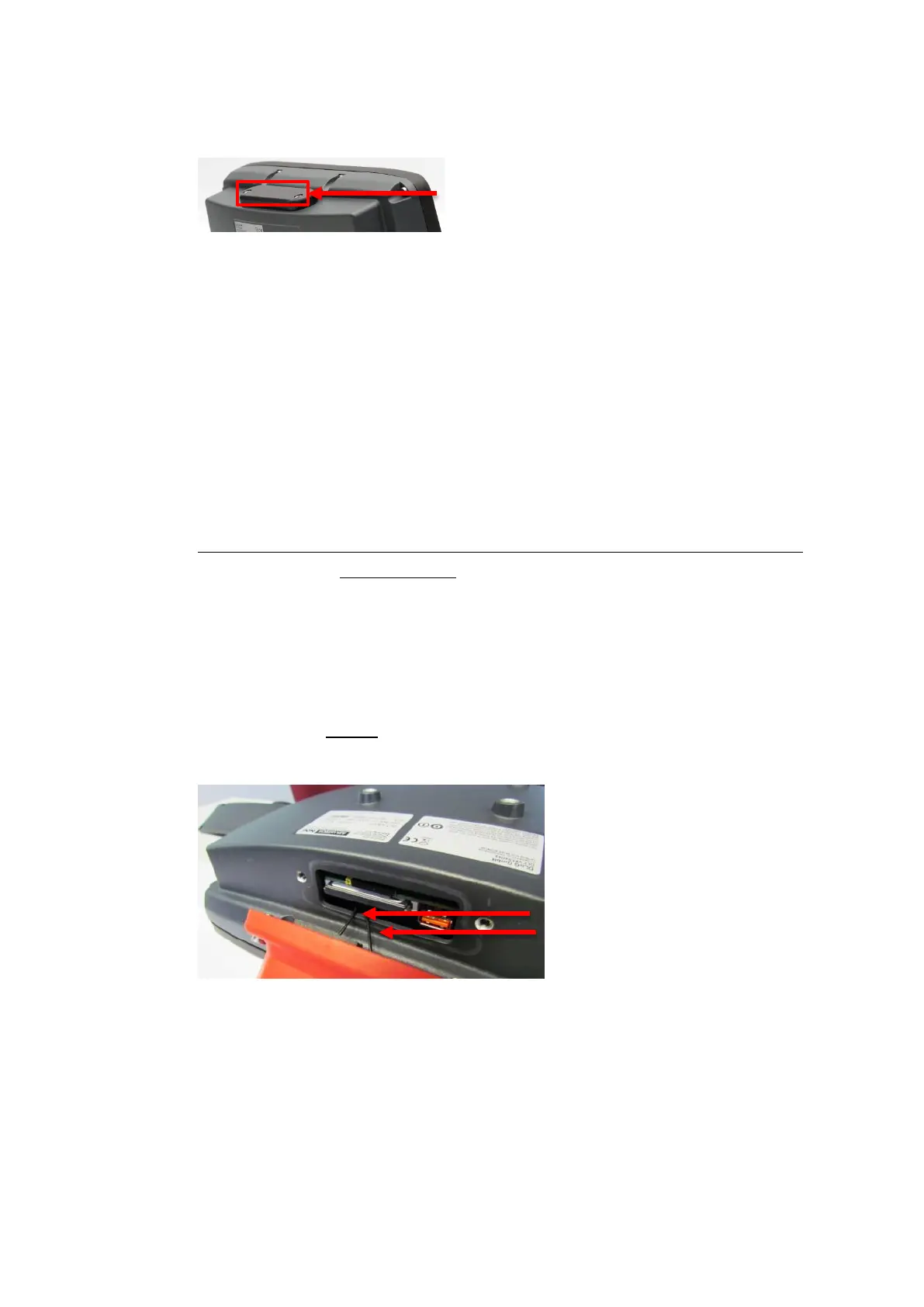
Open/close antenna (or protective cap)
DLT-V83 Operating Instructions V2.00 49 / 157
8.2. Open/close protective cap
Open protective cap:
Unfasten both screws on the protective cap
using a 3mm Allen wrench.
Remove the protective cap from the device.
The interfaces are now accessible.
Close protective cap:
Place the protective cap back onto the DLT-V83.
Tighten both screws (1 Nm torque).
8.3. Open/close antenna
8.3.1. WLAN antenna IEEE 802.11 a/b/g/n
Open antenna:
NOTICE: Property damage
Remove the antenna extremely carefully from the device, as it is secured using thin connection
cables onto the Radio card(s) in the interior of the device.
The connection cables can be detached from the antenna and the radio card, meaning WLAN
operation is no longer guaranteed.
Unfasten both screws on the antenna.
Tool: Torx screwdriver, Tx20
Lift the antenna carefully to avoid pulling on the connection cables (raise by a maximum of 2 to 3
cm).
Fig. 8.1: WLAN antenna unscrewed
Do not pull the connection cables too far
out of the device, and do not allow them
to get caught or severed.
Close antenna:
Place the antenna back onto the DLT-V83.
Take care not to pinch the connection cables when doing this.
The antenna sealing must not be damaged; it must be seated correctly in the groove.
Tighten the two screws of the antenna again (1 Nm torque).



 To Next Page